Update Stripe ACH Settings for Nacha Compliance
If you accept ACH payments through Stripe in SMBcrm, review your Stripe account settings to make sure they meet updated Nacha requirements.
This applies to businesses that accept ACH Direct Debit, or plan to accept US bank account payments, through Stripe connected to SMBcrm. The change is effective March 20, 2026.
You can learn more about SMBcrm’s Payments & Commerce tools, but these required changes must be made in your Stripe account.
Who needs to take action
You should review this if:
- You have a Stripe account connected to SMBcrm and accept ACH Direct Debit
- You have a Stripe account connected to SMBcrm and plan to accept US bank account payments
- You manage client accounts with connected Stripe accounts that accept ACH Direct Debit or US bank account payments
What you need to update in Stripe
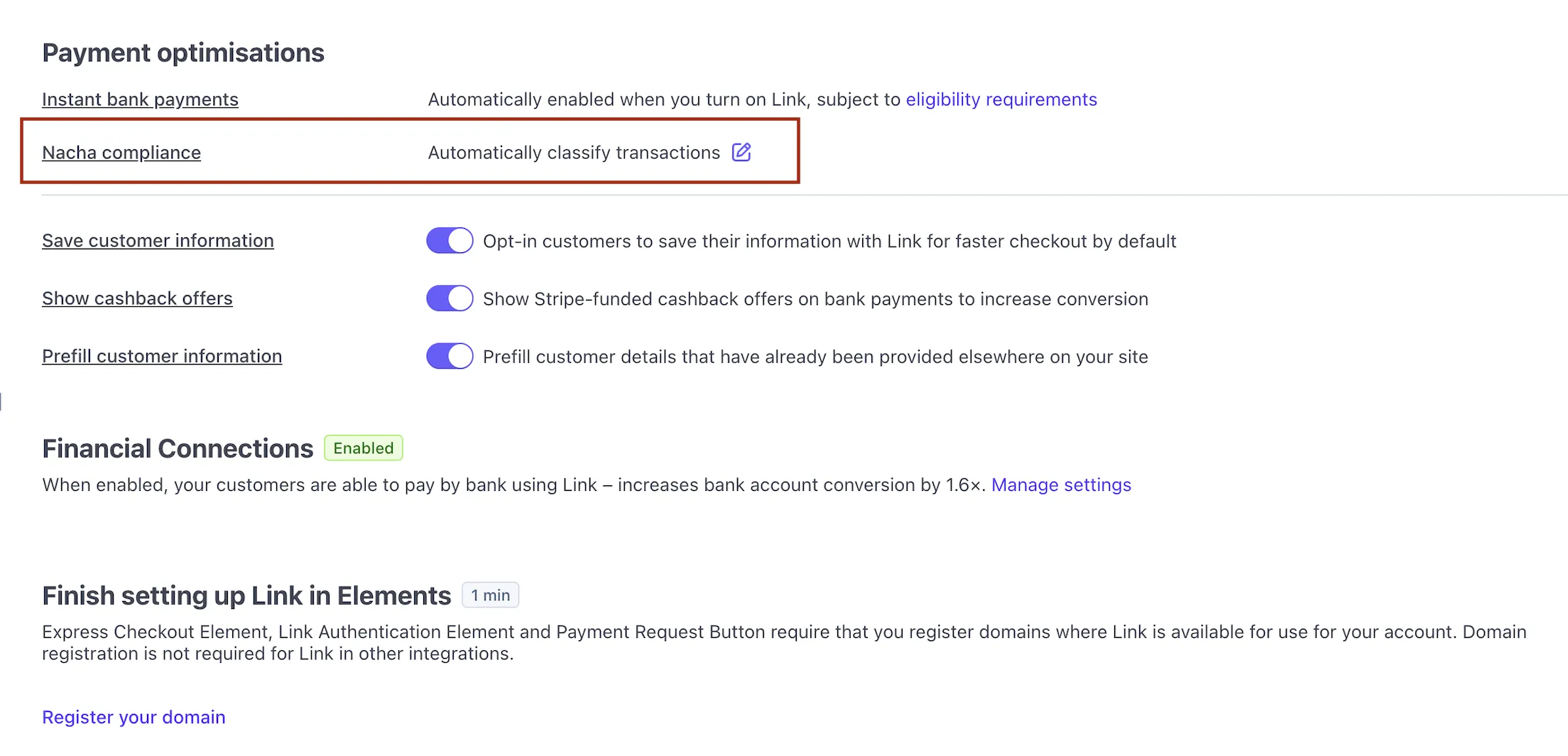
Stripe now requires you to choose how ACH transactions should be classified.
The available options are:
-
Automatically classify transactions Stripe determines whether each transaction represents a purchase of goods based on available transaction and merchant details. According to the source update, this works for most businesses and does not require code changes.
-
Classify all ACH transactions as goods Use this if you only sell physical or digital products.
-
Do not classify any transactions as goods Use this if you provide services, accept donations, or collect bill payments instead of selling goods.
How to configure transaction classification
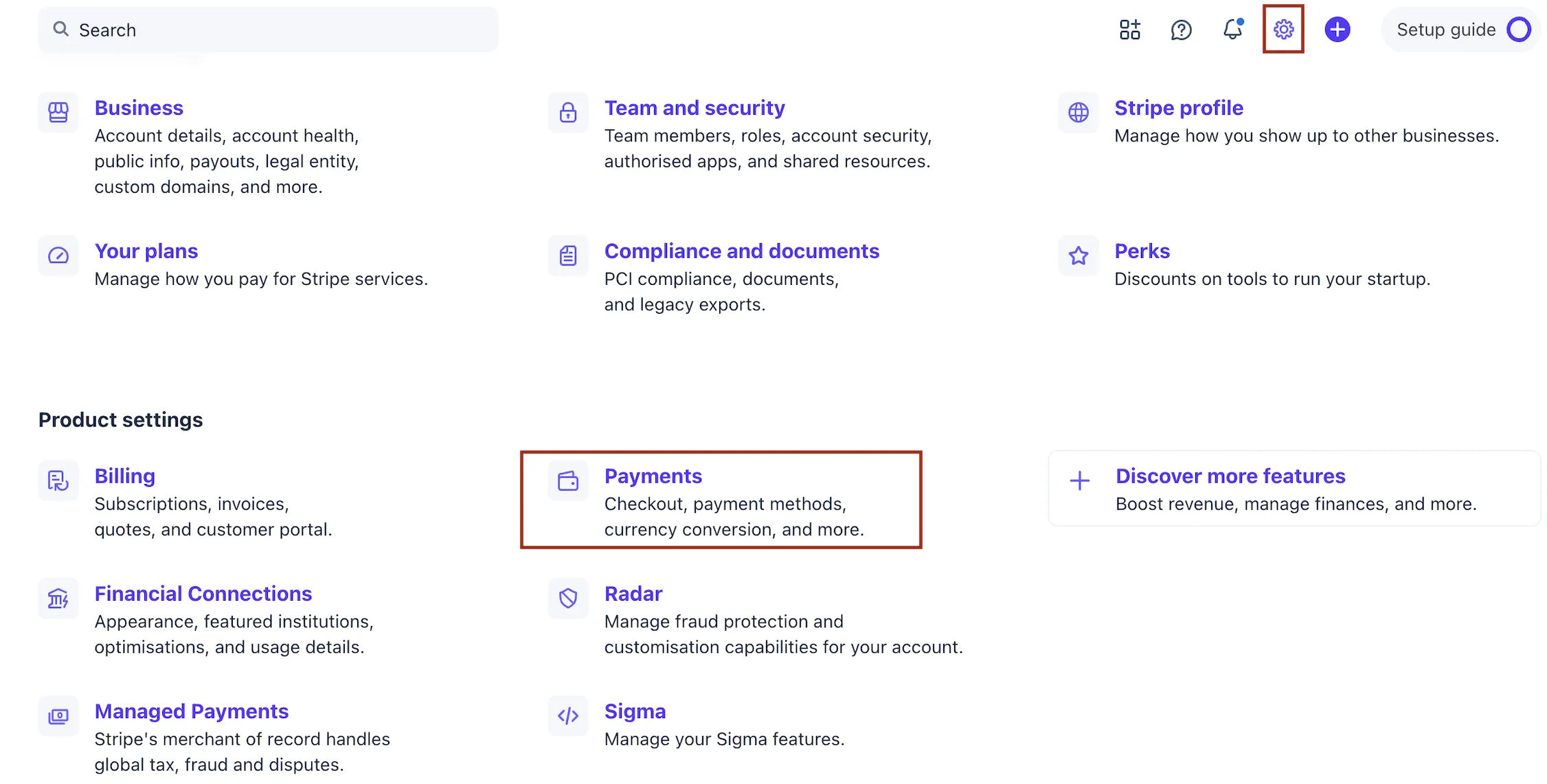
- Open your Stripe Dashboard.
- Go to Settings and then Payment.
- Find the Nacha compliance section.
- Choose one of the three transaction classification options.
- Save your changes.

Important to know
SMBcrm does not make these updates for you. These settings are controlled in your Stripe account, so you must complete the update directly in Stripe.
If you are unsure which option to choose, contact Stripe support for guidance.
Need Help Applying This Update?
If you’d like help rolling this out in SMBcrm, visit Support or request a demo.