What’s New in SMBcrm URL Redirects
We’ve rolled out a refreshed URL Redirect experience in SMBcrm with a cleaner, more intuitive setup flow for managing 301 redirects. This update also adds support for redirecting an entire domain to an external domain that is not connected to your account.
This is a UI/UX and capability update designed to make redirects easier to create, easier to understand, and less error-prone for day-to-day site management.
How the Updated URL Redirect Setup Works
Refreshed, guided redirect setup
You can now choose a source domain and then select whether you want to redirect:
- A specific path (like /about)
- The entire domain
The guided popup flow is designed to reduce guesswork and help you configure the correct redirect type from the start.
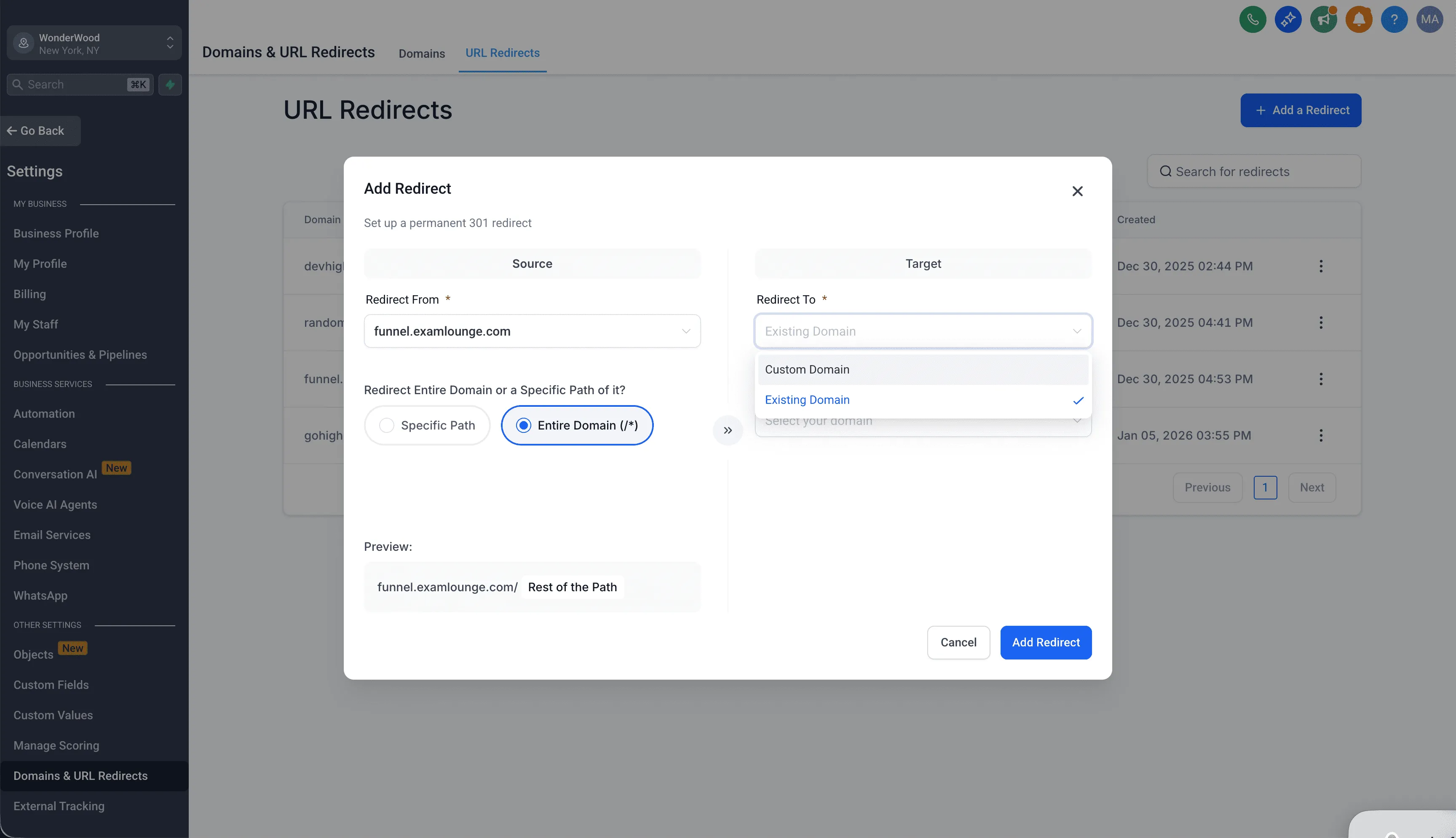
Smarter target options for entire-domain redirects
When redirecting the entire domain, you can set the destination to:
- An existing connected domain
- A custom domain (external), which lets you redirect to a domain that is not connected to your account
When “Custom Domain” is selected, a new field appears to enter a valid domain or subdomain, such as example.com or sub.example.com. Note that paths like /about are not accepted for full domain targets.
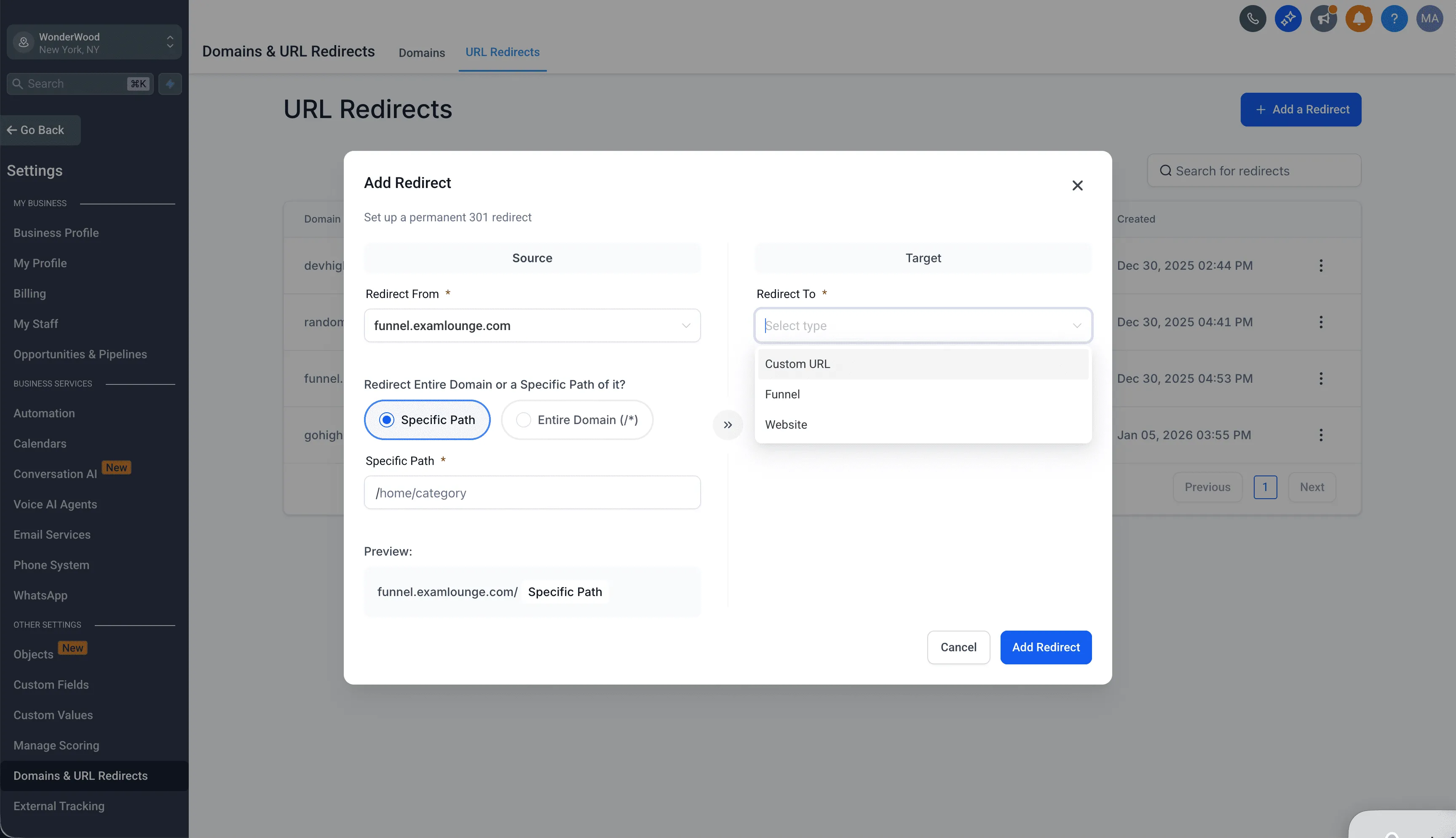
More destination choices for redirects
Depending on the redirect type, destinations can include:
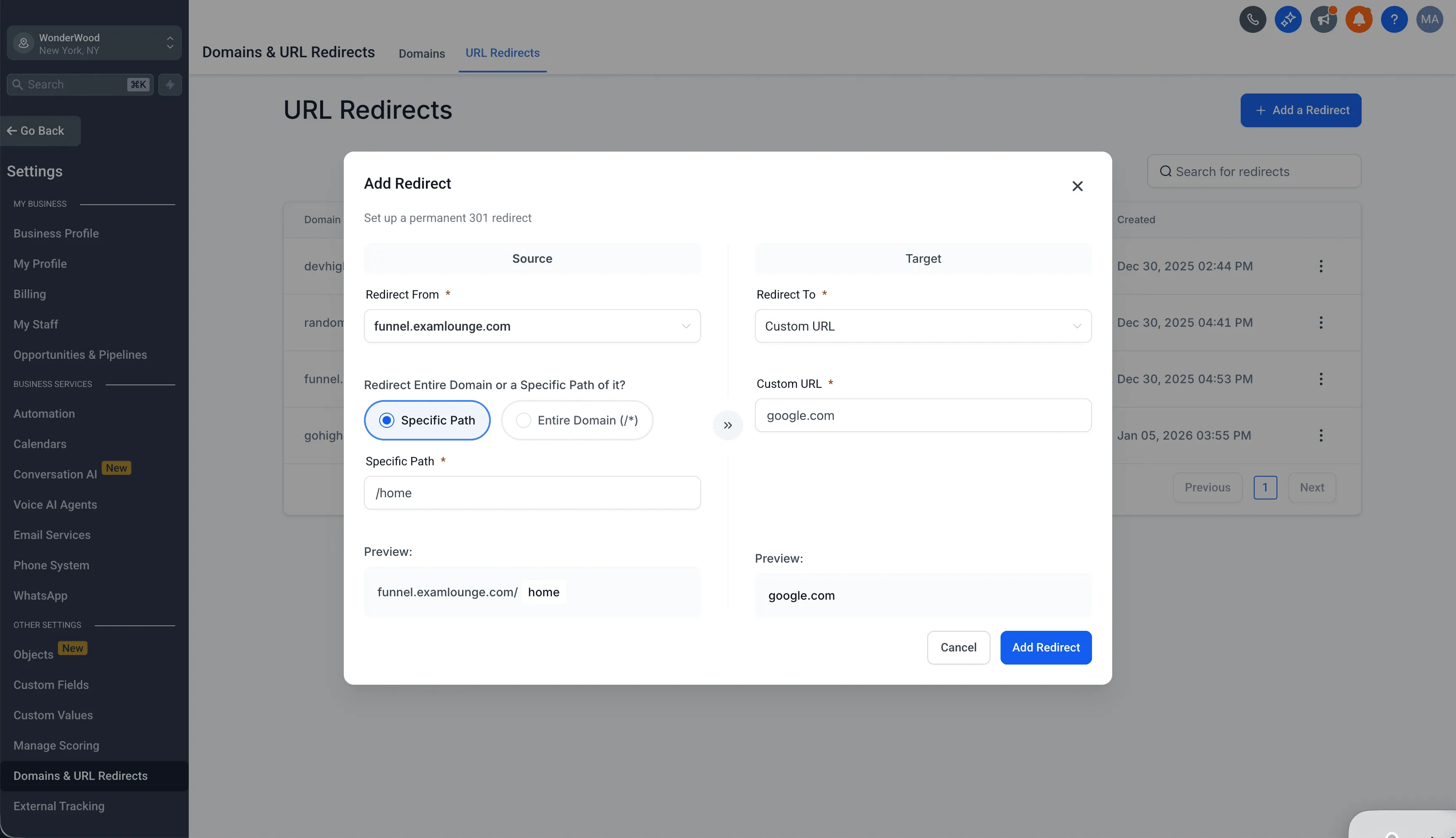
- Custom URL (for specific paths)
- Funnel step
- Website page
Live previews to reduce mistakes
Dynamic previews show how the redirect will behave before you save it, helping you confirm that both the source and destination are correct.
Safer editing after creation
After a redirect is created, only the target values can be edited. The source settings are locked to prevent accidental changes that could break traffic, campaigns, or SEO.
Inline validation and error handling
The new interface includes real-time checks to help catch issues early, including:
- Invalid URL or domain formats
- Duplicate redirects
- Unsupported inputs
Why This Matters
This update makes it easier for teams to manage redirects without developer support, especially when:
- Migrating to a new website
- Consolidating domains
- Redirecting old branded domains to a new external destination
- Cleaning up and maintaining SEO-friendly 301 redirects
By improving the setup flow, adding live previews, and introducing stronger validation, SMBcrm helps reduce configuration errors that can impact visitors and search rankings.
Important Notes
- All existing redirects will continue working as they do today
- This update is available to all accounts by default with no manual enablement required
Need Help Setting Up Redirects?
If you’d like help planning redirects during a domain change or website migration, visit our Support page or Contact Us. For best practices related to handling visitor data during transitions, you can also review our Privacy Policy and GDPR resources.