Workflow Goal Events for Invoice Payments and Review Clicks
SMBcrm workflows now support two additional Goal Event types: Invoice Paid and Review Request Clicked. These events let you move contacts to a Goal step when a payment status changes or when a contact clicks a review request link.
For teams using automation workflows, this can reduce extra branches and manual checks in follow-up sequences.
What Changed
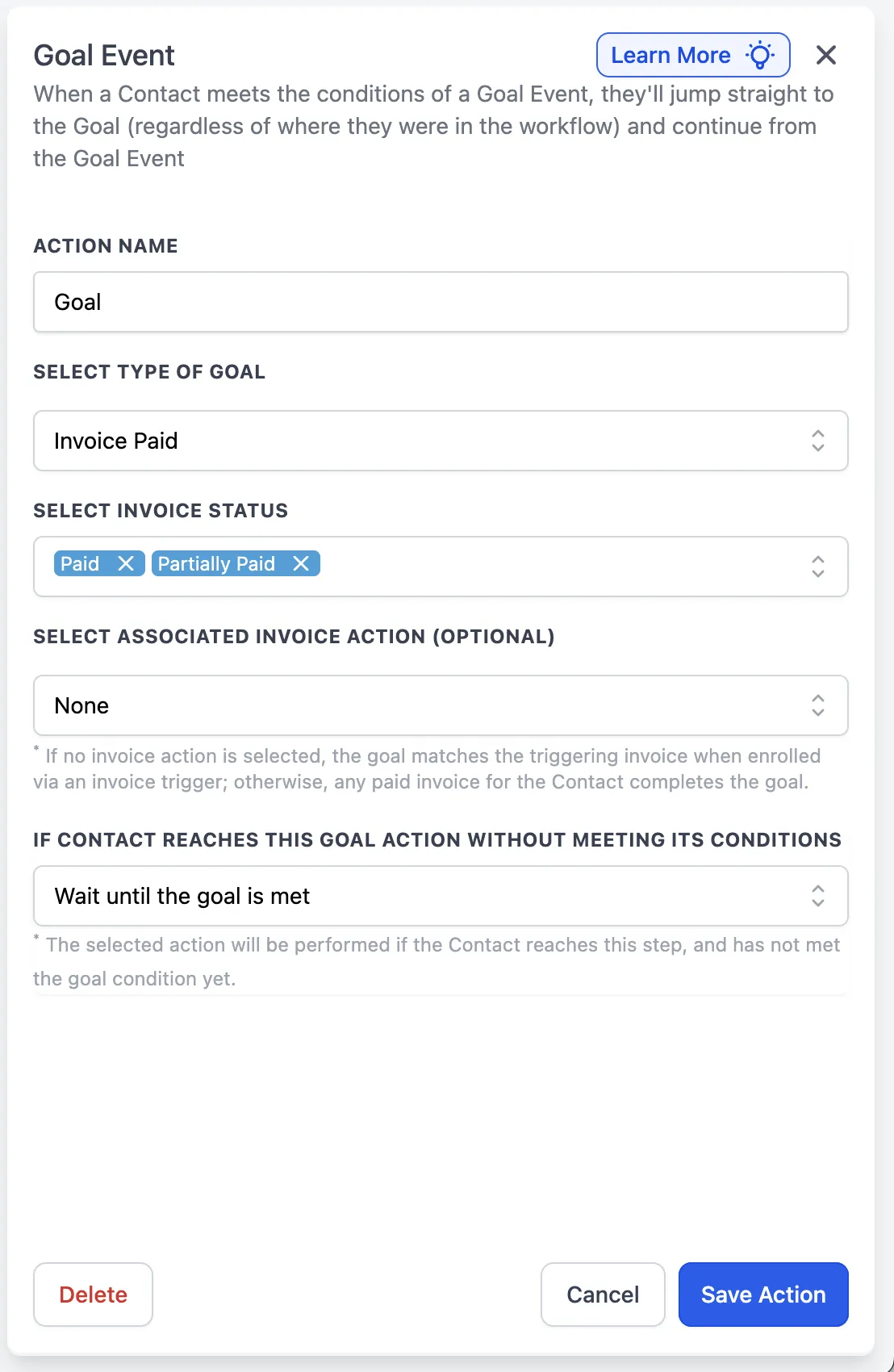
Invoice Paid
The goal is completed when a contact has an invoice marked Paid or Partially Paid.
You can set the goal to trigger from:
- any qualifying invoice for that contact, or
- only the invoice connected to a selected Send Invoice step
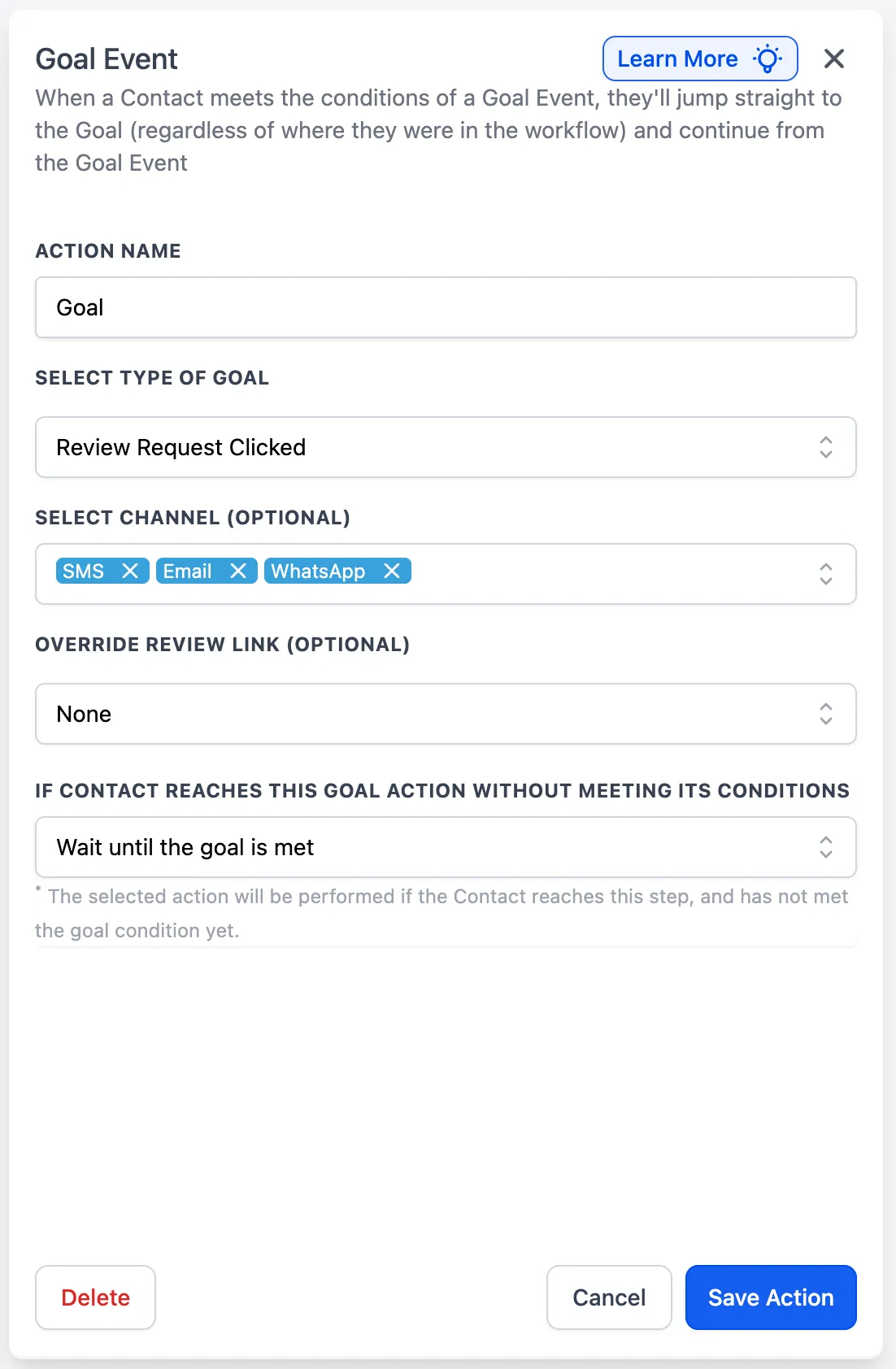
Review Request Clicked
The goal is completed when a contact clicks a review request link.
You can match clicks from:
- any channel, or
- only selected channel(s)
- a specific review link, if you want to narrow the trigger
How to Use It
- Add a Goal Event step to your workflow.
- Choose Invoice Paid or Review Request Clicked.
- Apply any filters you want.
- Choose what should happen if the contact reaches the Goal step before the event occurs.
- Save the workflow.
Why It Matters
These goal events help you advance contacts based on real outcomes:
- payment received
- review interest shown through a click
That makes it easier to build cleaner automations for receipts, next steps, thank-you messages, and referral follow-ups.
Example Uses
- After a Send Invoice action, a contact pays. The Invoice Paid goal can move them to a receipt or next-step sequence.
- After sending a review request by SMS, a contact clicks the review link. The Review Request Clicked goal can move them to a thank-you or referral follow-up.
Notes
- If an Invoice Paid goal is not tied to a specific invoice action, any qualifying paid invoice for that contact can complete the goal.
- For Review Request Clicked, leaving the channel and review link filters blank creates a broader match. Adding filters narrows the goal to only those clicks.
Need Help Applying This Update?
If you’d like help rolling this out in SMBcrm, visit Support or request a demo.