Workflow Version History Now Restores in the Correct Builder
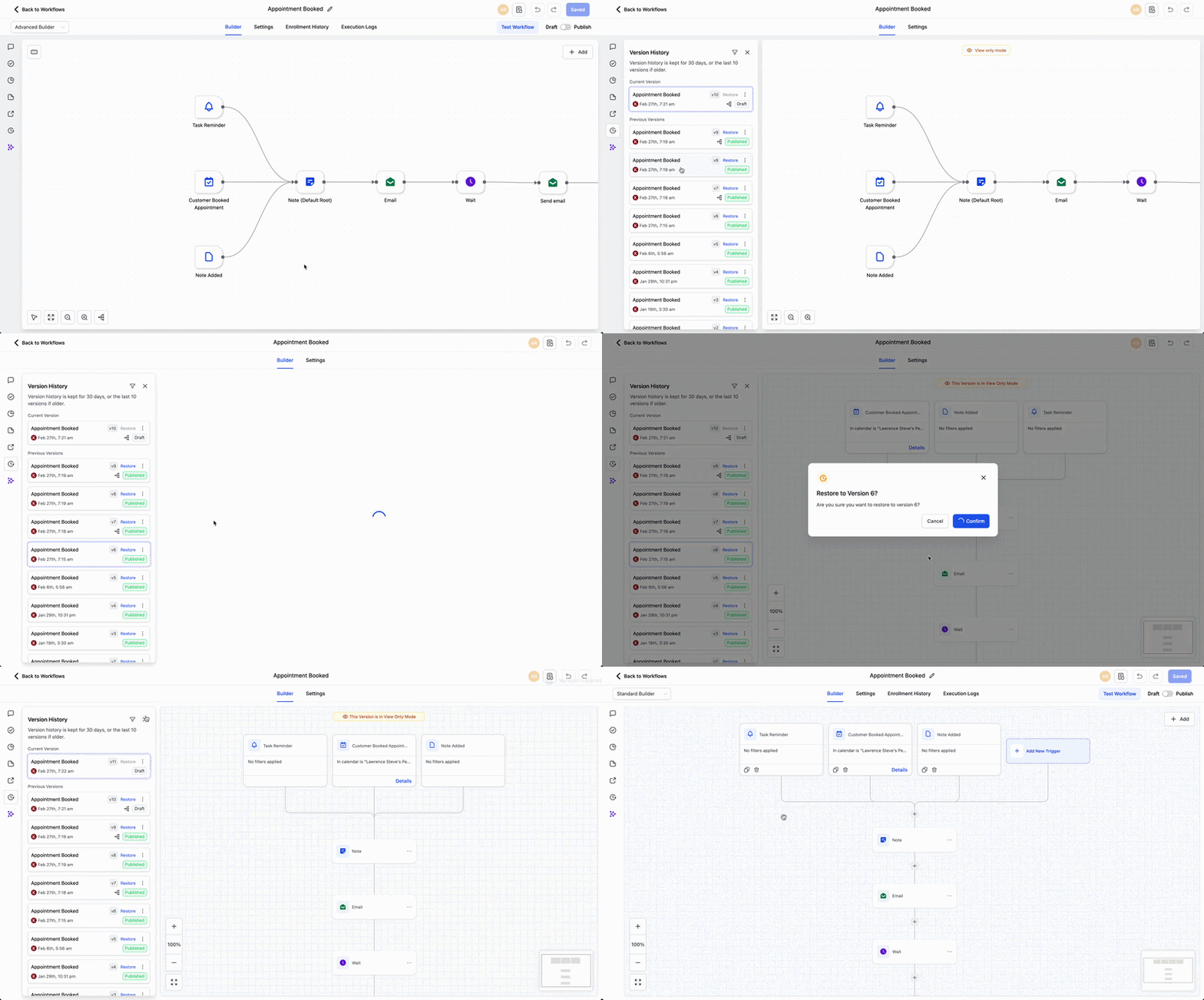
SMBcrm has improved Workflow Version History so you can restore versions created in either builder without manually switching first. When you restore a saved version, the system opens the builder where that version was originally created.
This update helps preserve workflow structure and makes it easier to work confidently across different workflow-building experiences in Automation.
What Changed
Each saved workflow version now keeps track of which builder was used when it was created.
When you choose Restore, SMBcrm:
- identifies the builder used for that version
- switches to the correct builder automatically
- loads that exact version as originally built
Why It Matters
Previously, users working across both builders could run into friction when previewing or restoring older workflow versions. This improvement keeps the original context intact so versions restore as expected.
How to Use It
- Open a workflow and go to Version History.
- Select the version you want to view or restore.
- Click Restore.
- SMBcrm automatically opens the correct builder for that version.
Example
If you created a workflow in the Standard Builder, then later updated it in the Advanced Builder, you can now restore the earlier version and SMBcrm will switch back to the Standard Builder automatically.
Additional Notes
- This applies to workflows with saved versions across both builders.
- A restored version always opens in the builder where it was originally created.
- No manual builder switching is required during restore.
Need Help Applying This Update?
If you’d like help rolling this out in SMBcrm, visit Support or request a demo.