Advanced Filters 2.0 Improves Smartlist Filtering Consistency
SMBcrm has updated advanced filtering in Smartlists to make operators more consistent, clearer, and easier to use across different field types.
This update standardizes filter behavior for date, numeric, and string fields, adds several requested date operators, and resolves a long-standing issue with future date filtering. It also extends to tasks, custom objects, and companies.
What changed
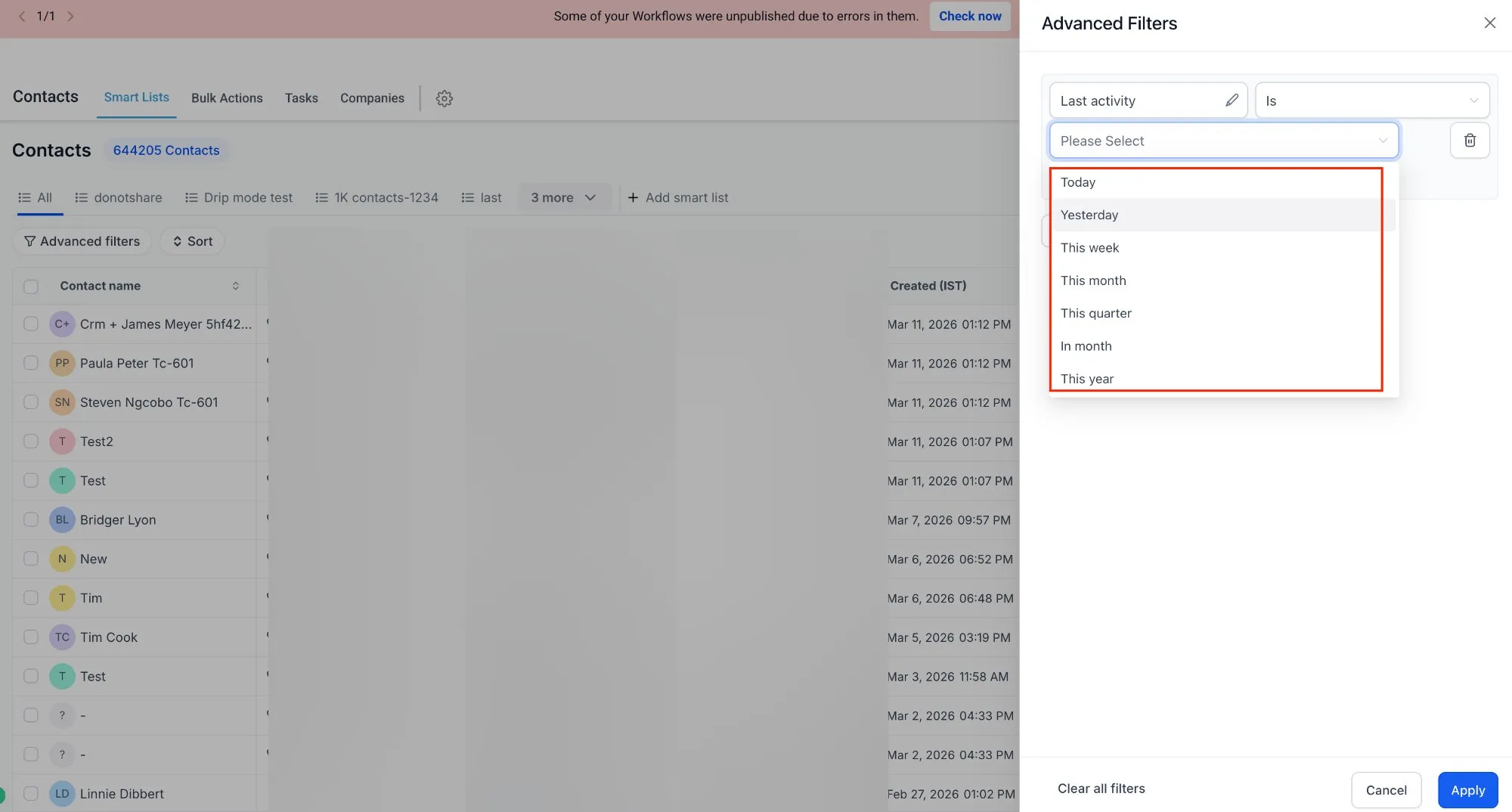
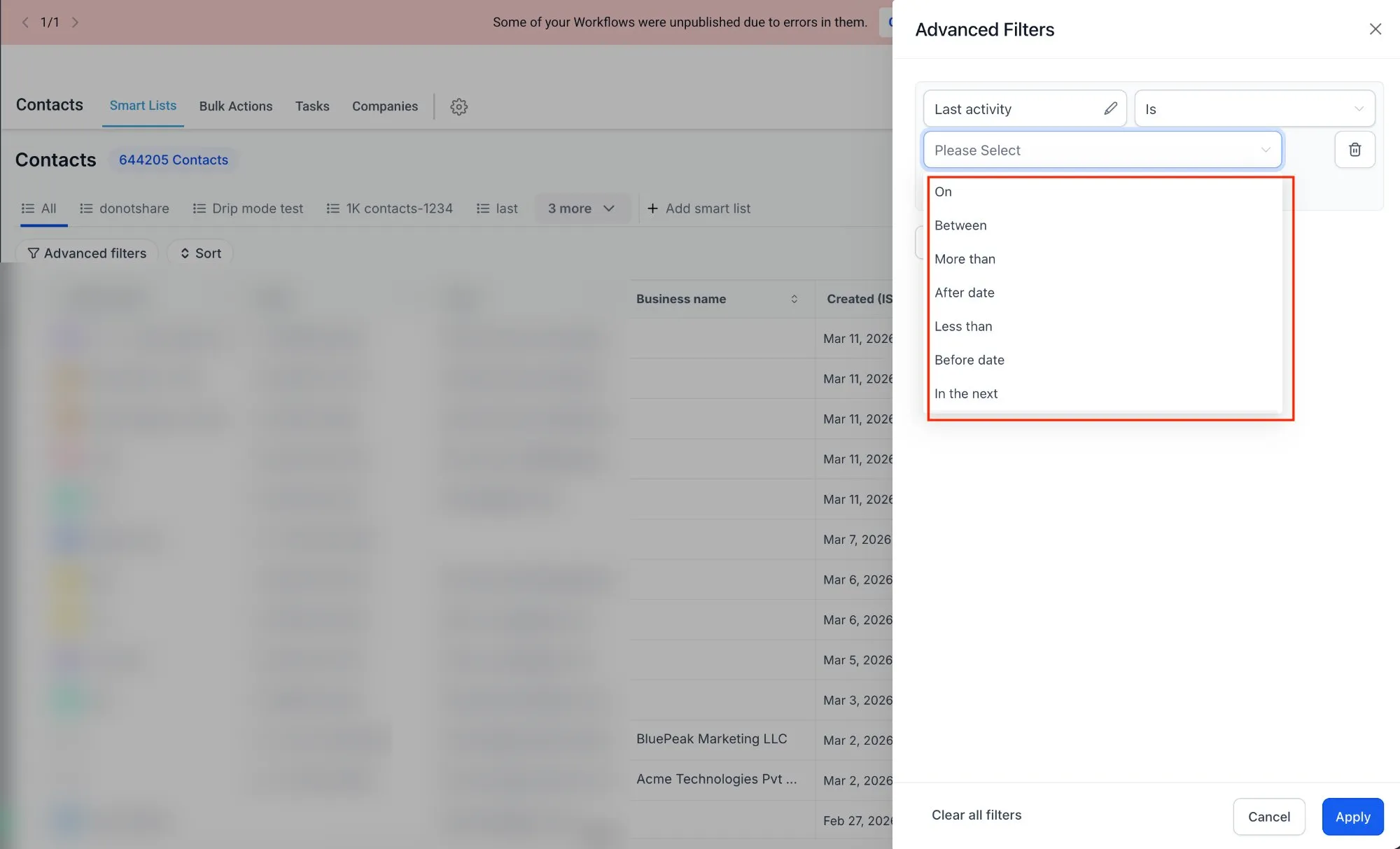
More date filter options
Date filters now include additional commonly requested operators:
- today
- tomorrow
- yesterday
- this week
- this quarter
- this year
- before date
- after date
More consistent string filters
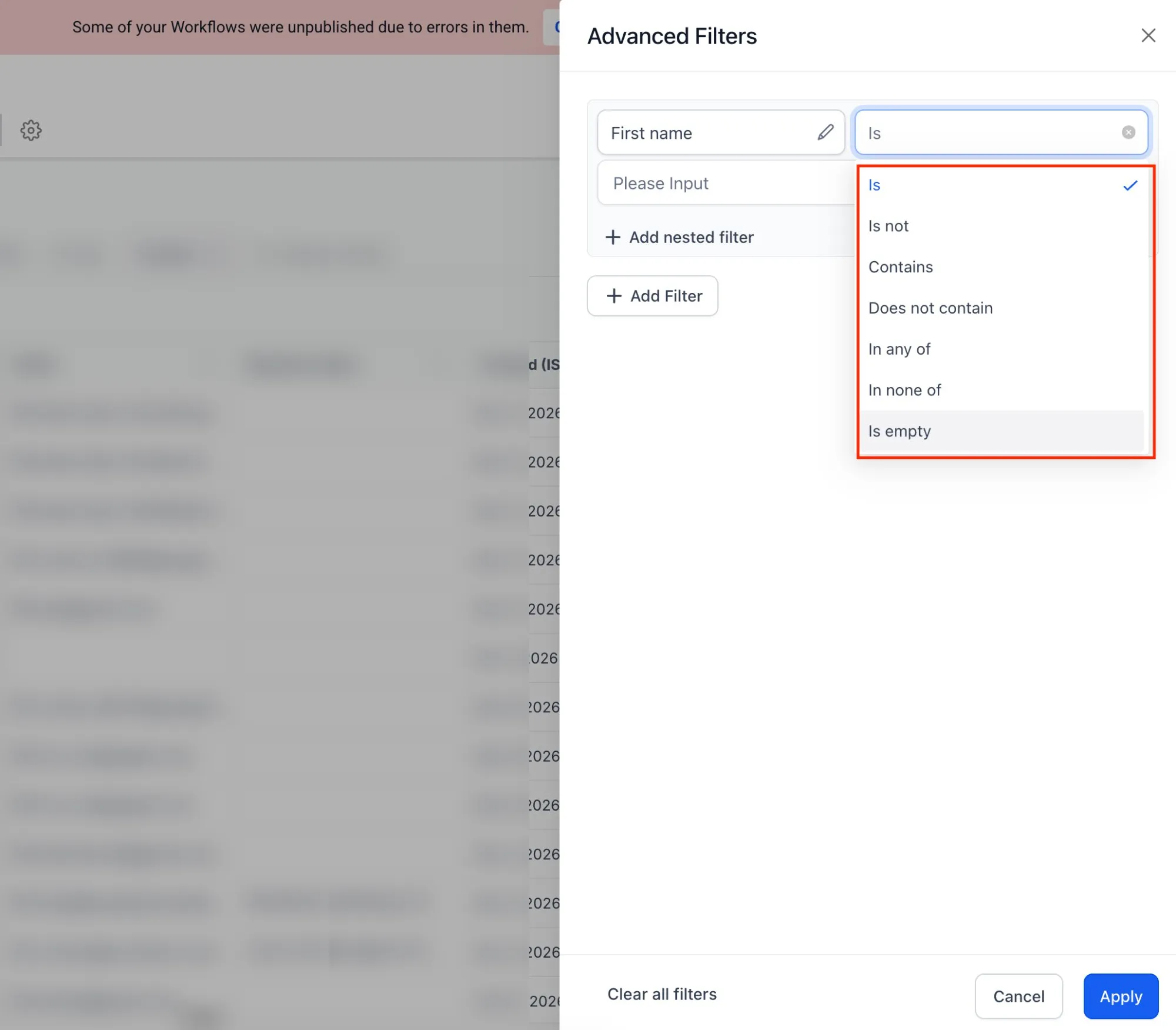
String filter operators have been standardized to behave more consistently across fields.
Easier communication-related filtering
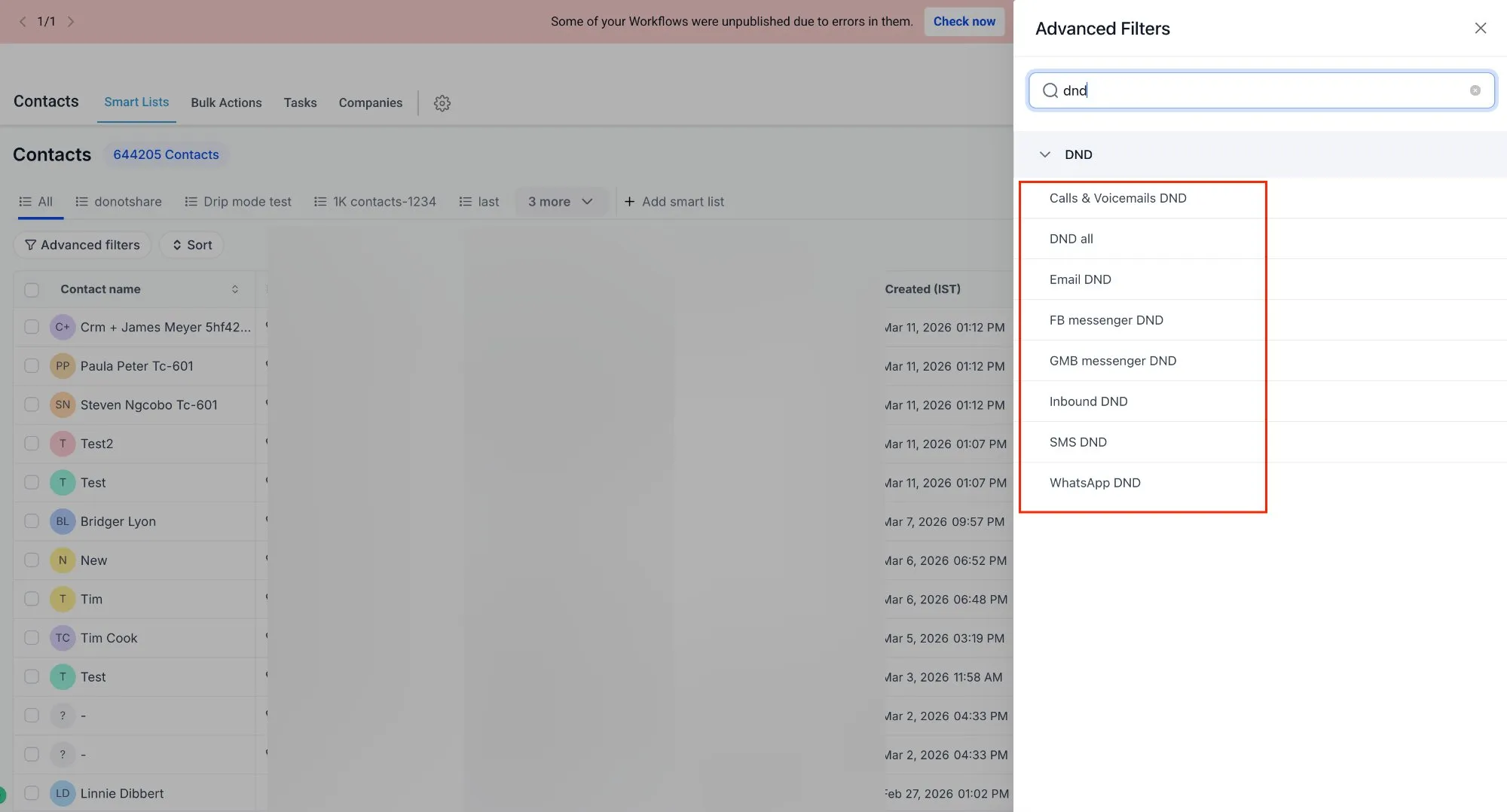
Communication filters now support DND as a suffix for channels such as:
- SMS
- call
This makes it easier to filter records based on communication preferences and statuses.
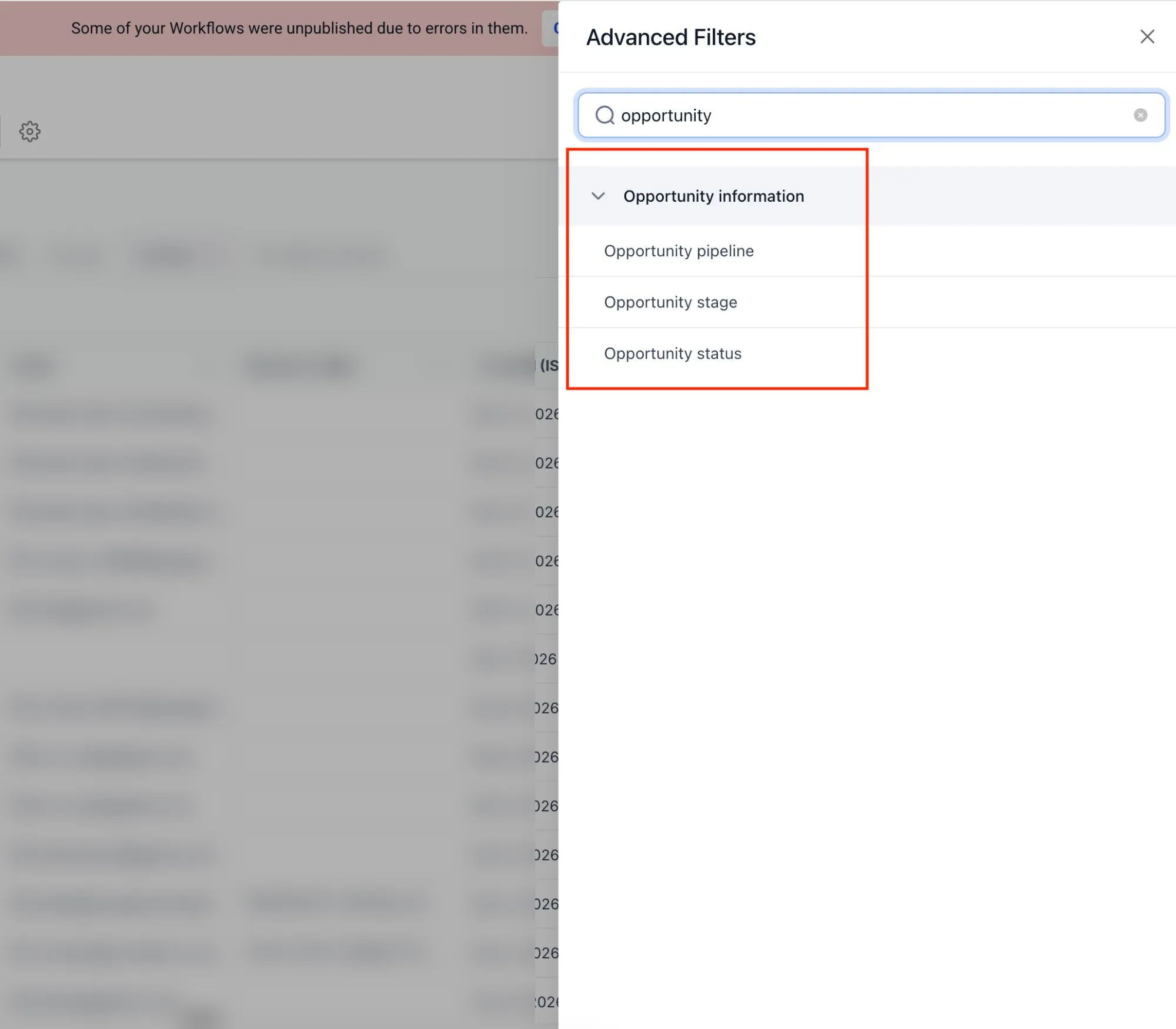
Pipeline filters renamed to Opportunity
Pipeline filters have been renamed to Opportunity to better match the terminology customers commonly use.
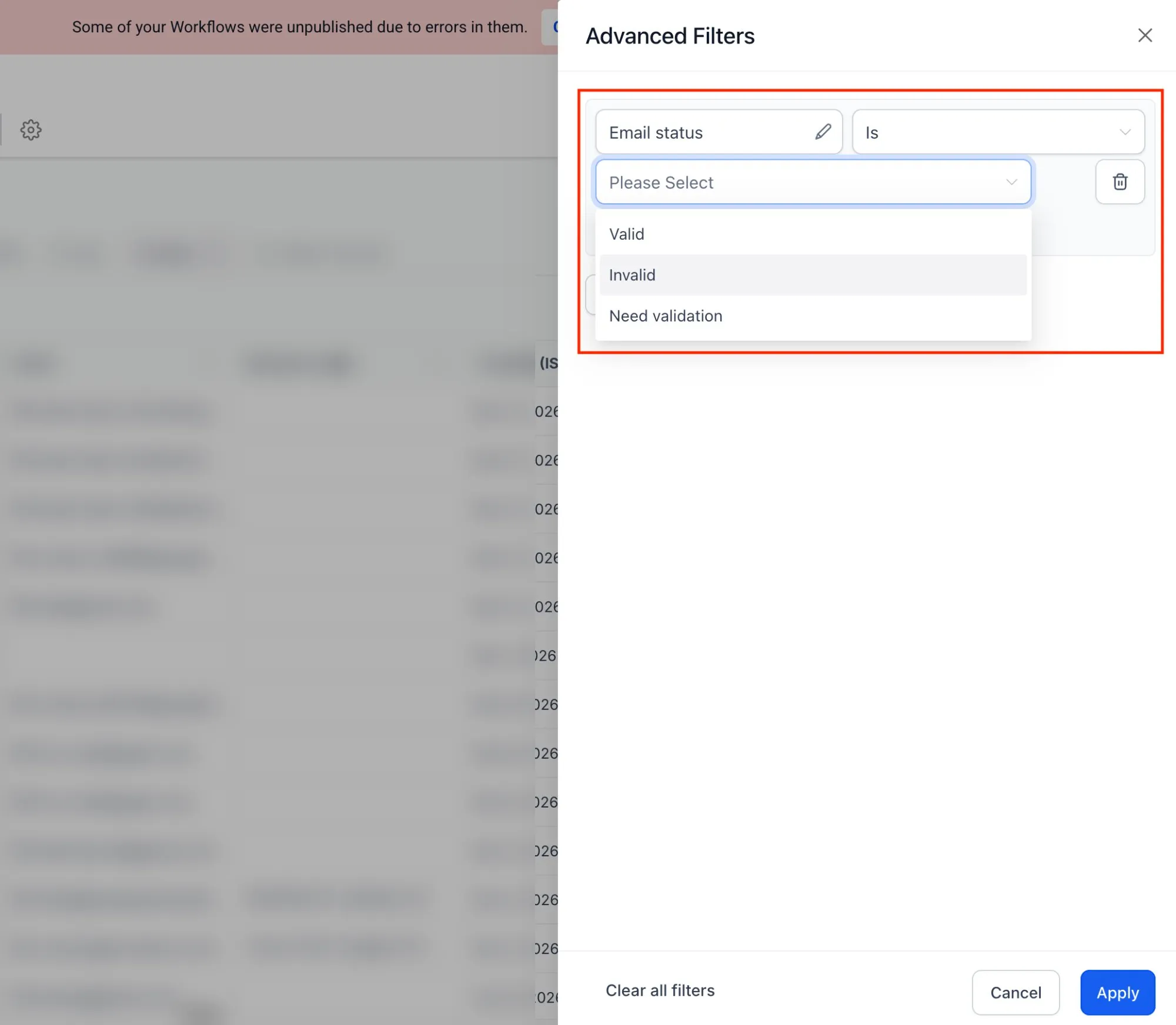
Expanded email and WhatsApp status operators
Email and WhatsApp status operators have been updated to better reflect underlying status criteria and support more matching scenarios.
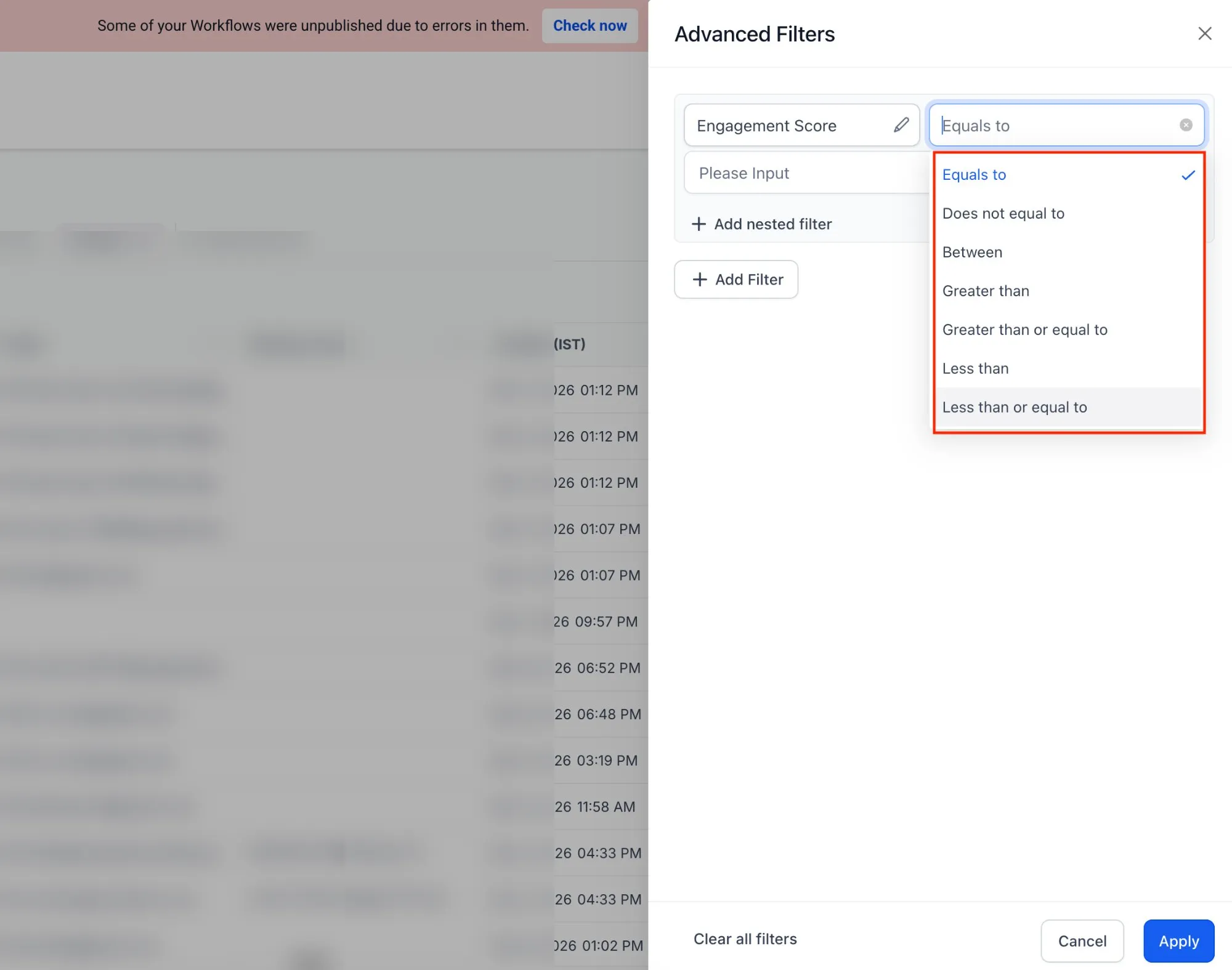
More options for numeric fields
Numeric field filtering now includes additional operator options.
Why it matters
These changes are designed to reduce confusion and make advanced filtering more predictable across different data types. If you use Smartlists to segment records or work with tasks, custom objects, or companies, you should see more consistent filtering behavior.
In Case You Missed It
You can also read about ACH Bank Transfers for US and Canada Accounts Using NMI.
Need Help Applying This Update?
If you’d like help rolling this out in SMBcrm, visit Support or request a demo.