AI Builder Can Now Configure and Rename Workflows
SMBcrm’s AI Builder and Assistant can now rename workflows and configure core workflow settings directly from a natural language prompt. Users can make naming changes, update settings, and apply workflow actions without manually opening each settings tab.
What Changed
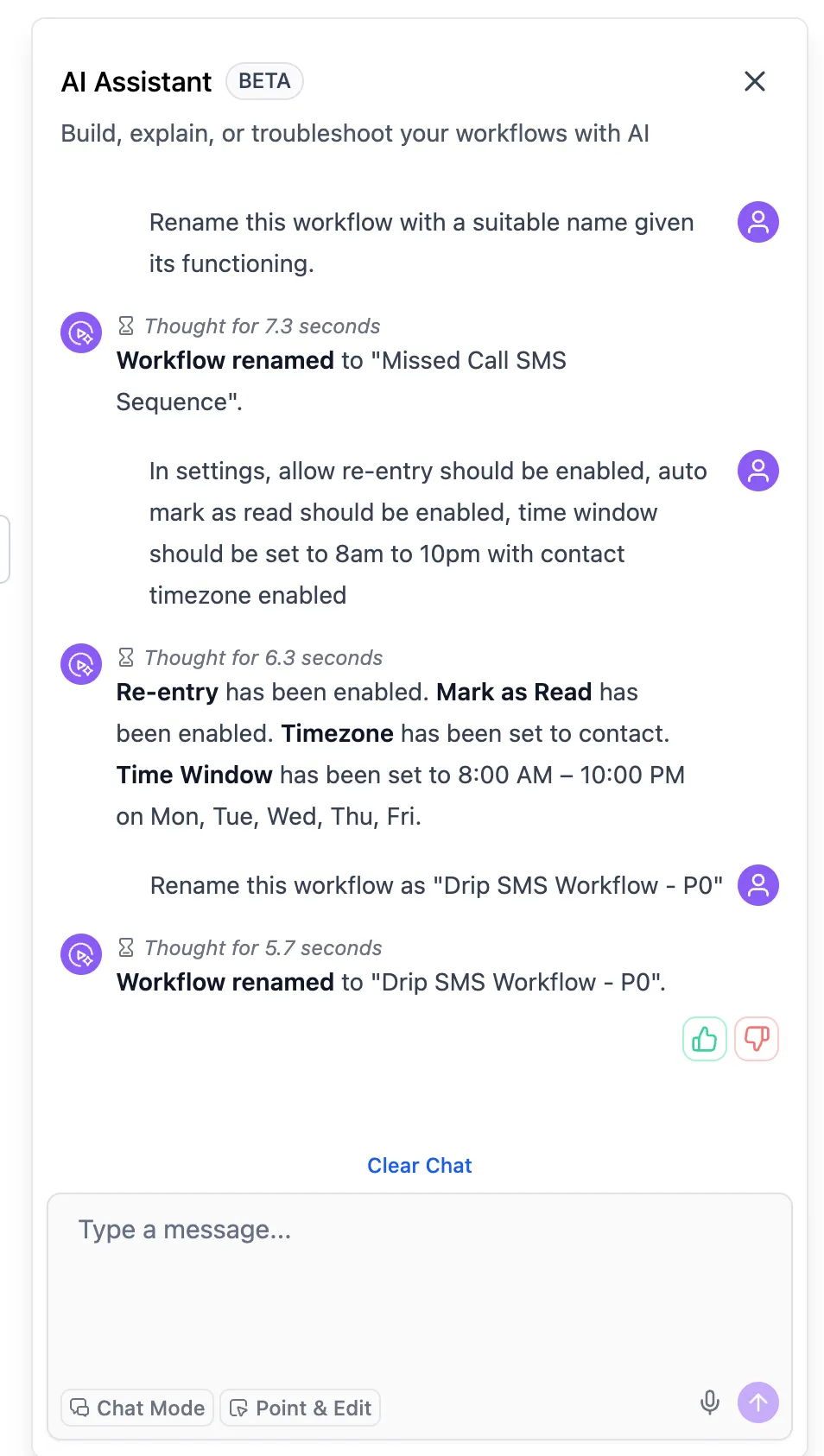
AI can now handle workflow naming during generation and while editing an existing workflow.
- If you provide a workflow name, AI applies it directly.
- If no name is provided, AI generates one based on context.
- You can also ask AI to rename the workflow you are currently editing.
AI can also read and update core workflow settings from a prompt, including:
- Re-entry settings
- Multiple opportunities
- Stop on response
- Time zone
- Business hour time windows
- From name, from email, and from number
- Mark conversations as read
This makes it easier to manage automation without moving through multiple settings screens.
Why It Matters
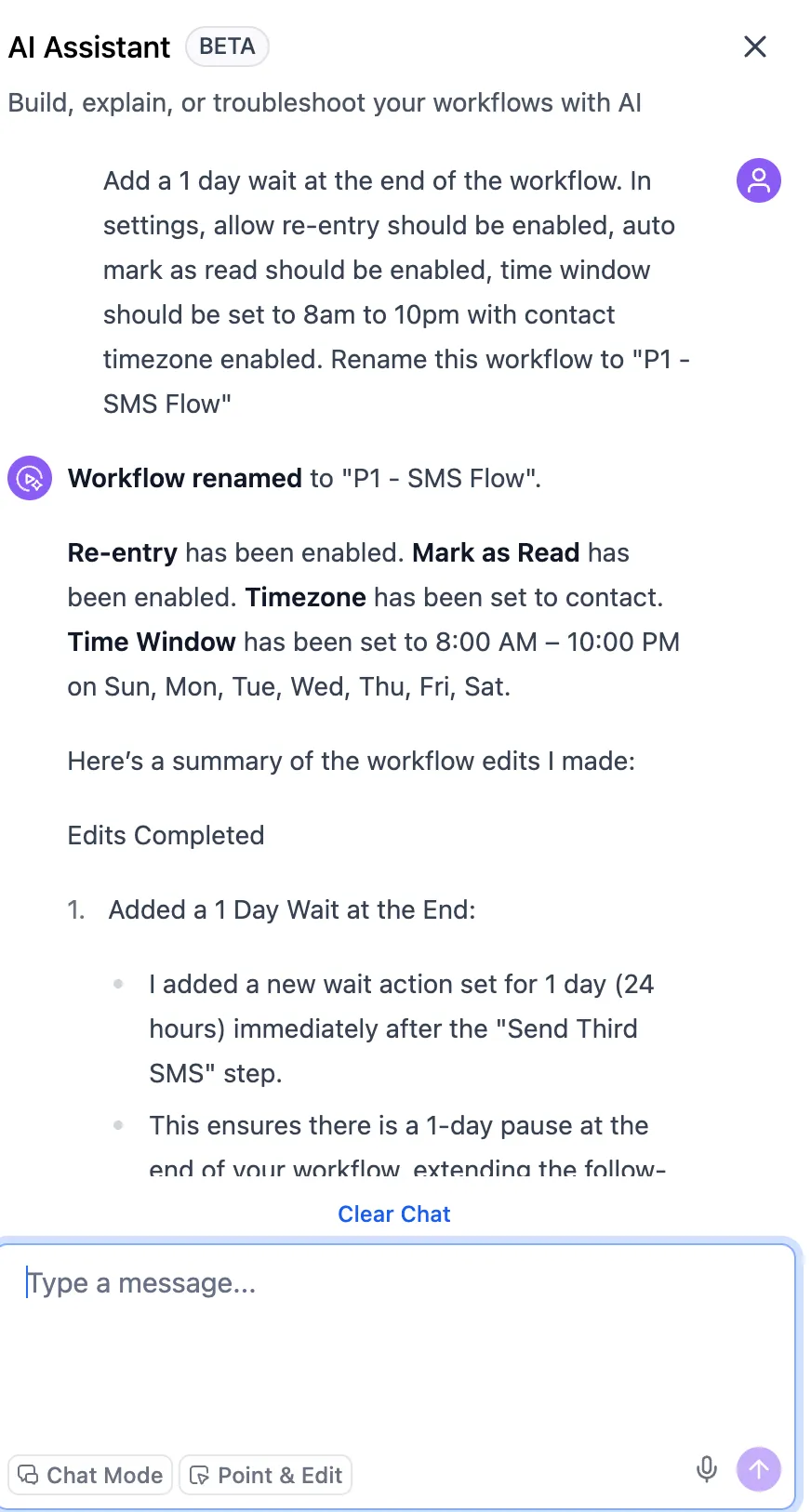
Users can now describe a more complete workflow setup in one prompt, including the workflow name, settings, and actions. That helps turn a rough workflow idea into a more complete automation with fewer manual steps.
For example, while editing an appointment reminder workflow, you can ask AI to rename it, update sender details, add a follow-up action, and limit it to specific business hours. AI then applies those changes directly in the workflow.
This update expands what SMBcrm AI features can do inside workflows and reduces manual configuration during setup and edits.
In Case You Missed It
You can also read about Merge Duplicate Contacts Inside Workflows.
Need Help Applying This Update?
If you’d like help rolling this out in SMBcrm, visit Support or request a demo.