AI Builder Improves Data Linking for AI Actions and Tasks
SMBcrm has improved how AI Builder links data into AI actions and the Create Task action. The update helps generated workflows behave more reliably with less manual cleanup.
What Changed
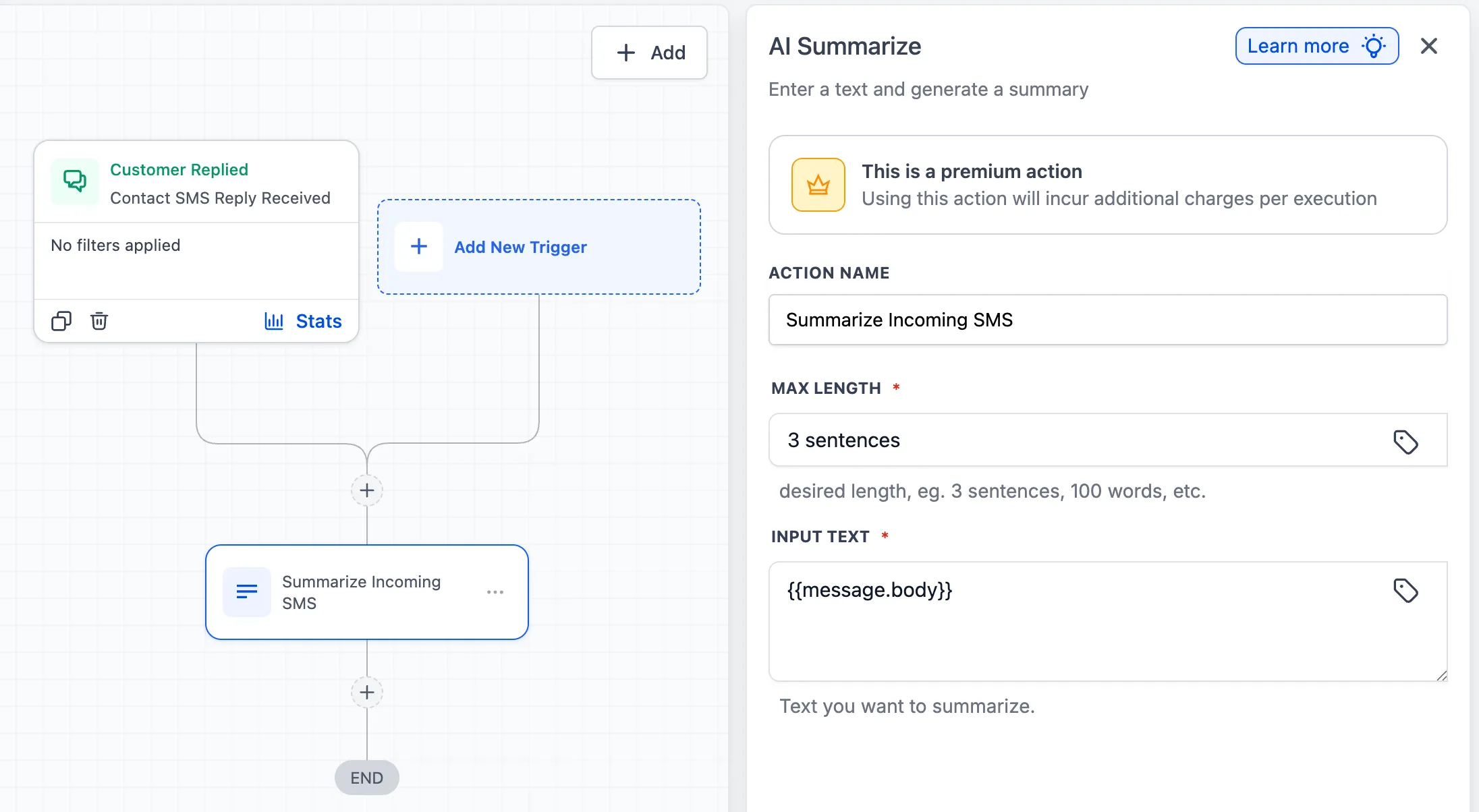
AI Builder now passes the actual variable into action fields instead of inserting extra prompt text or instructions. In the past, generated workflows could place full instructions into an action input field instead of the value that action needed.
For example, instead of inserting a prompt like “Summarize the following text into bullet points,” AI Builder now passes the relevant variable directly, such as {{message.body}}. This lets the action do its job without redundant instructions that could affect the output.
This improvement applies to several AI-powered steps used in automation workflows and AI features.
Improved AI Actions
The update improves data linking in these actions:
- AI Summarize now passes the target variable directly into the input field.
- AI Translate now passes the source text cleanly without adding translation instructions.
- AI Intent Detection now links the correct content variable for sentiment or intent analysis.
- AI Decision Maker now passes the correct value for the content being evaluated and also fixes an issue where branch names could be left empty.
Create Task Improvement
AI Builder also improves the Create Task action by writing a usable task description for the assignee.
Previously, the description could read like a system instruction, such as “Create a follow-up call task for the new lead.” Now, the description is written as an actual task, such as “Follow up with {{contact.name}} to discuss their inquiry and schedule a discovery call.”
That makes generated tasks clearer and more actionable right away.
Why It Matters
These changes make AI Builder-generated workflows more dependable from the start. Users should see:
- less manual editing after workflow generation
- fewer issues caused by incorrect field inputs
- clearer task descriptions for assigned team members
- more consistent behavior across AI actions
In Case You Missed It
You can also read about Workflow Trigger Stats Now Show Enrollments at a Glance.
Need Help Applying This Update?
If you’d like help rolling this out in SMBcrm, visit Support or request a demo.