Conversations SLA Performance Dashboard
SMBcrm now includes an SLA Performance Dashboard in Conversations analytics. It gives admins a clearer view of response times, SLA adherence, and overall performance trends so they can see where delays are happening and how consistently SLAs are being met.
This update is part of SMBcrm’s Communication features.
What it shows
The SLA Performance Dashboard provides a consolidated view of SLA results across messages, users, and channels. You can use it to:
- See how many messages met or breached SLA targets
- Review average response times
- Track trends over time
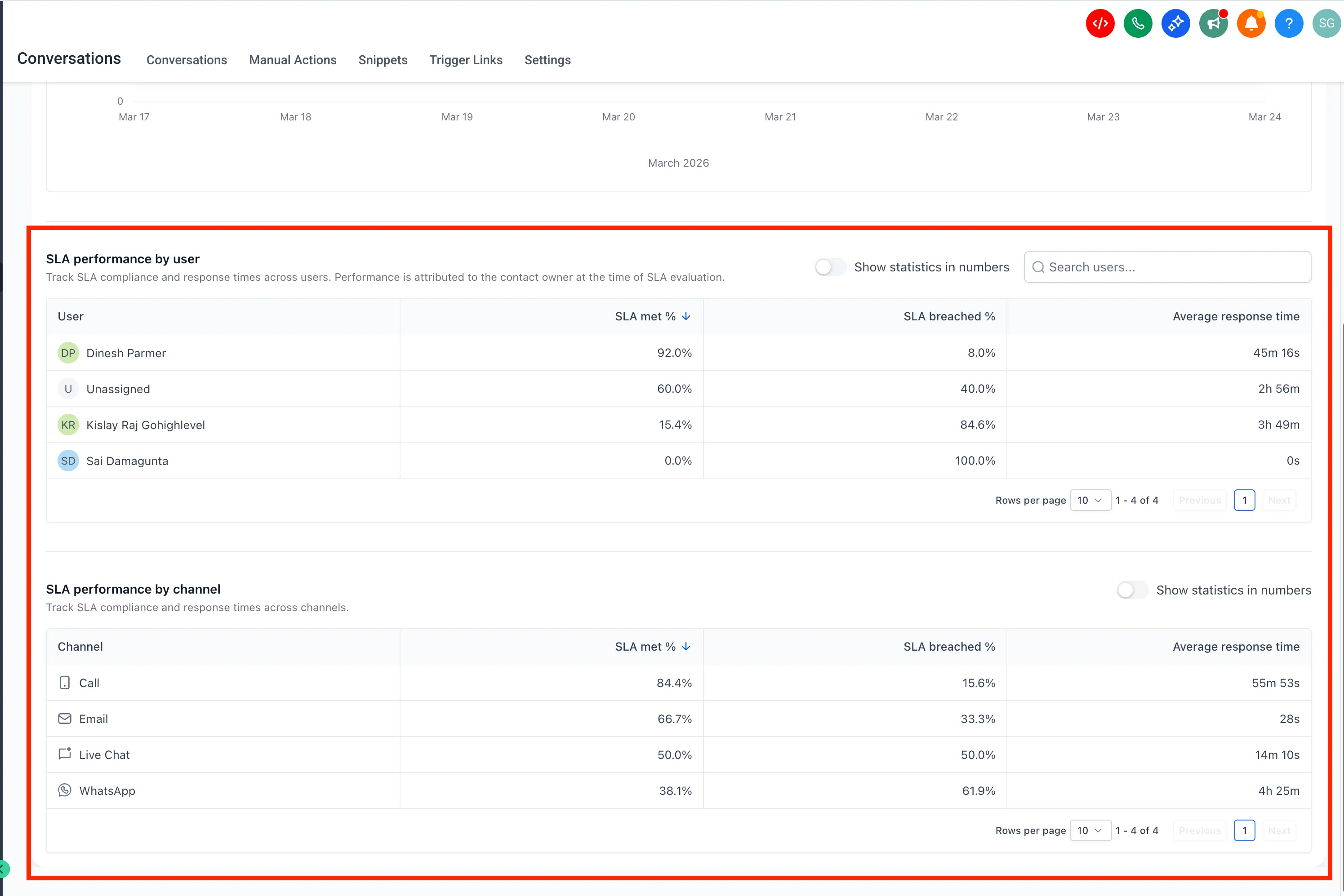
- Compare performance by user
- Compare performance by channel
- Use filters and sorting to drill into specific insights
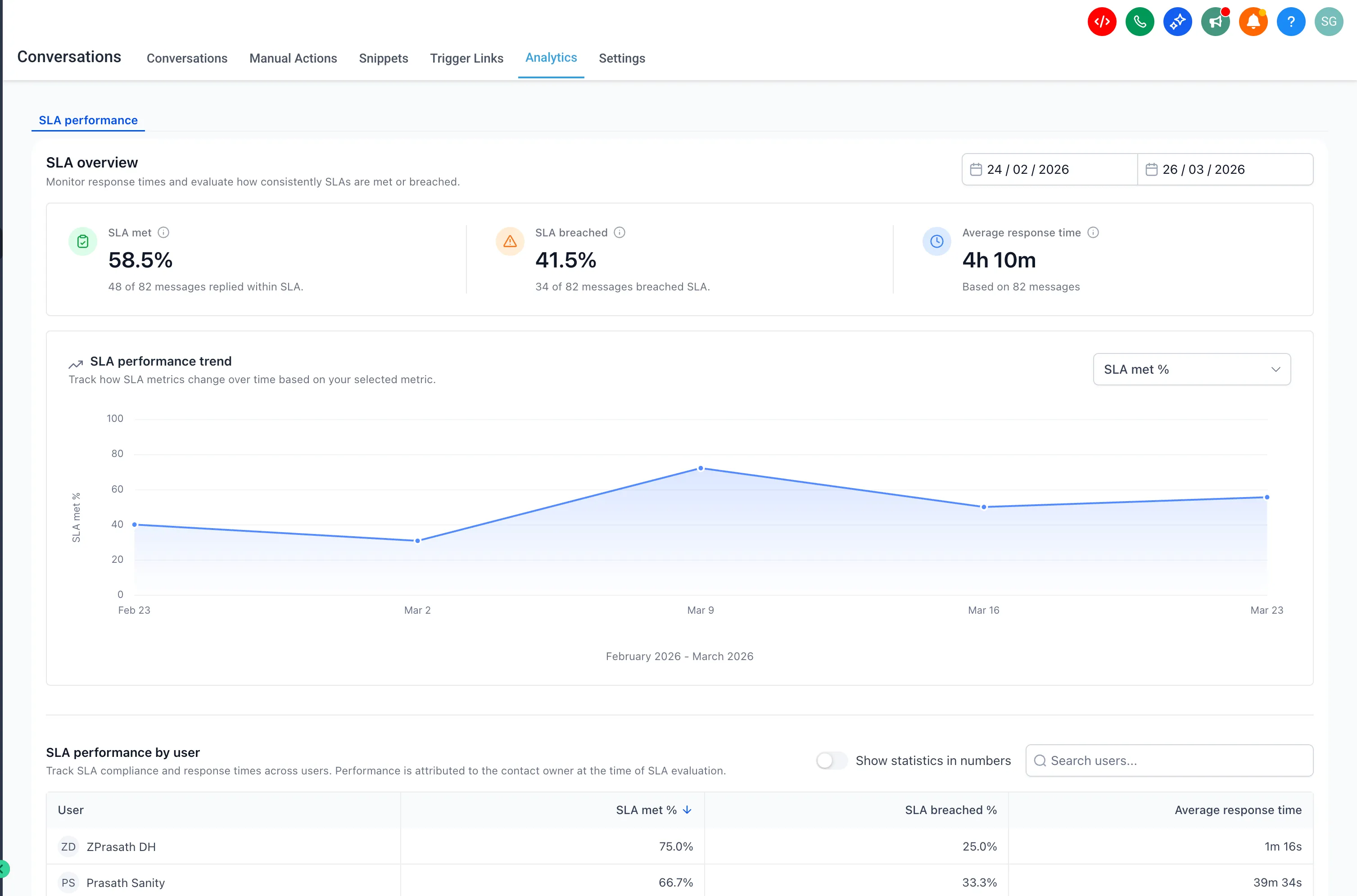
How to access it
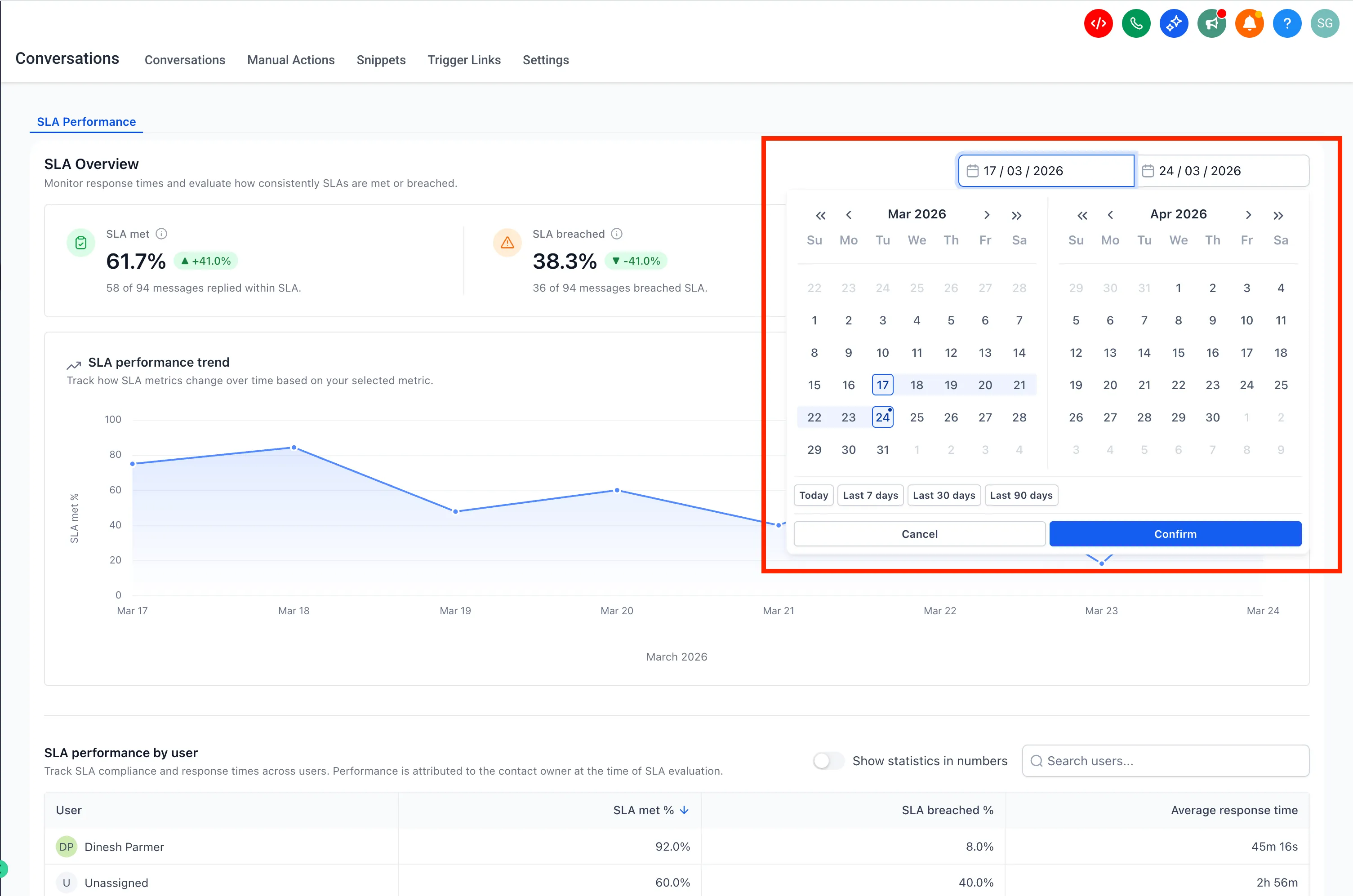
Go to Conversations → Analytics → SLA Performance and select a time range using the available filters.
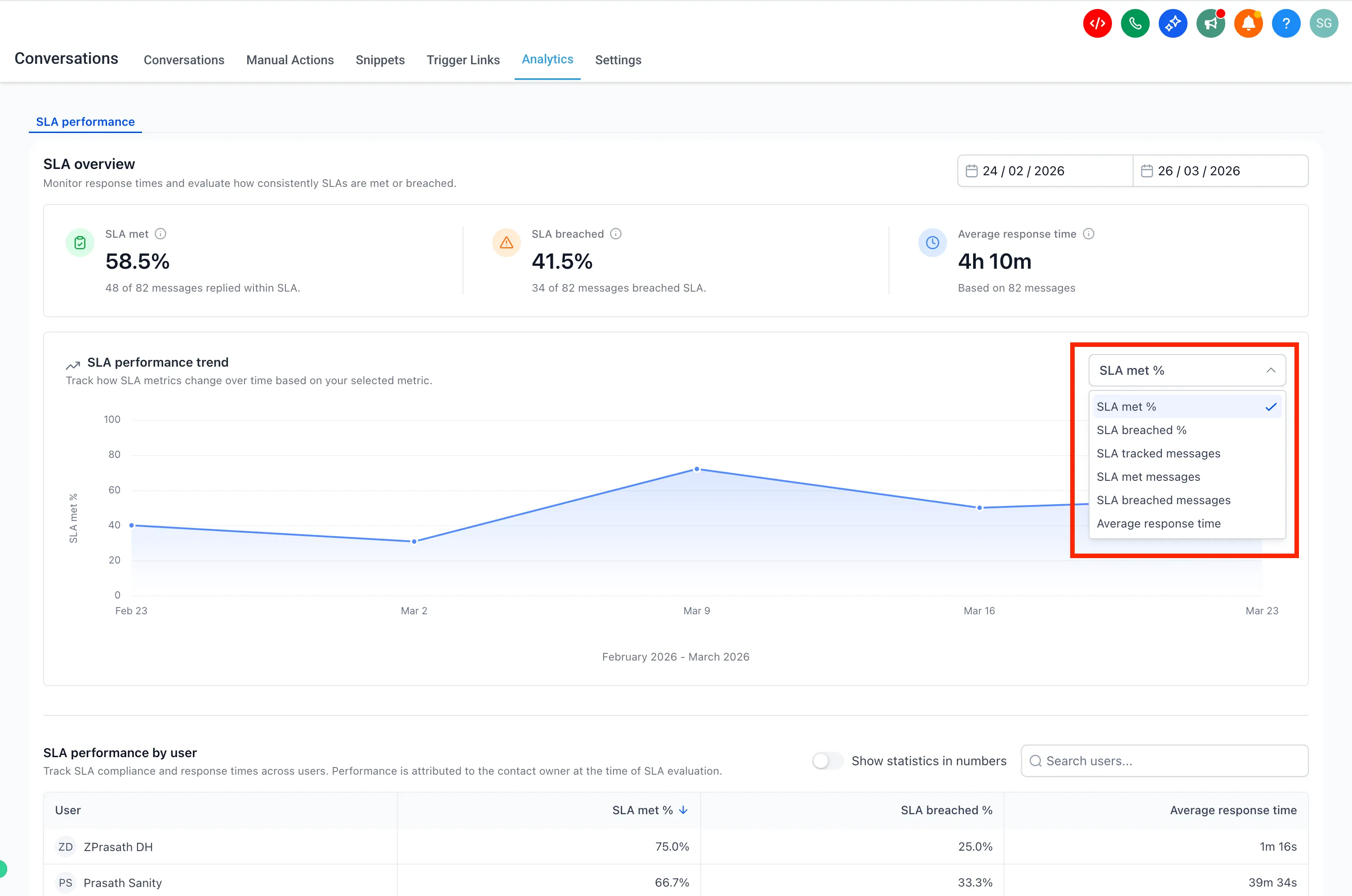
You can also use the trend chart dropdown to switch between available metrics.
User and channel reports support sorting and filtering for deeper analysis.
Important notes
- Only messages with completed SLA evaluation, either met or breached, are included in reports
- Conversations marked as read without a reply are excluded
- SLA performance is attributed to the assigned user at the time of evaluation
- Only Admins can access SLA Performance reports
- Data for the SLA Performance Dashboard is available starting March 23, 2026
- You can enable this feature from Labs → Conversations SLA Performance Dashboard
- This feature is available only on the new Conversations interface
- To enable the new interface, turn on CRM Redesign: Conversations and Contacts Page (Beta) in Labs
In Case You Missed It
You can also read about Workflow AI Builder Enabled by Default for Agencies.
Need Help Applying This Update?
If you’d like help rolling this out in SMBcrm, visit Support or request a demo.