Custom Fields UI Revamp
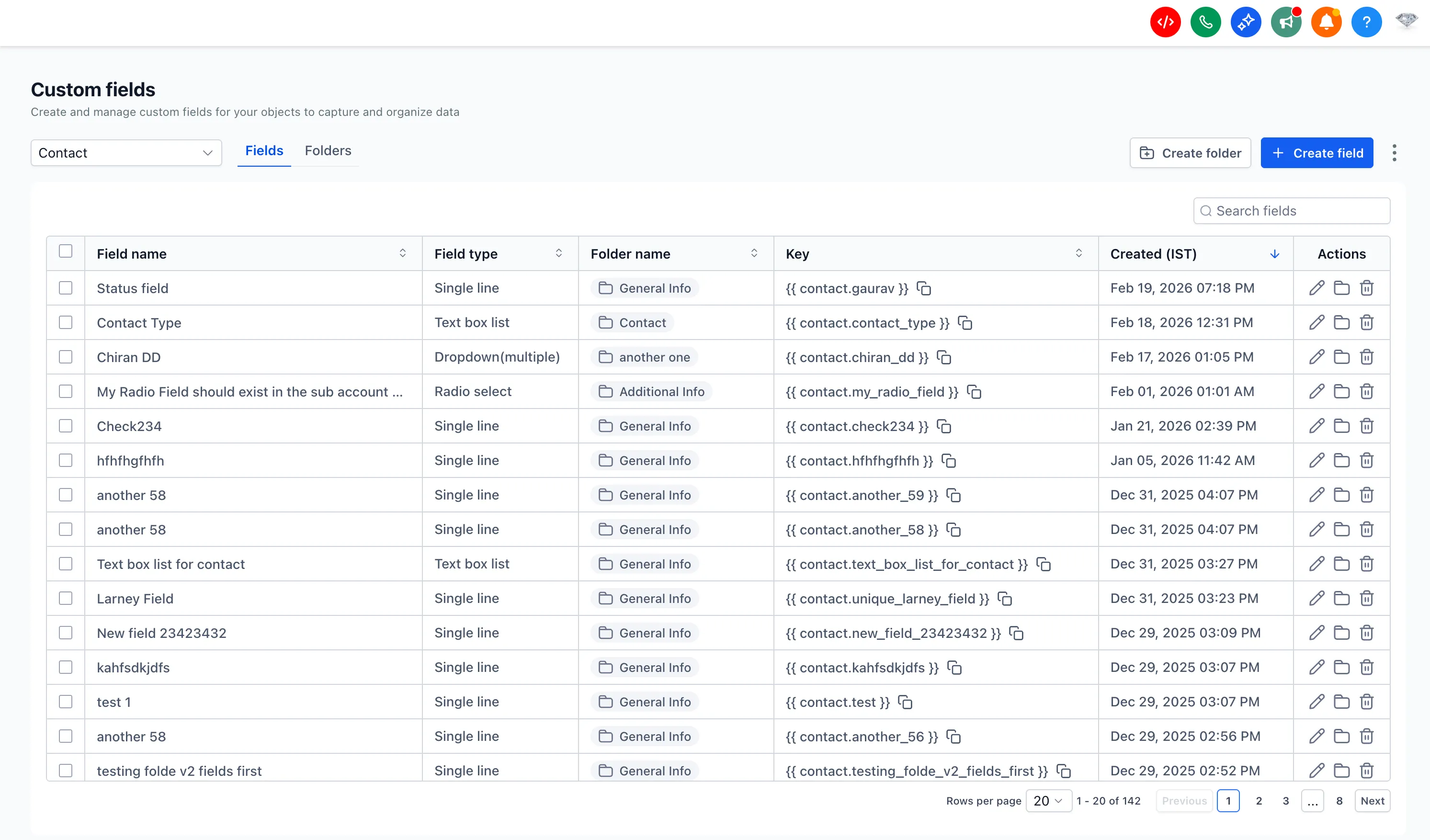
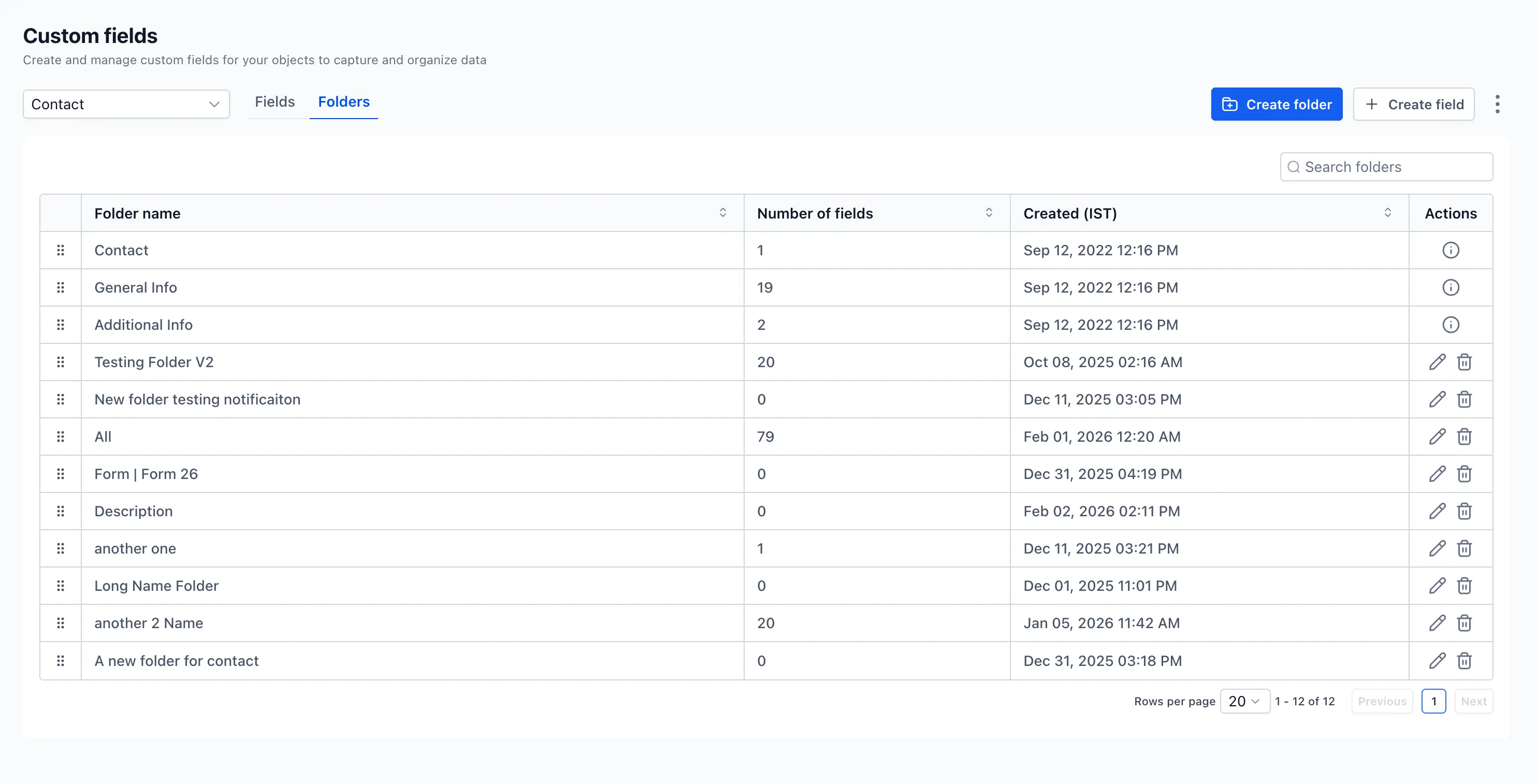
SMBcrm has updated the custom fields experience to make it cleaner, easier to navigate, and more efficient to use. This is a user interface update only, so existing functionality stays the same.
The changes are focused on improving day-to-day field management across different CRM objects, with better visibility and less friction when configuring fields.
What Changed
- A cleaner interface makes custom fields easier to scan and manage.
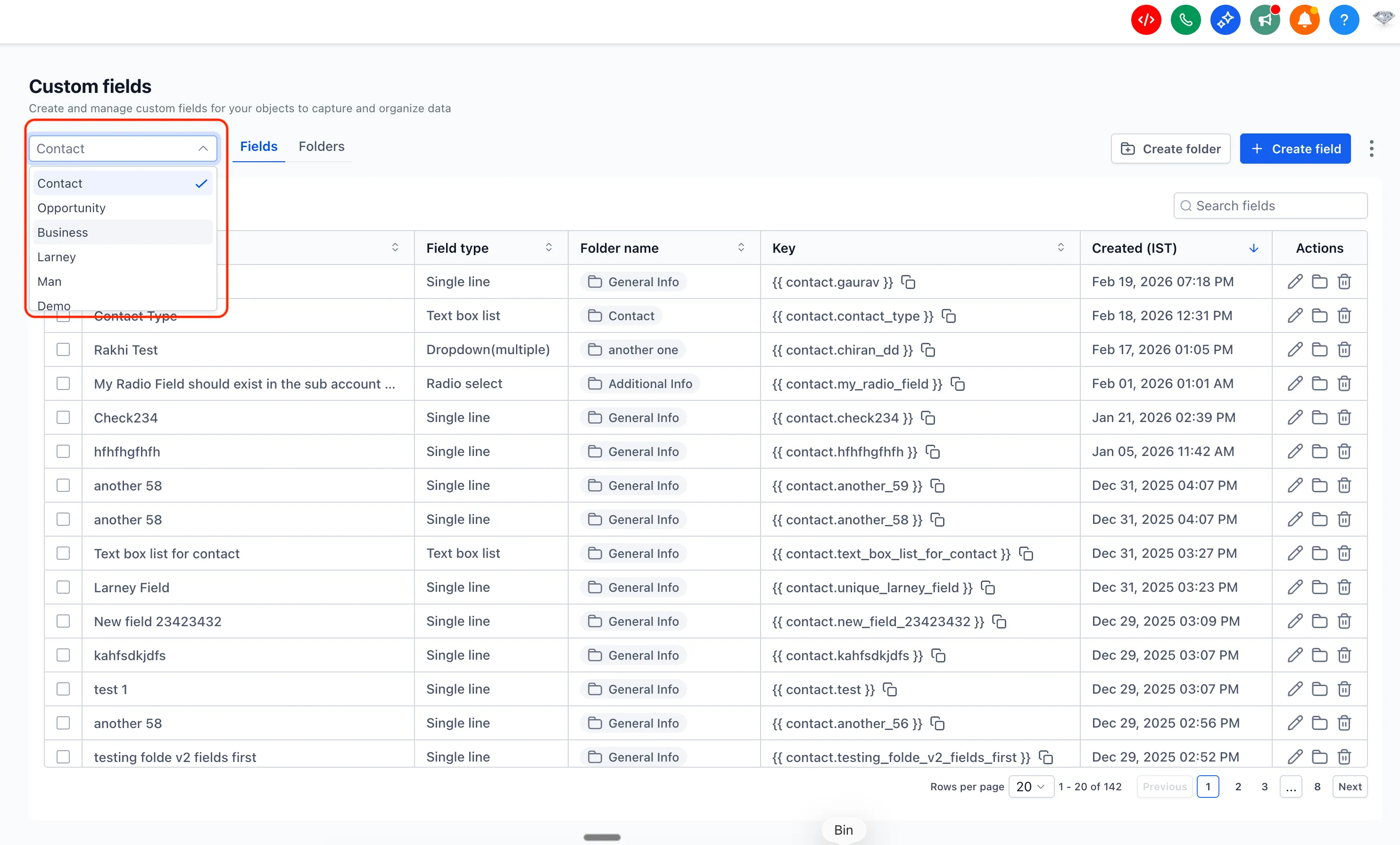
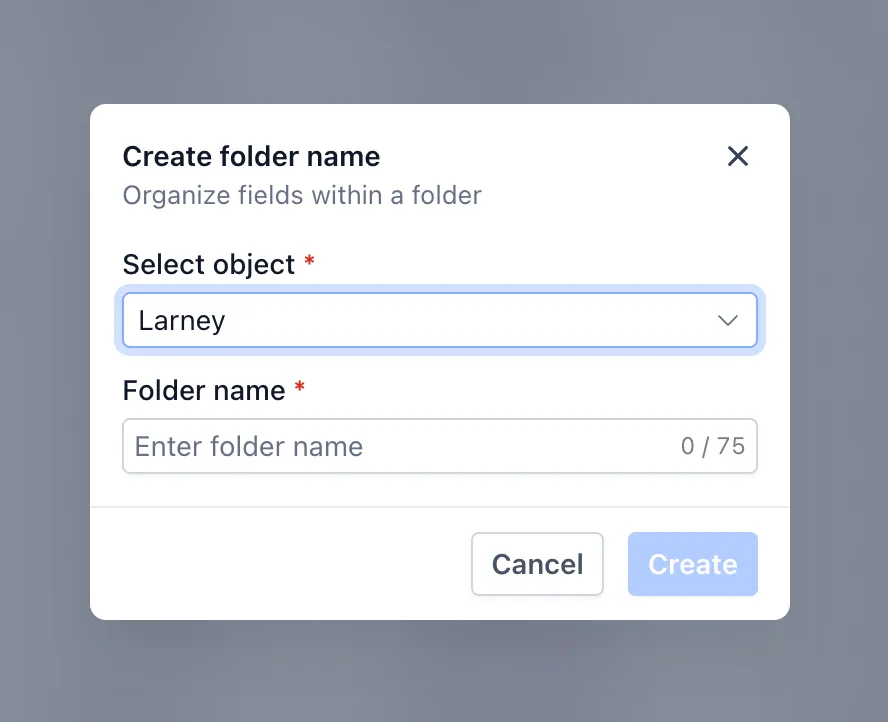
- An object selector lets you switch between views such as Contacts and Opportunities.
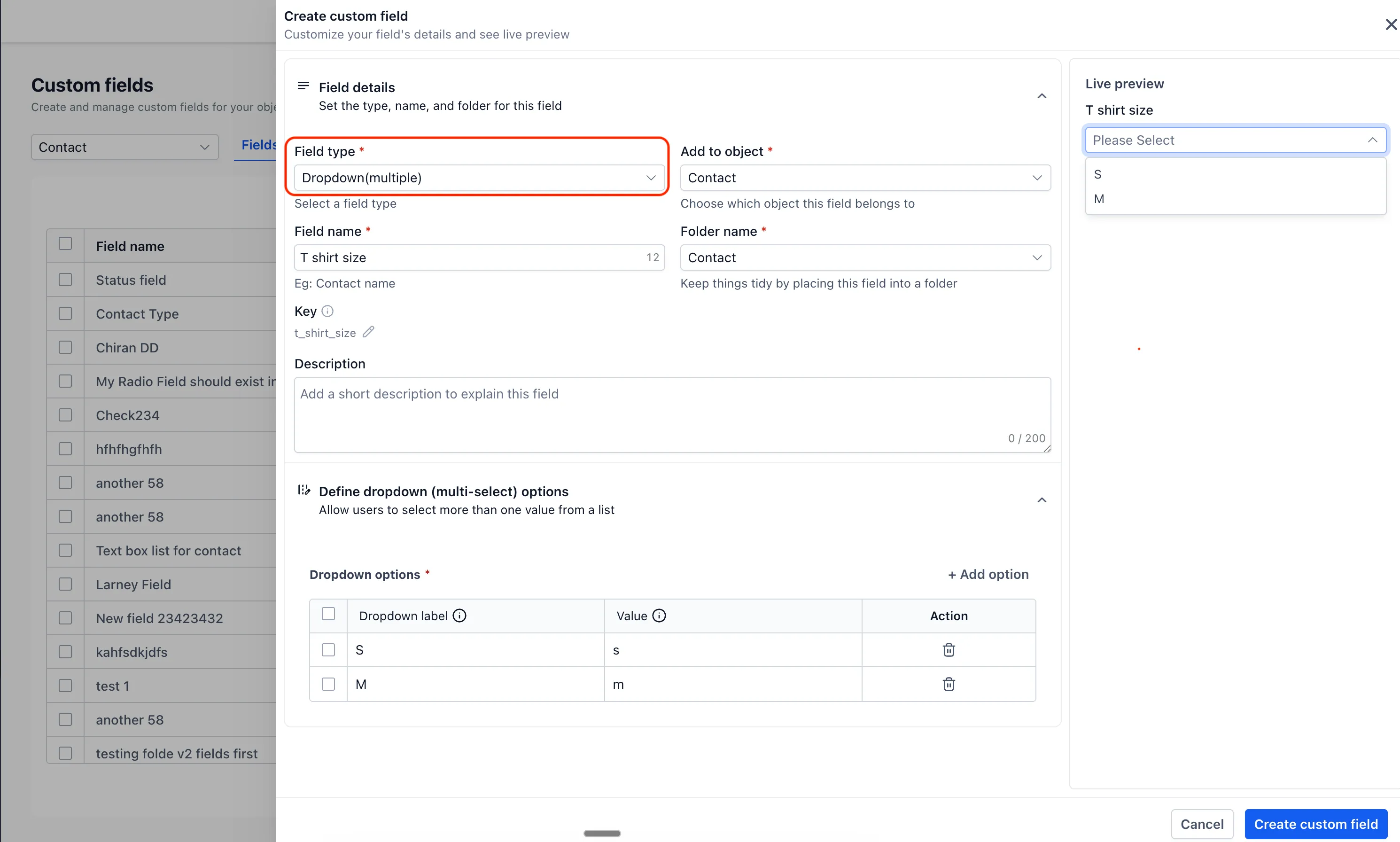
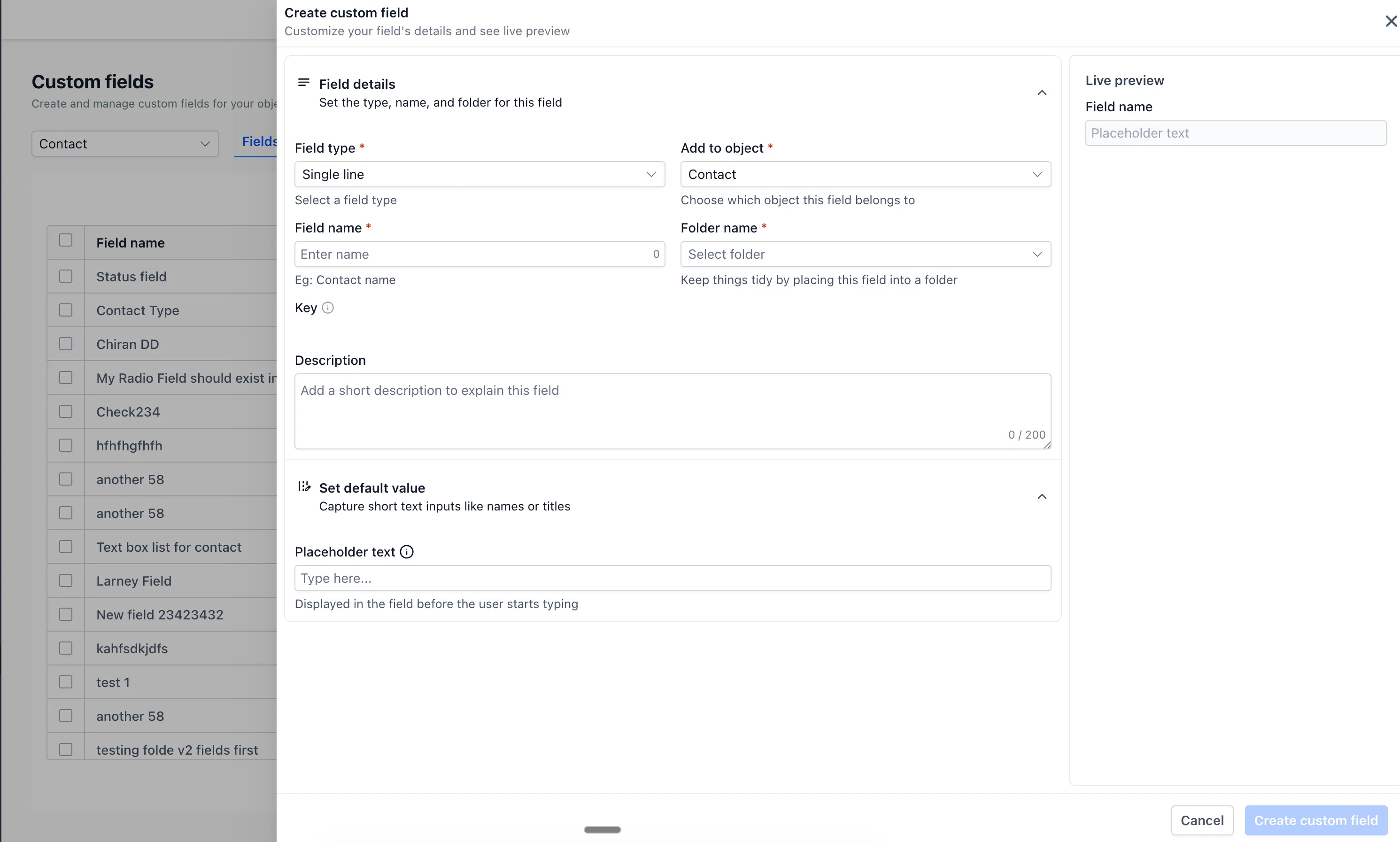
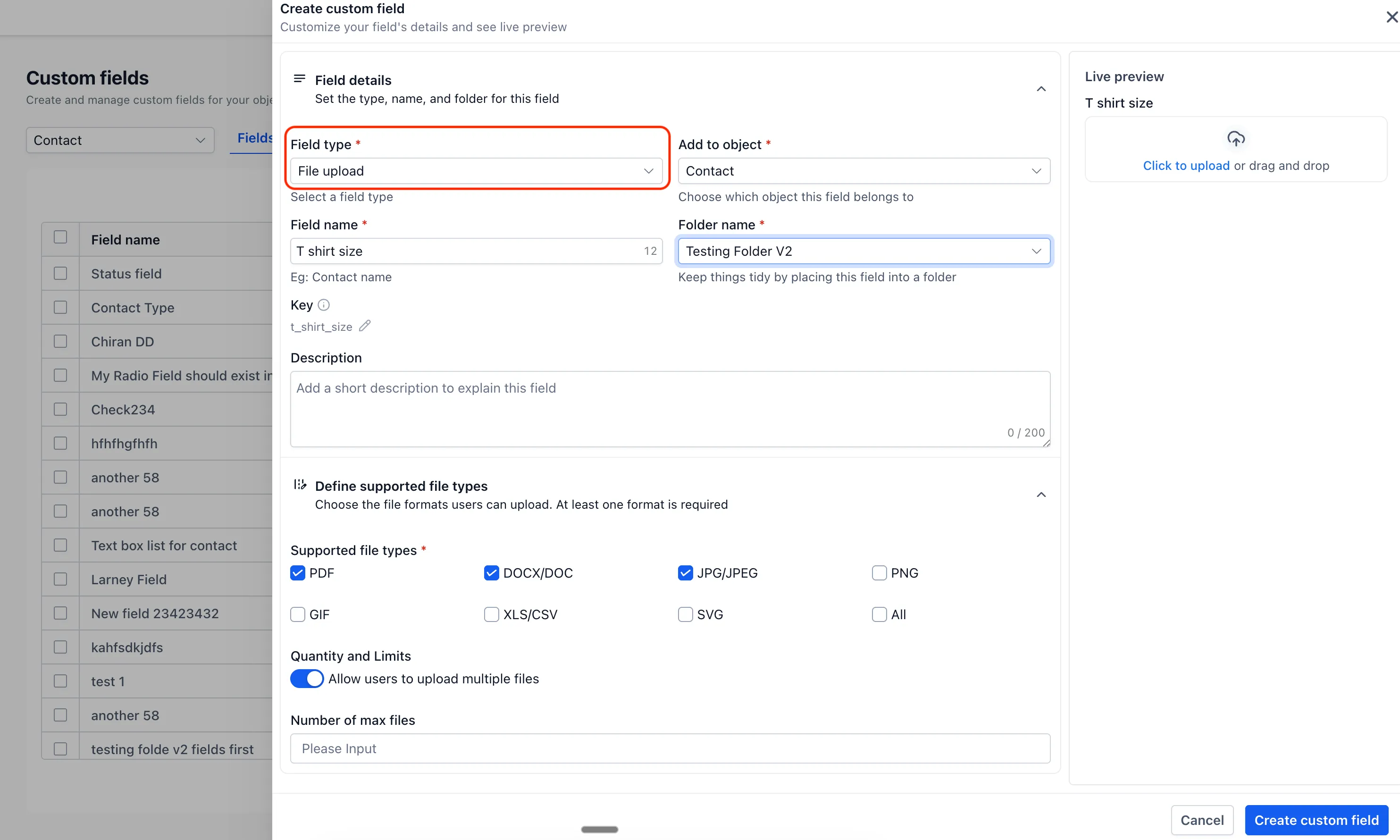
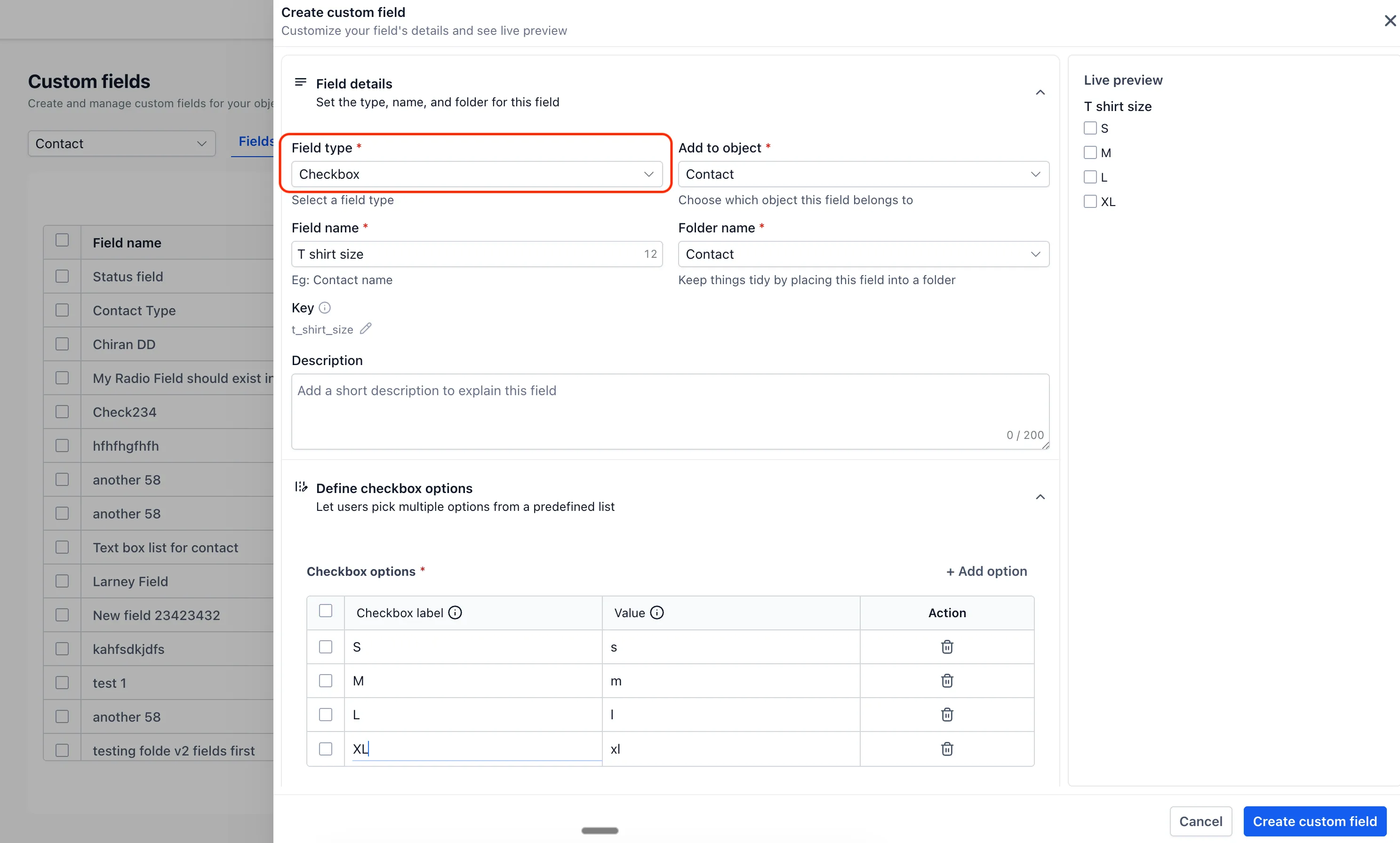
- A live preview shows how a custom field will appear on the contact page.
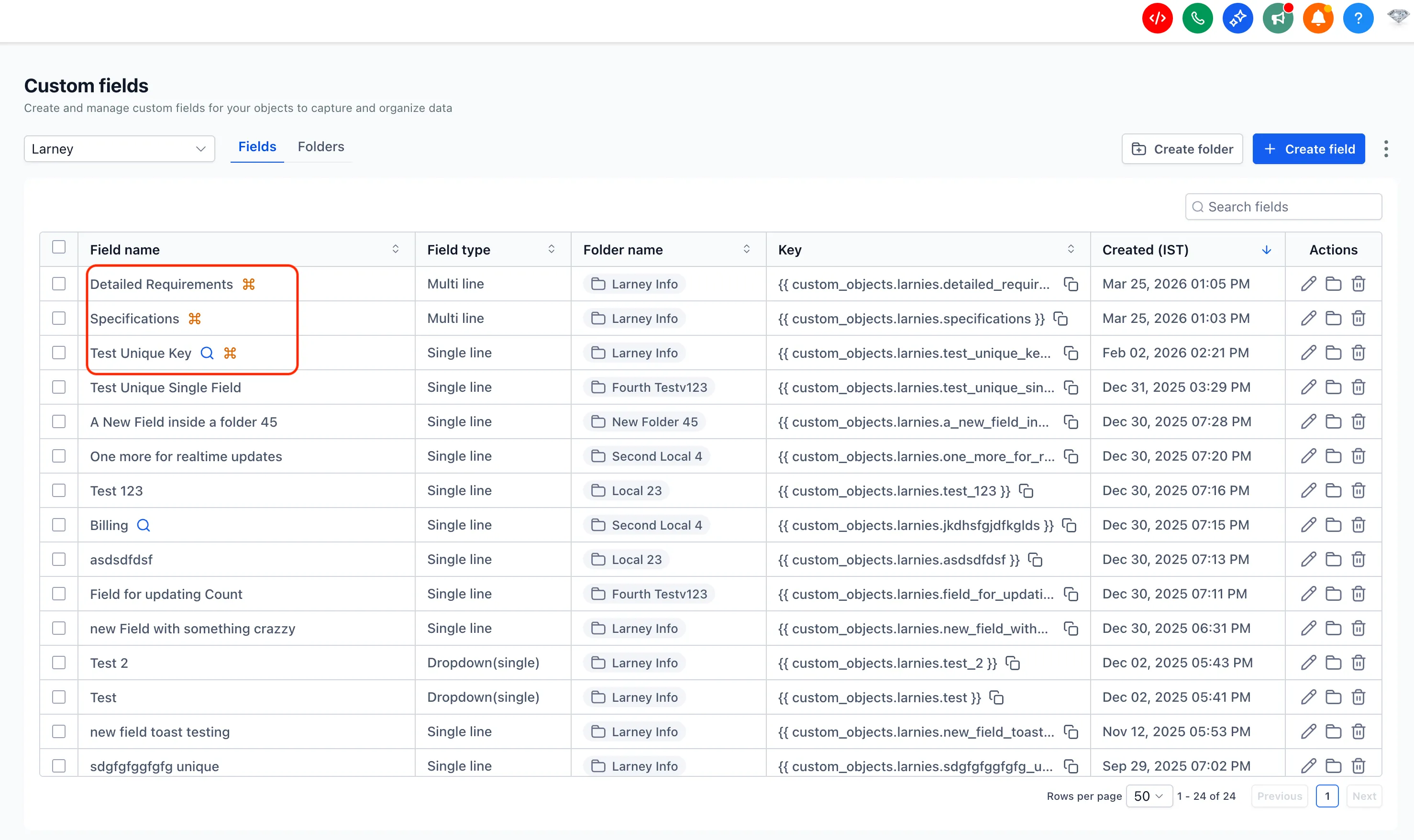
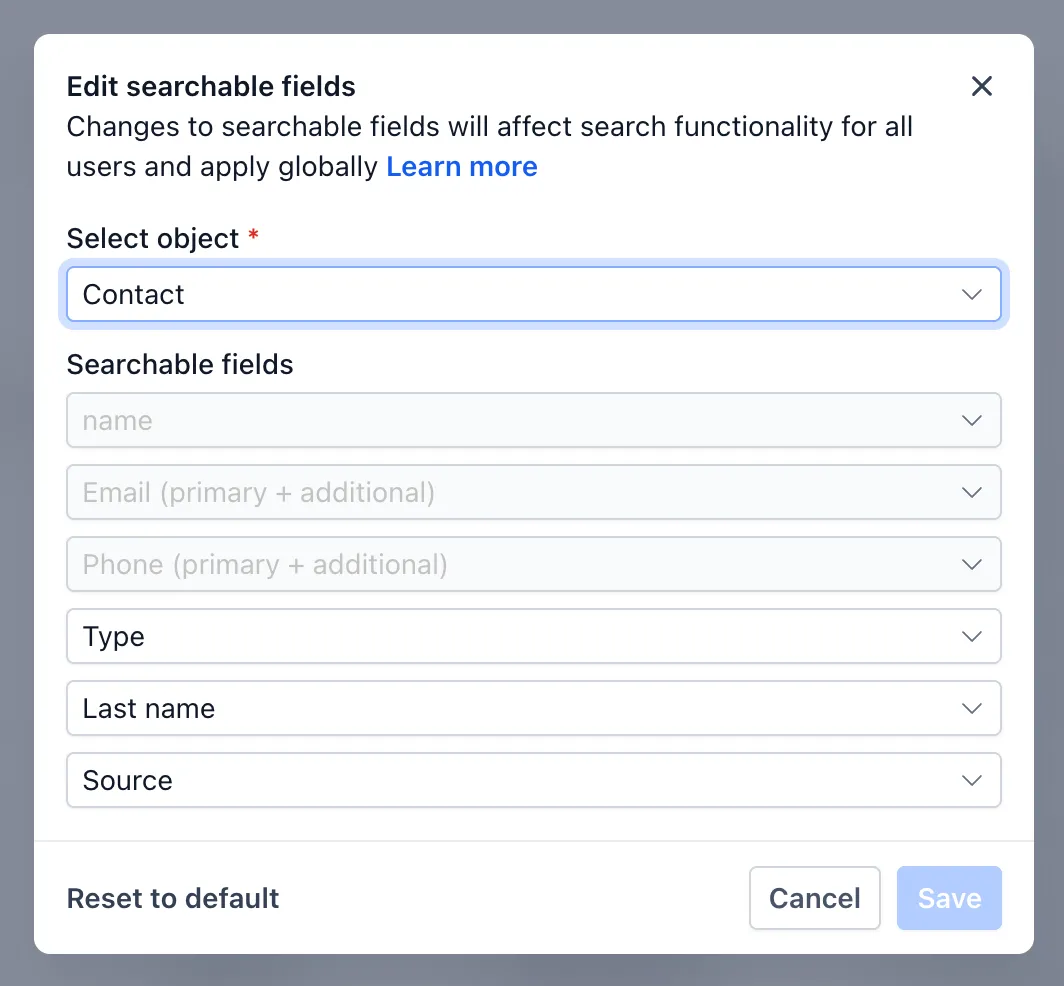
- New visual indicators help identify unique and searchable fields.
- Column sorting is now available across custom field columns for faster organization.
Why It Matters
These changes are designed to reduce errors and help teams work more efficiently when managing CRM data at scale. With clearer navigation and better visibility into field setup, users can review and configure custom fields with more confidence.
Preview and Visibility Improvements
The live preview makes it easier to understand how a field will appear before saving changes. The new icons also make important field properties easier to spot at a glance.
What’s Next
SMBcrm has also shared a few planned improvements for custom fields:
- Bulk deletion of custom fields
- Additional field types, including URL, date and time picker, attach users, rich text editor, and image support for radio buttons and checkboxes
These items were mentioned as upcoming improvements, but no release timing was provided.
In Case You Missed It
You can also read about Set a Default Path for Workflow Branches.
Release Images
Need Help Applying This Update?
If you’d like help rolling this out in SMBcrm, visit Support or request a demo.