Documents & Contracts: Collect Card Details
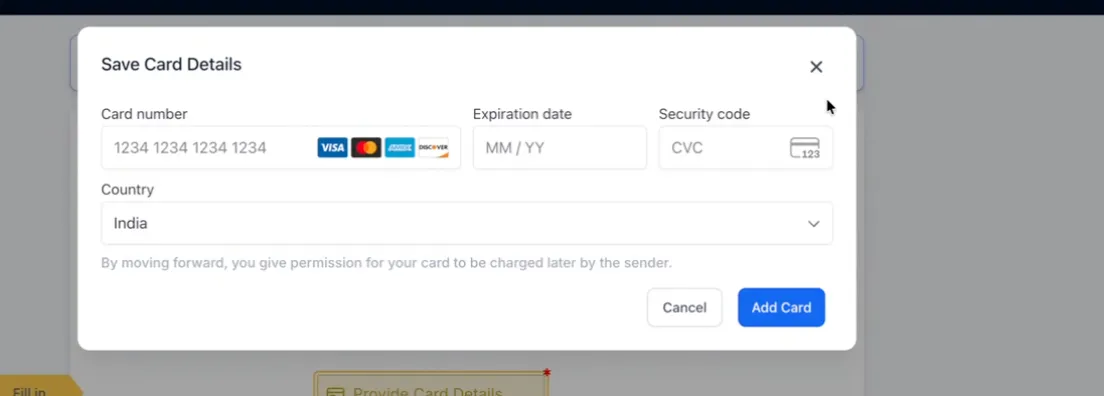
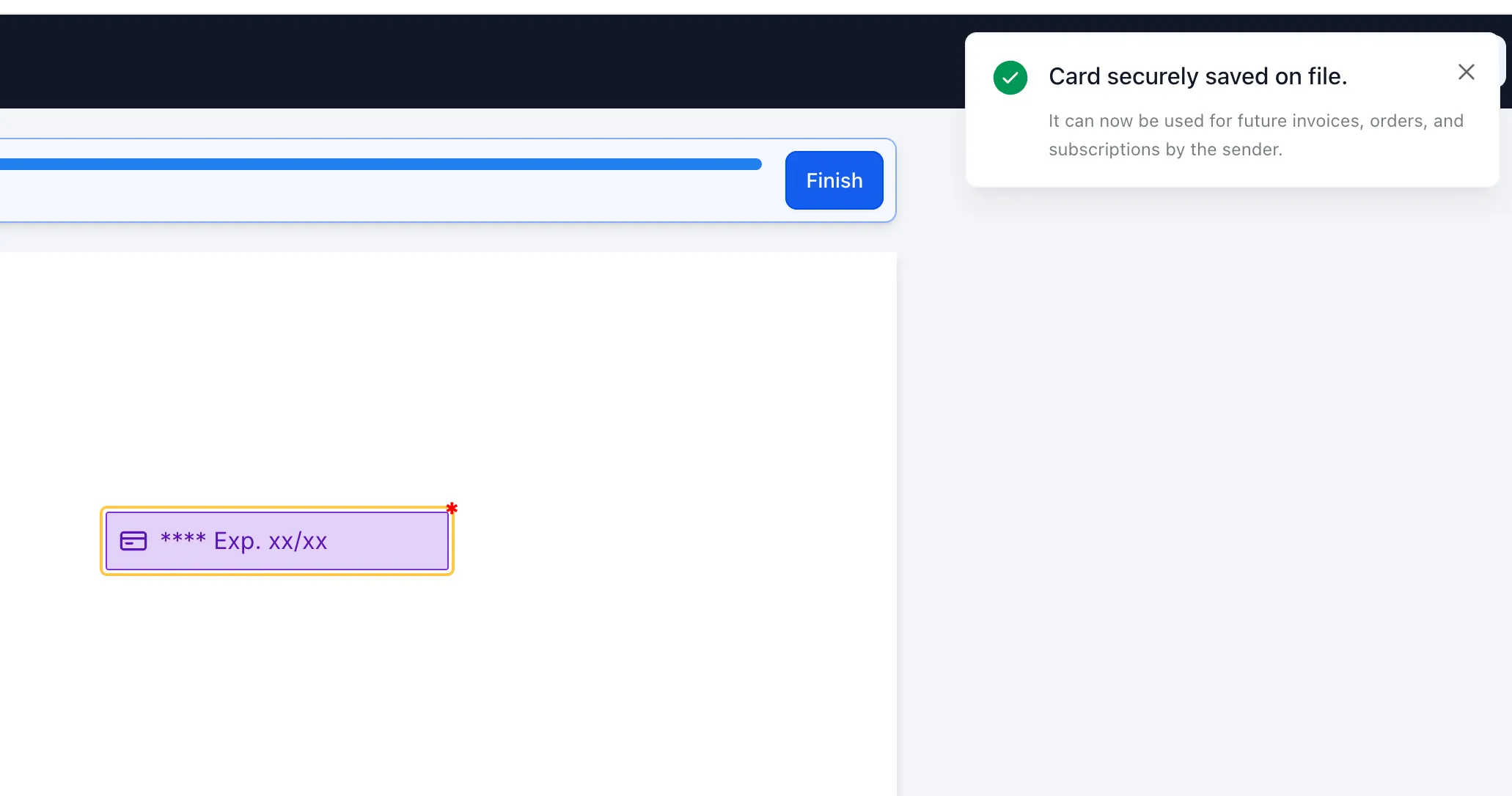
You can now collect and save card details in Documents & Contracts using a Card Details field. This lets signers add a card while completing a document, so the payment method is available for future payments.
How it works
To use this field:
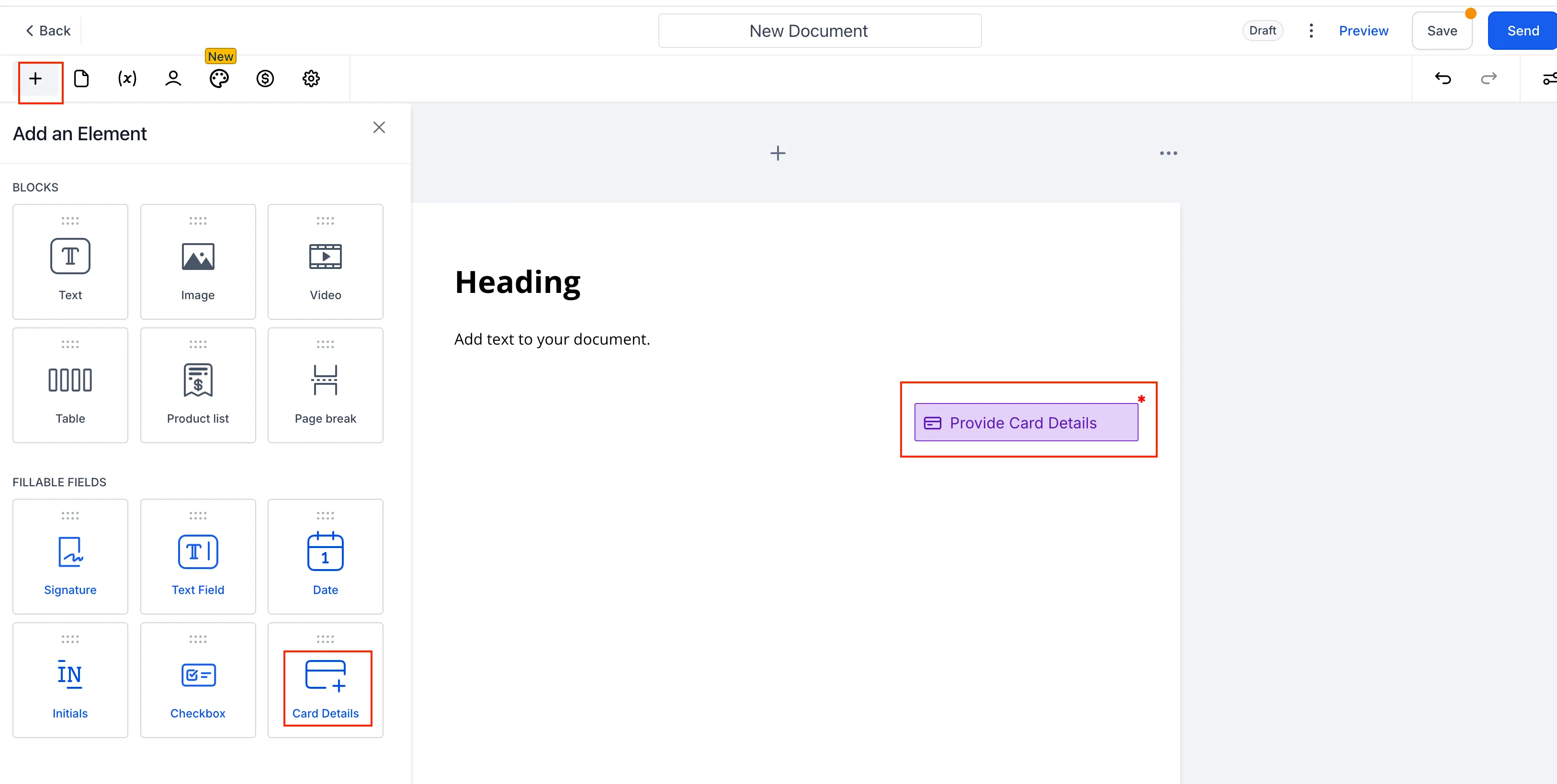
- Open the document builder and select Add Element
- Drag the Card Details field into the document
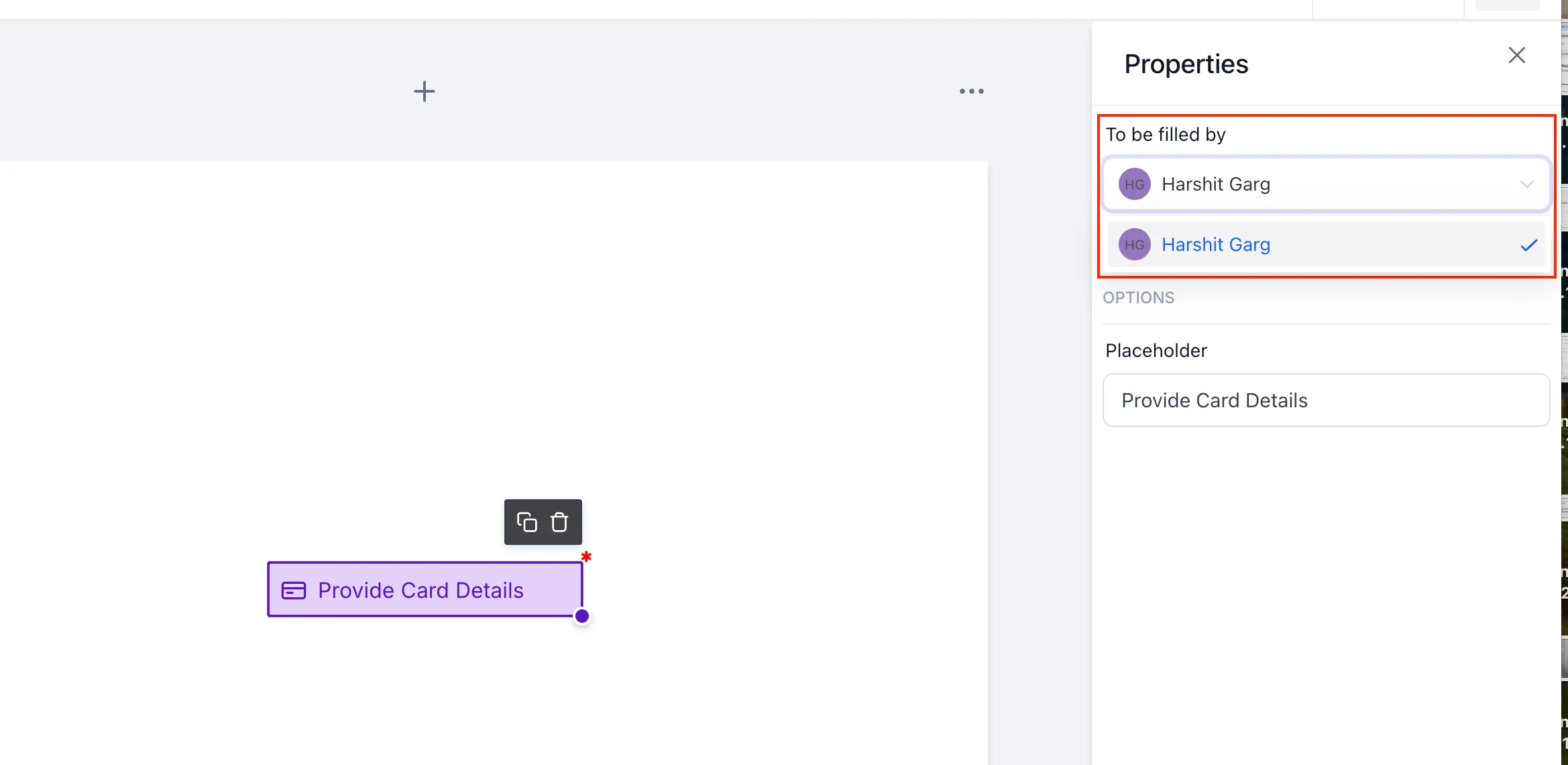
- Assign the field to a signer and mark it as required if needed
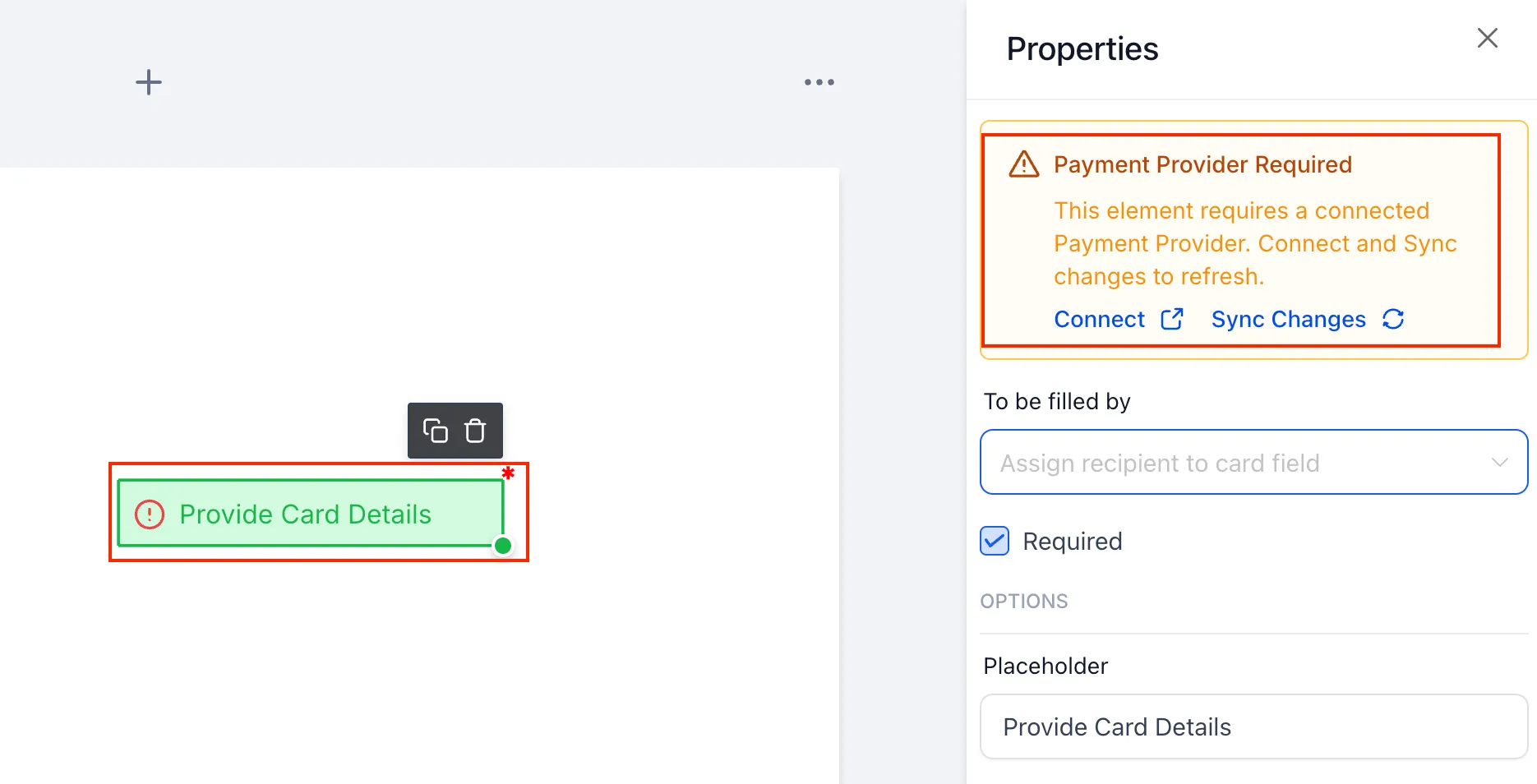
- Make sure a supported payment provider is connected and live or test mode is enabled
- Send the document to the signer
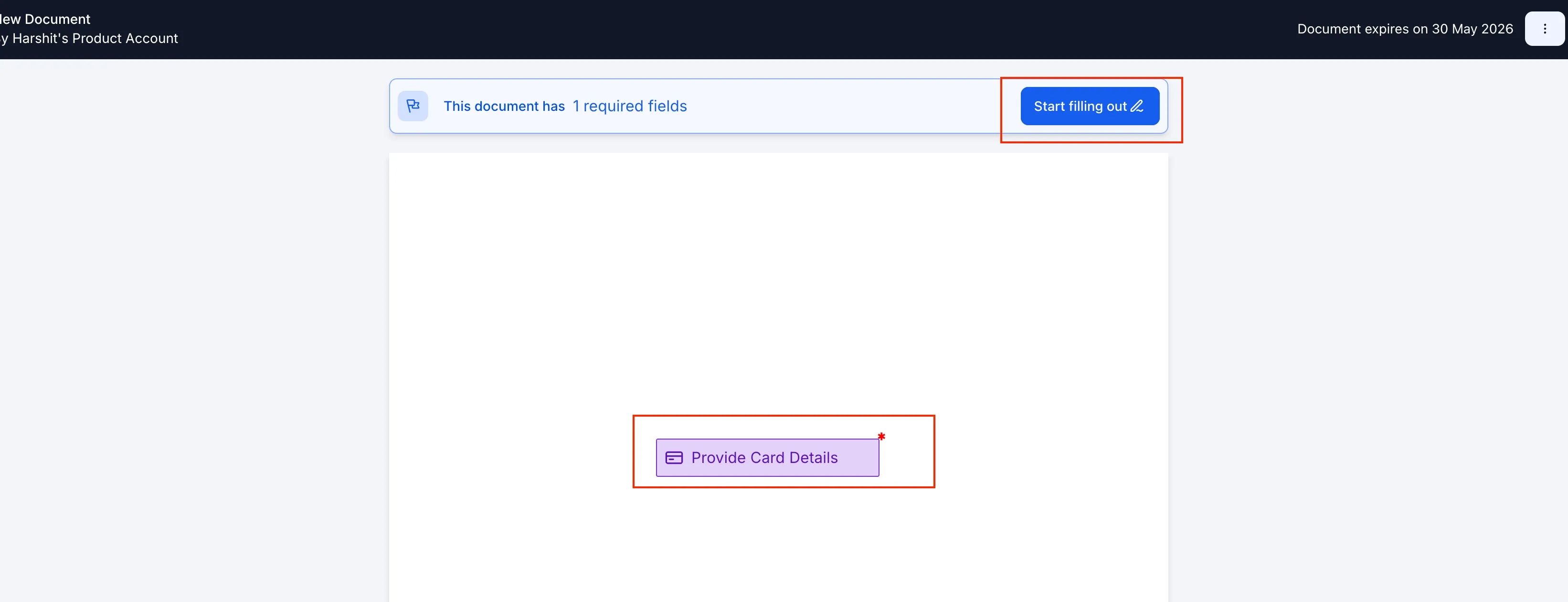
- The signer selects Start filling out and enters their card details
- The card is saved once the signer adds it, and it can be used later for payments
Supported payment providers
Supported providers:
- Stripe
- NMI
- Square
- Authorize.net
- Adyen
Not yet supported:
- Razorpay
- PayPal
- Custom payment providers
Why this matters
Collecting card details during document signing can help you:
- Capture payment information earlier in the process
- Reduce follow-up needed to collect payment details
- Prepare for future payments using the saved card
In Case You Missed It
You can also read about Date-Based Booking Windows for Services.
Release Images
Need Help Applying This Update?
If you’d like help rolling this out in SMBcrm, visit Support or request a demo.