Embed the Live Chat Widget Inside Your Pages
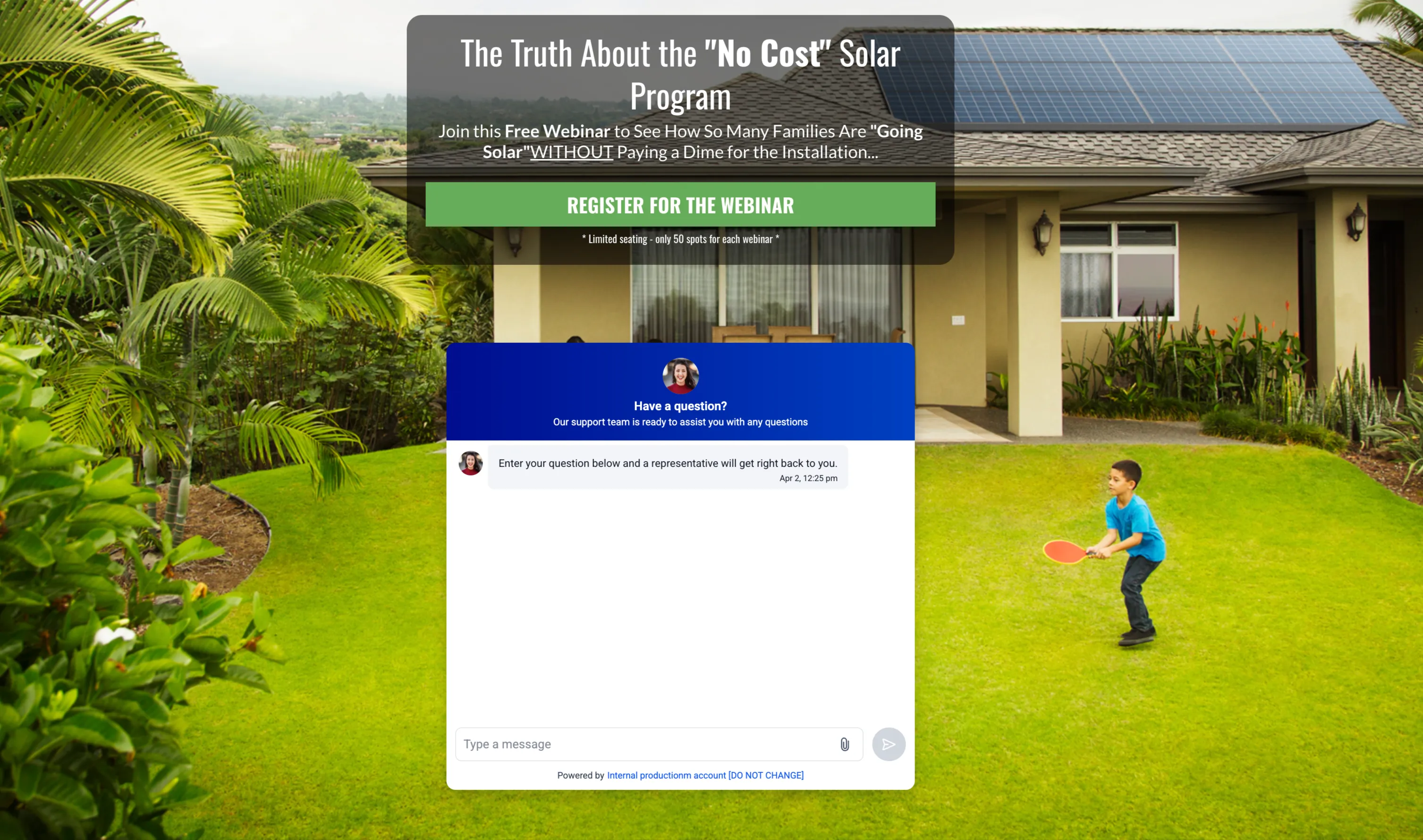
You can now place the SMBcrm Live Chat Widget directly inside your website or funnel content instead of limiting it to a floating chat bubble. This gives you more flexibility in how chat appears across your pages and can help you position conversations closer to forms, CTAs, and other key conversion points.
For teams using SMBcrm for communication and AI features, this update makes it easier to fit chat naturally into the page experience.
What Changed
Inline chat placement is now available
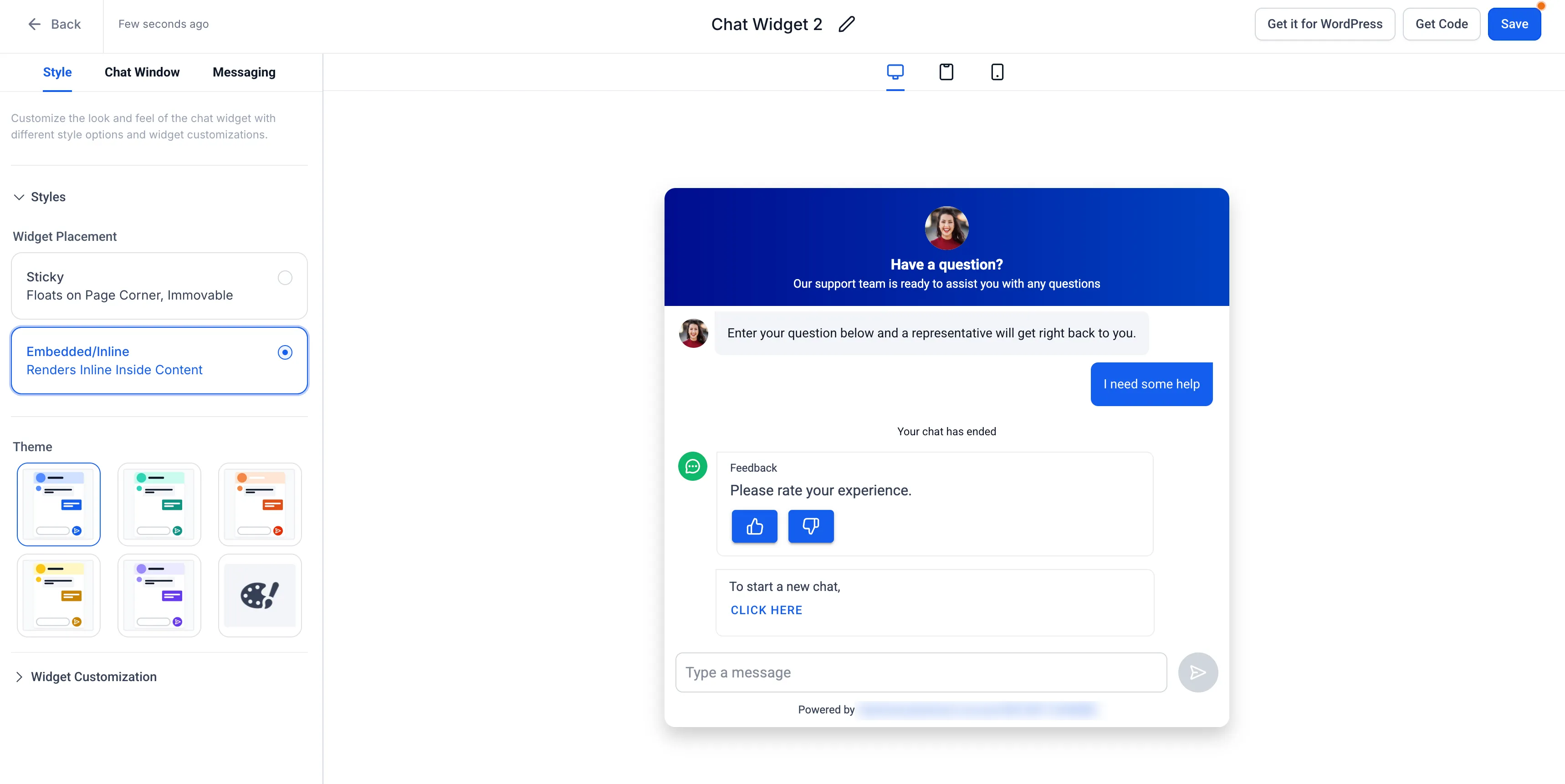
A new Embedded/Inline option is available under Widget Placement in the Live Chat Widget settings. When selected, the widget renders inside the page content instead of appearing only as a sticky or floating bubble.
You can place it in areas such as:
- Below a hero section
- Near a call to action
- Inside or alongside a form
- In pricing or landing page sections
A more integrated on-page experience
Inline placement makes chat feel like part of the page layout rather than an overlay. This can improve visibility and make it easier to present chat where visitors are already making decisions.
Inline customization stays focused
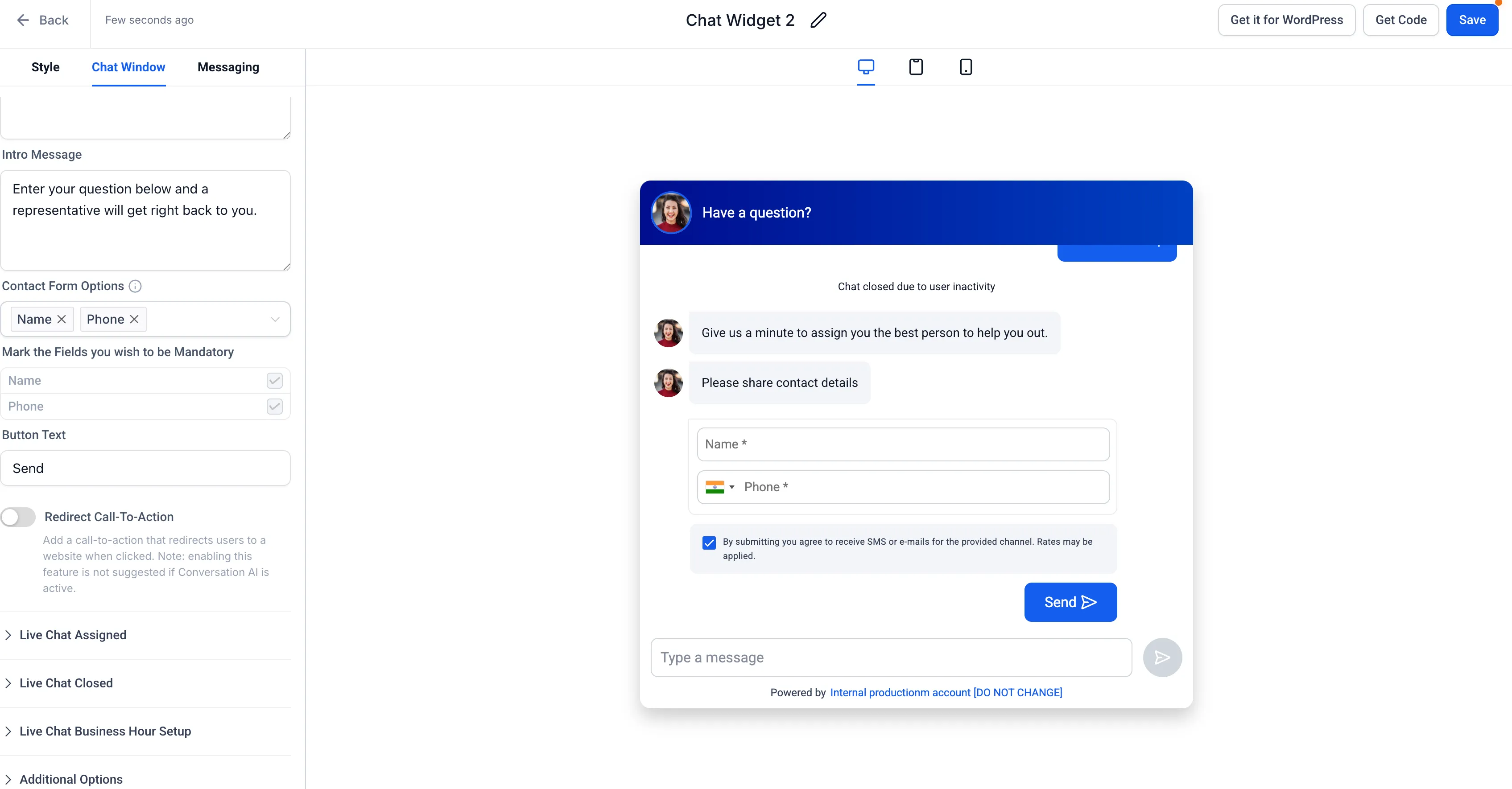
The widget includes customization options suited to the embedded experience, and the preview reflects how the chat will appear within the page layout.
Works across supported page types
Embedded chat can be used anywhere widgets are supported, including:
- Funnels
- Websites
- Landing pages
- Custom HTML sites
You can also use multiple embedded placements across different pages.
Mobile responsive by default
The embedded widget automatically adjusts for smaller screens to maintain a consistent mobile experience.
How to Use It
- Go to Sites → Chat Widget.
- Create a new Live Chat Widget or open an existing one.
- Open the Style tab.
- Under Widget Placement, select Embedded/Inline.
- Customize the widget appearance, messaging, and branding.
- Click Get Code and copy the embed snippet.
- Add the code to your funnel or website using a code, HTML, or embed section.
- Publish the page to render the widget inline within your content.
What Stays the Same
- Existing sticky widget behavior is unchanged
- Embedded and sticky widgets can be used across different pages
- Chat routing, messaging, and backend workflows are unchanged
In Case You Missed It
You can also read about Inbound Email Support in SMBcrm Conversation AI.
Need Help Applying This Update?
If you’d like help rolling this out in SMBcrm, visit Support or request a demo.