Inbound Email Support in SMBcrm Conversation AI
SMBcrm Conversation AI now supports email as a channel for automated inbound responses. This gives businesses a more unified way to manage AI-powered communication across chat and email.
With this update, teams can automate replies to incoming emails using the same AI-driven workflow used across other supported channels. Learn more about SMBcrm Communication tools and AI features.
How It Works
When an inbound email reaches a connected inbox, Conversation AI can process the message and send a reply based on your configured rules and context.
The flow works like this:
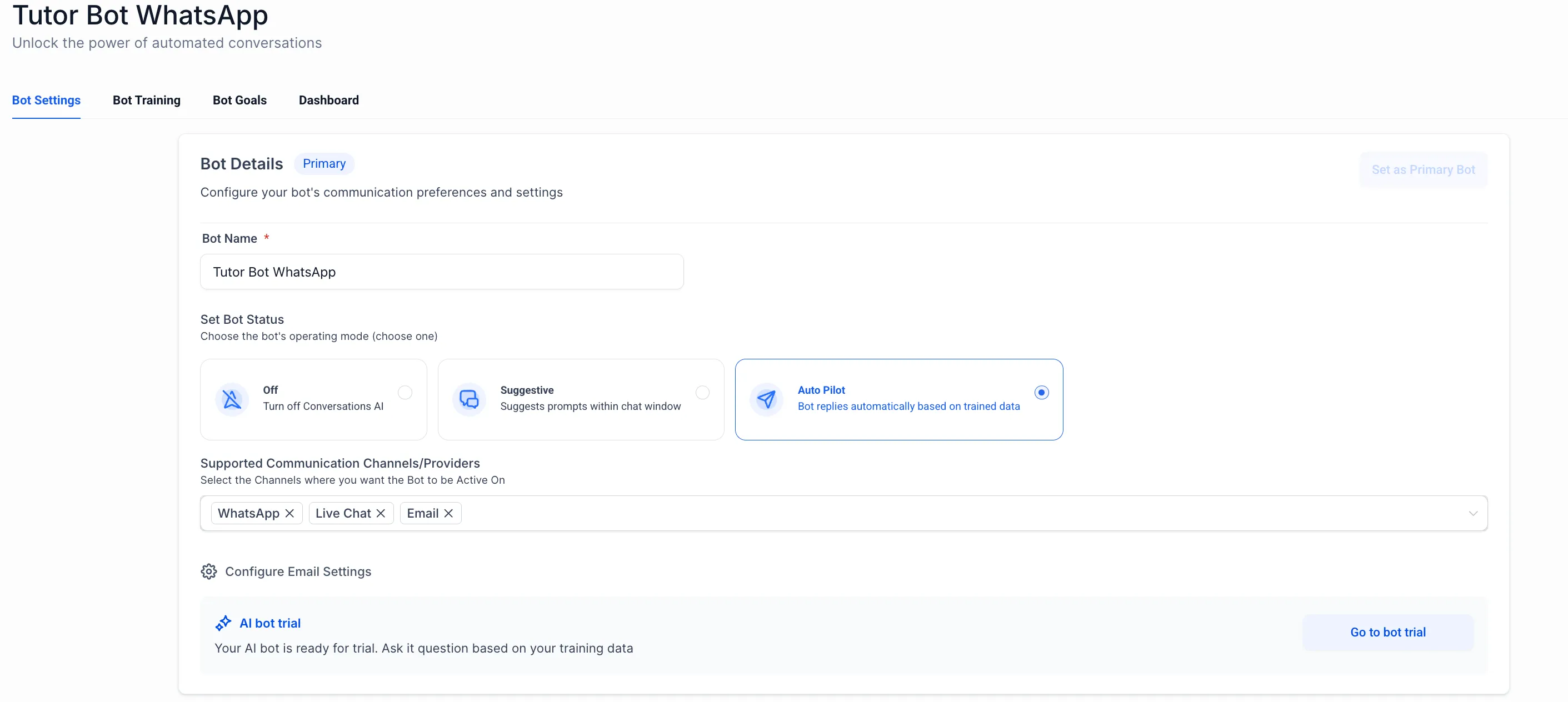
- Enable the email channel in Conversation AI settings
- Receive an inbound email in a connected inbox
- Let the AI review thread history and contact data
- Generate a response based on your prompt and configuration
- Send the reply from the same connected inbox
The system preserves email threading, subject lines, and recipients.
Email Configuration Options
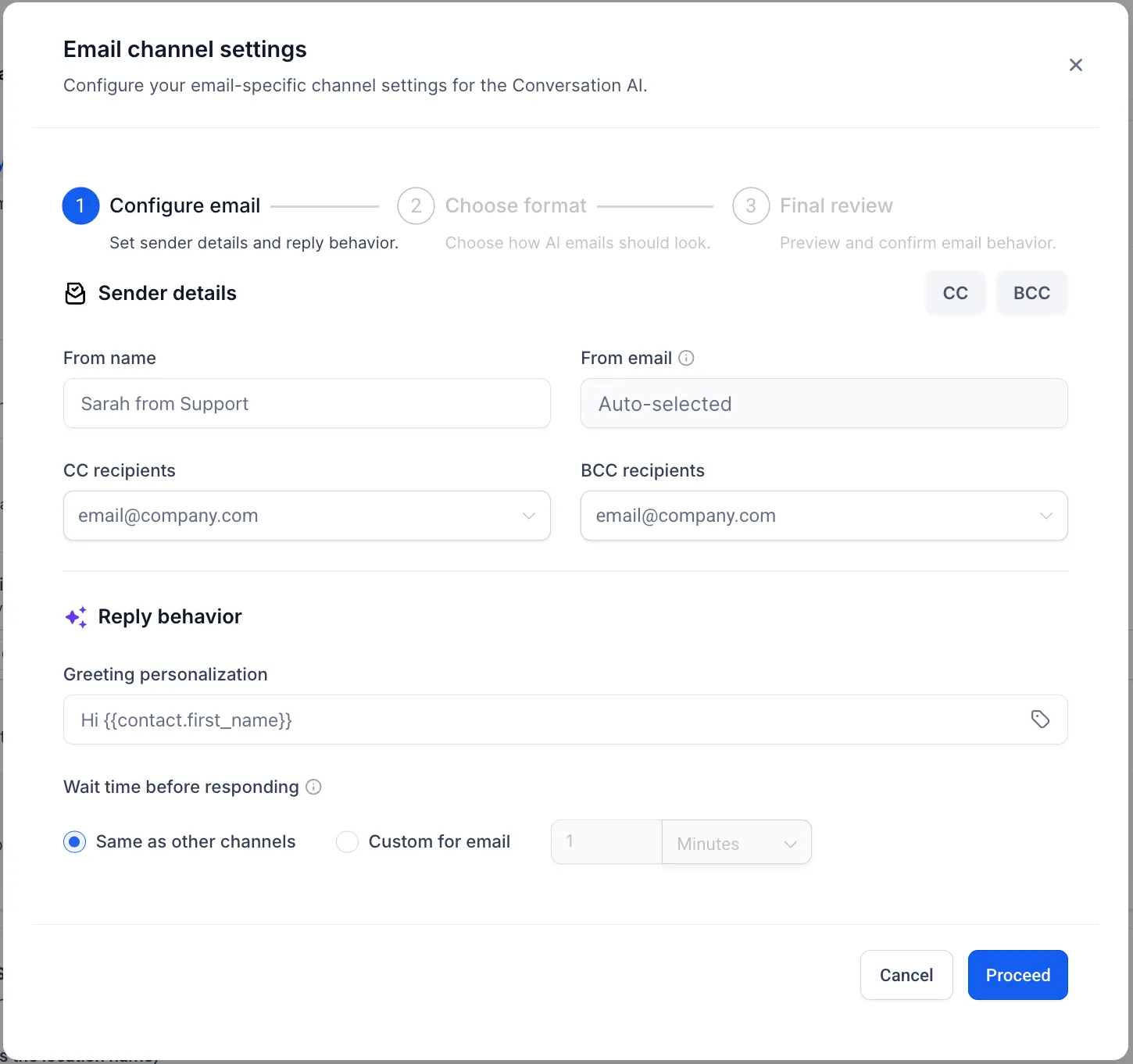
SMBcrm includes email-specific settings for formatting and design.
Where to Configure It
Go to Conversation AI, then Channels, then Email, then Advanced Settings.
Response Format Options
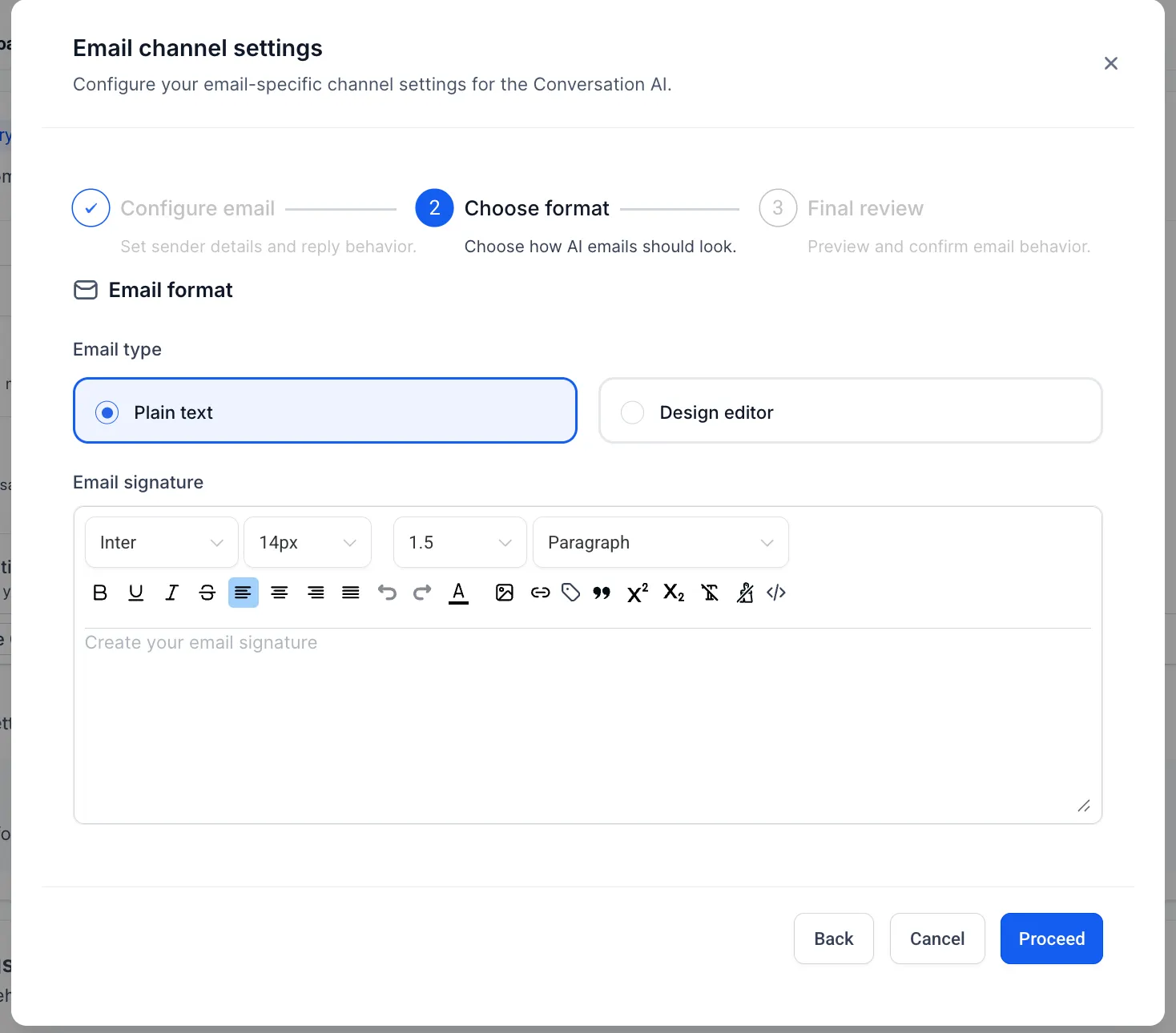
You can choose between:
- Plain text responses for minimal formatting and better deliverability
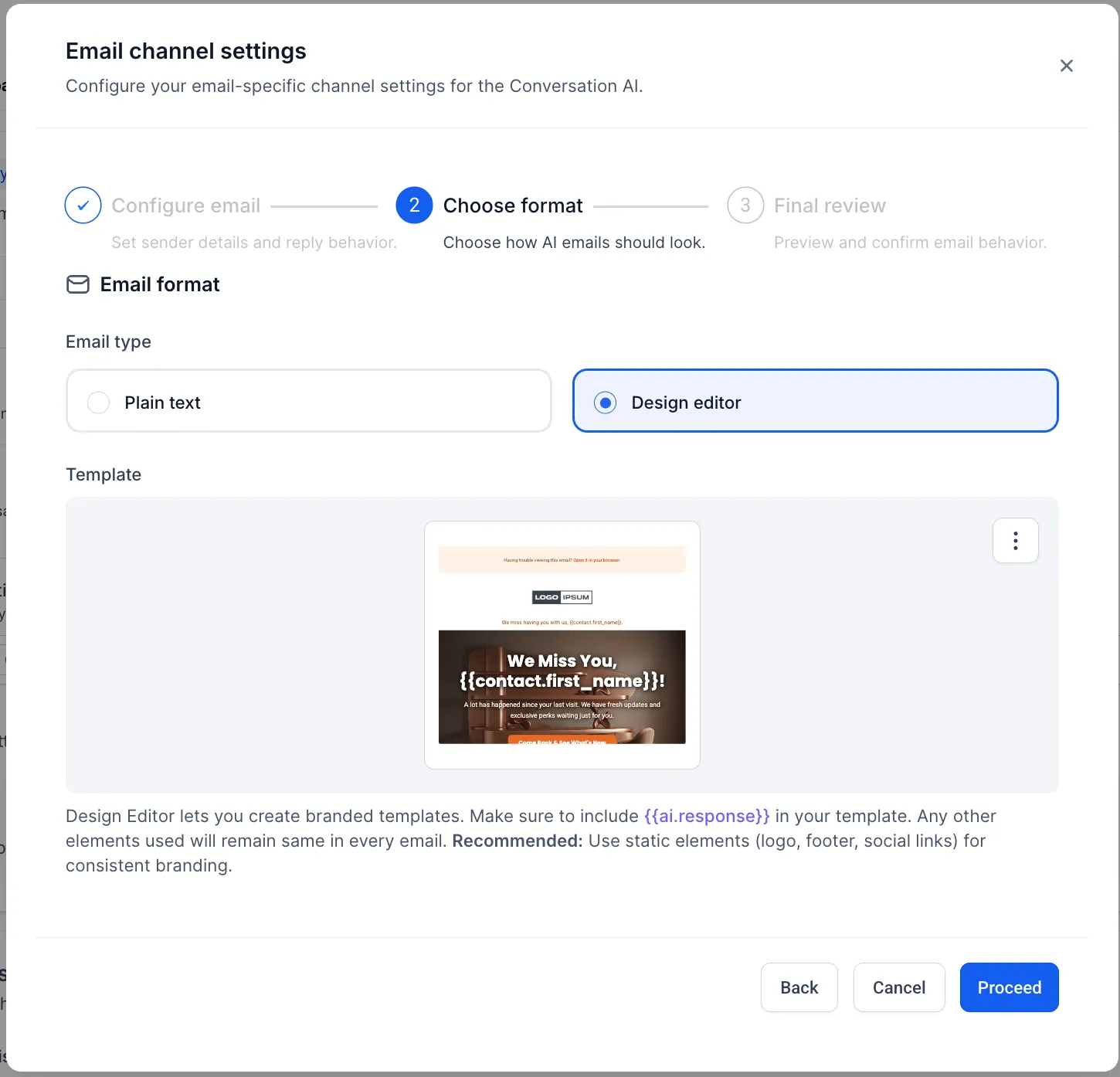
- Template-based responses using the Design Editor for full control over layout and styling
In the template-based setup, Conversation AI generates the response content while the Design Editor controls the layout and structure.
Important: your template must include the variable {{ai.response}} so the generated response can be inserted into the email.
Personalization Options
Available options include:
- Salutations such as
Hi {{contact.first_name}},Hello {{contact.full_name}}, orHi there - Sign-offs such as
Regards,Thanks, orBest - A signature block using the default business user name, business name, and optional contact details
- Default CC and BCC recipients for AI-generated email responses
Why It Matters
Email is still a core business communication channel. Adding inbound email support to Conversation AI helps teams:
- Respond faster to incoming emails
- Keep communication more consistent across channels
- Reduce manual work in support and lead handling
In Case You Missed It
You can also read about Services Calendar booking in Conversation AI.
Release Images
Need Help Applying This Update?
If you’d like help rolling this out in SMBcrm, visit Support or request a demo.