Services Calendar booking in Conversation AI
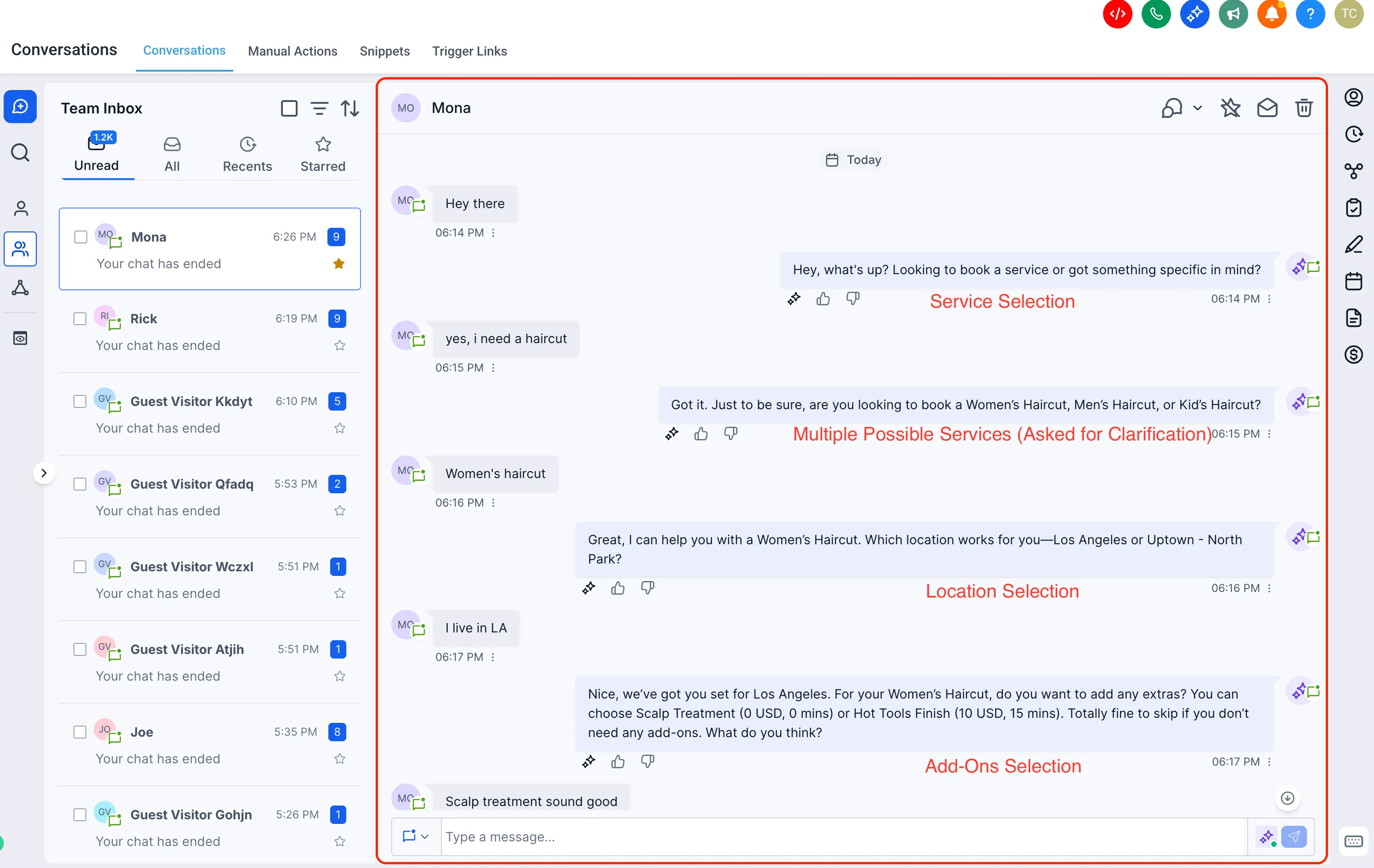
Customers can now book appointments from your Services Calendar through chat in Conversation AI across supported channels, including SMS, Live Chat, Facebook, Instagram, and WhatsApp.
Instead of filling out a form, customers can describe what they need in natural language and the AI can guide the booking based on your existing setup. This update expands how teams can use AI features alongside communication tools.
What this supports
Conversation AI can now work with Services Calendar configurations that include:
- Multiple services
- Account and staff selection
- Add-ons and variations
The AI can understand intent across multiple messages, match the request to the right service configuration, and create a booking.
You can also control:
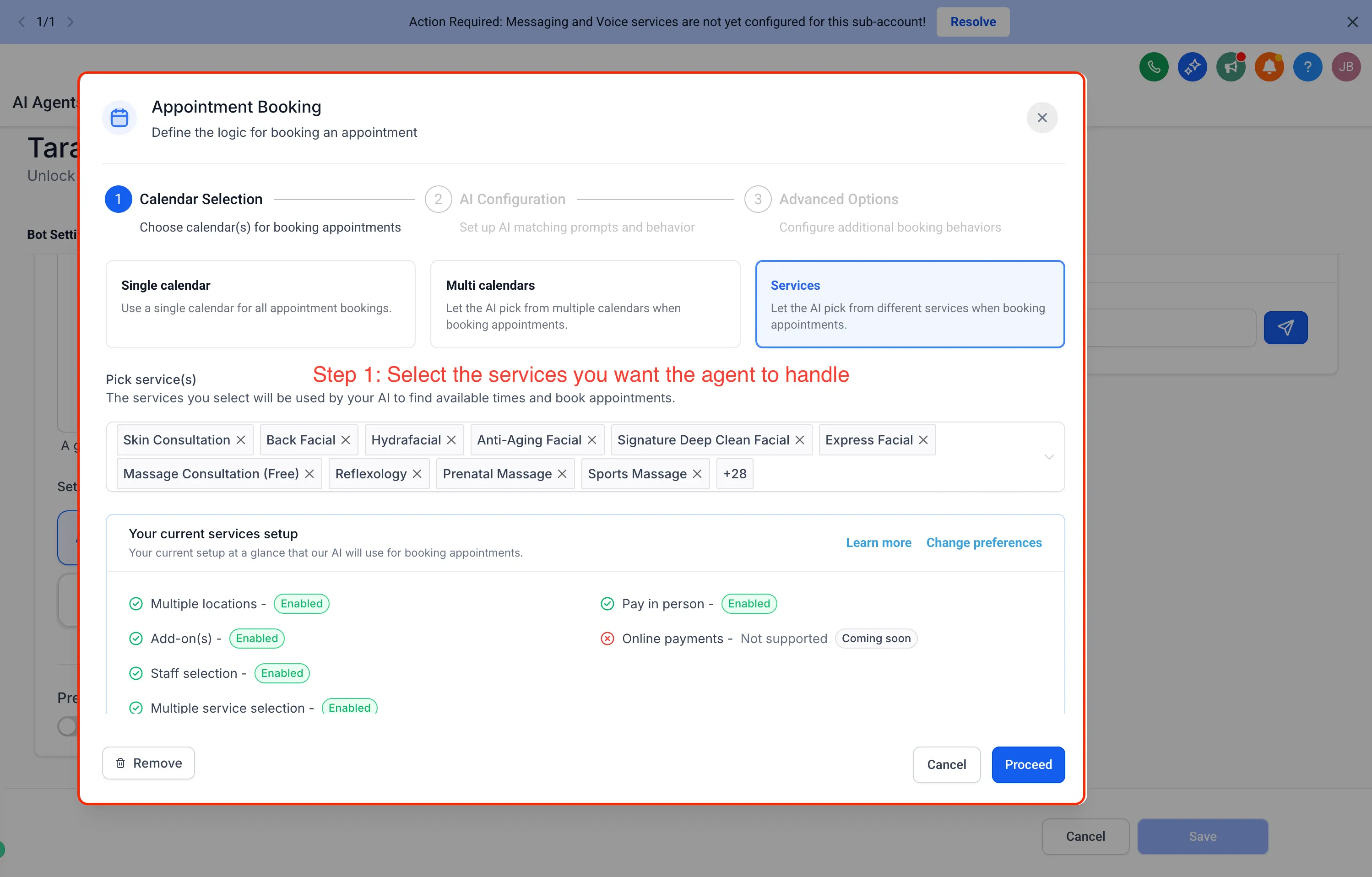
- Which services the AI manages
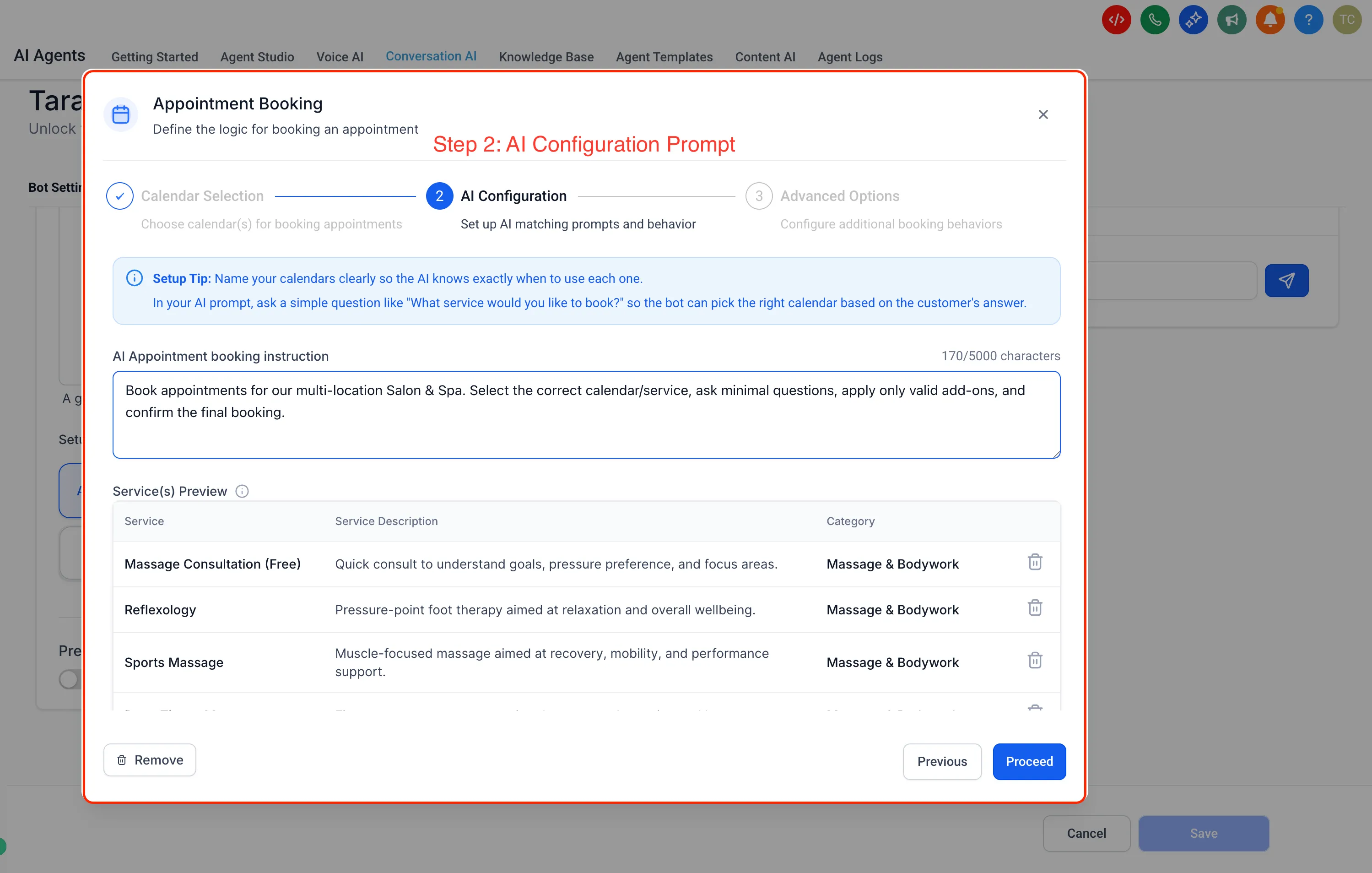
- Custom booking instructions for the agent
How to use it
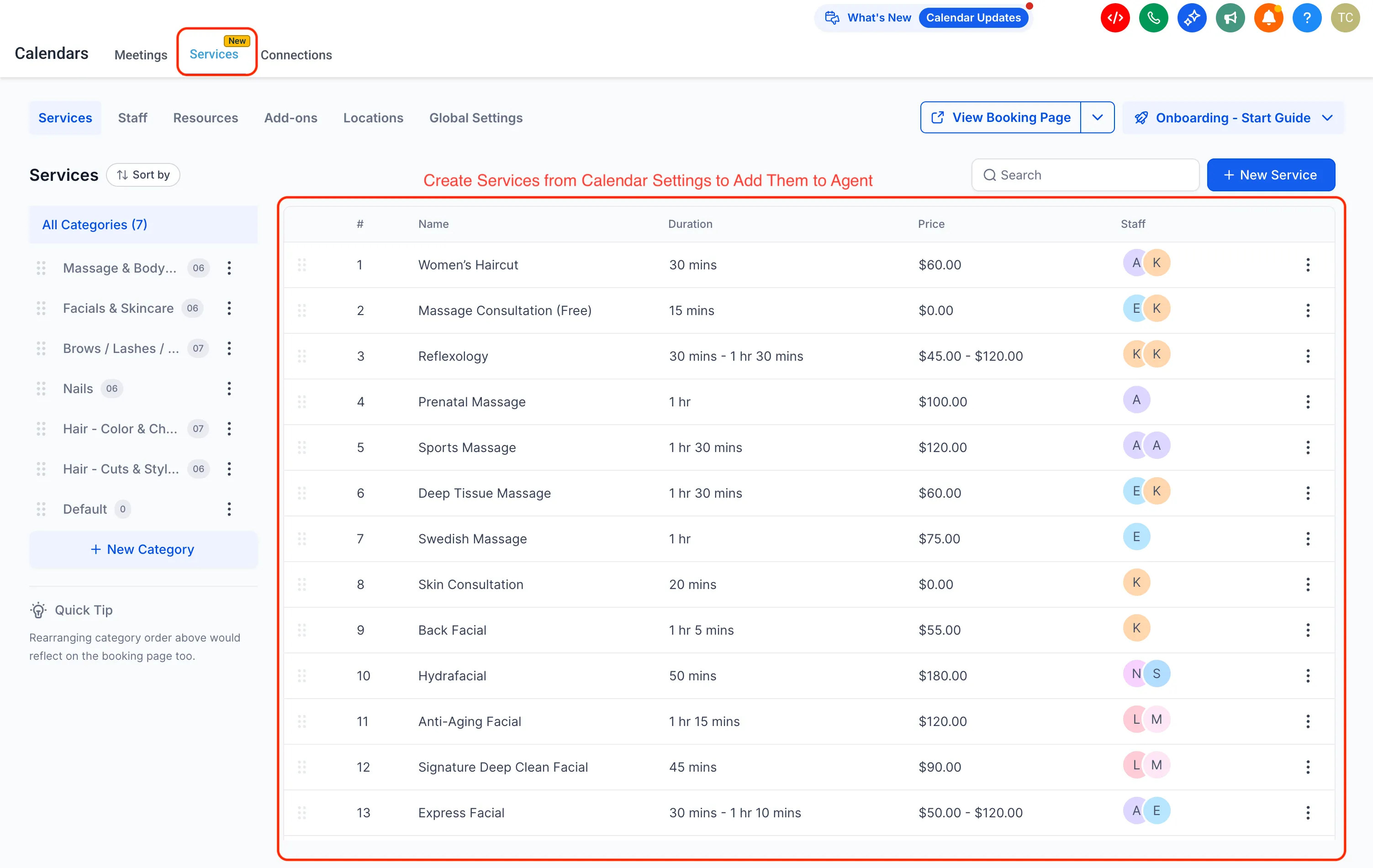
- Create services in Calendar Settings.
- Enable the feature from Labs.
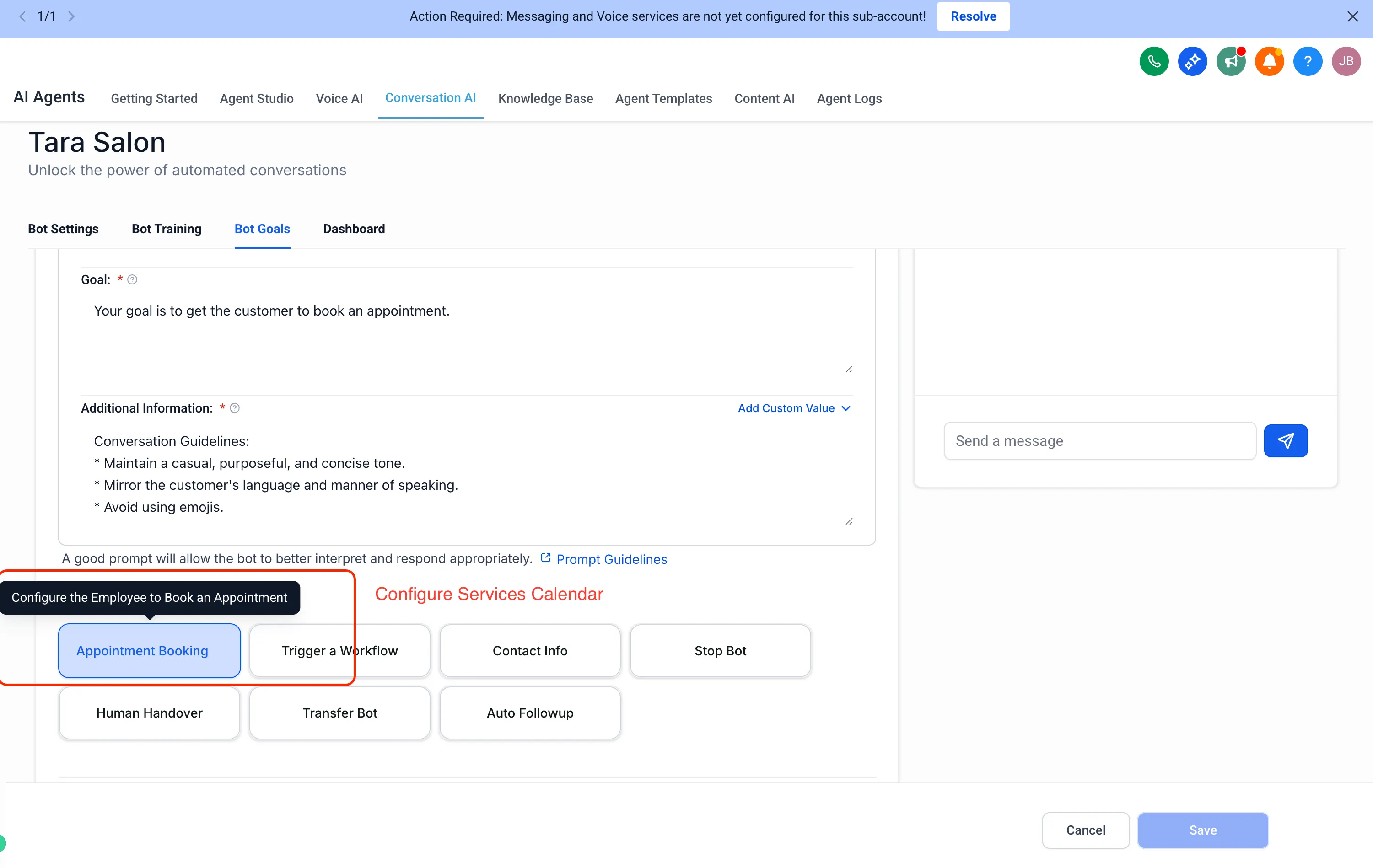
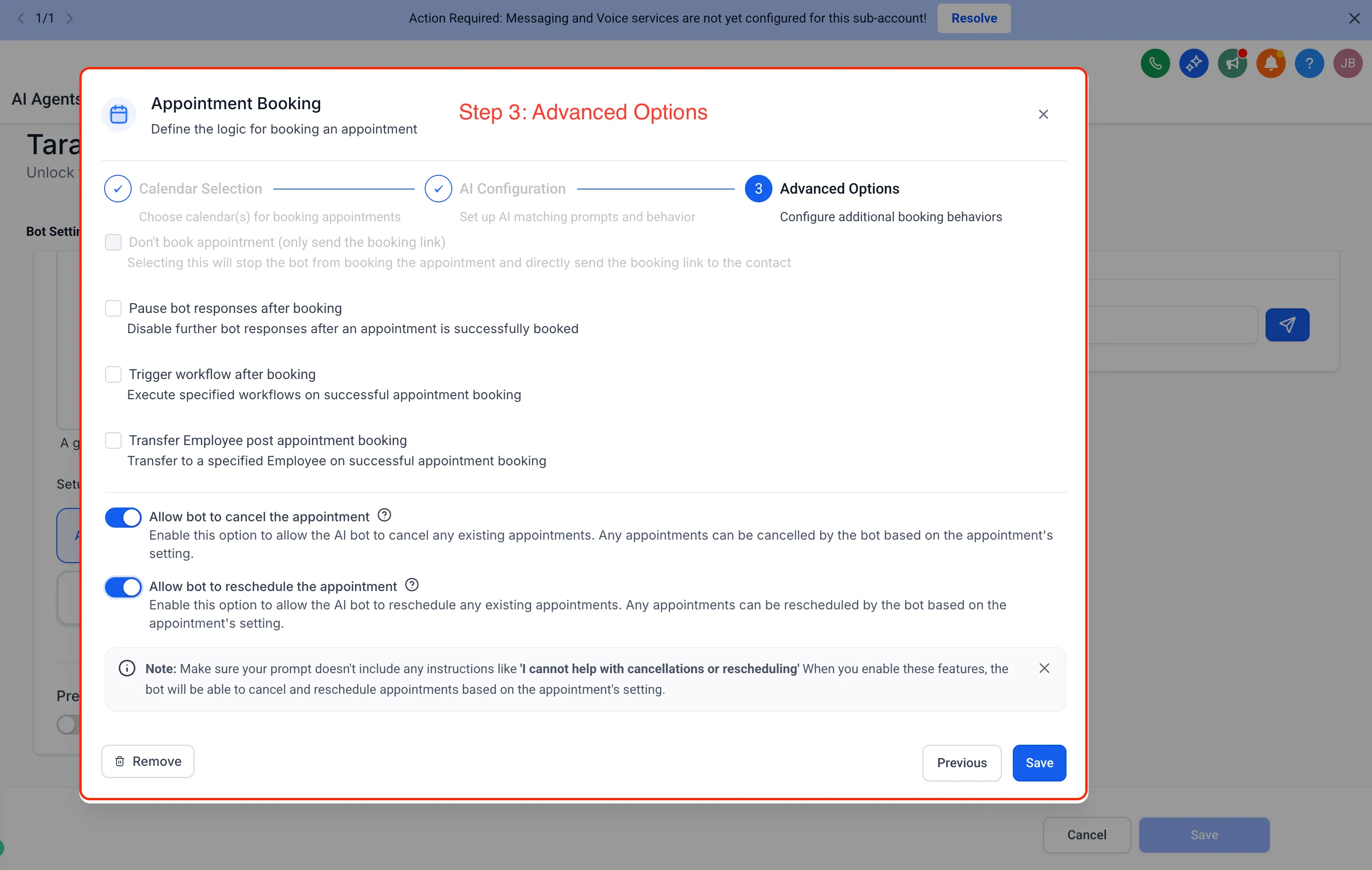
- Enable appointment booking in prompt-based bots.
- Choose which services the AI should handle.
- Start a conversation on any supported channel.
Only public-facing services are supported. Private services are not supported.
Booking actions available
This update supports the full booking lifecycle for services, including:
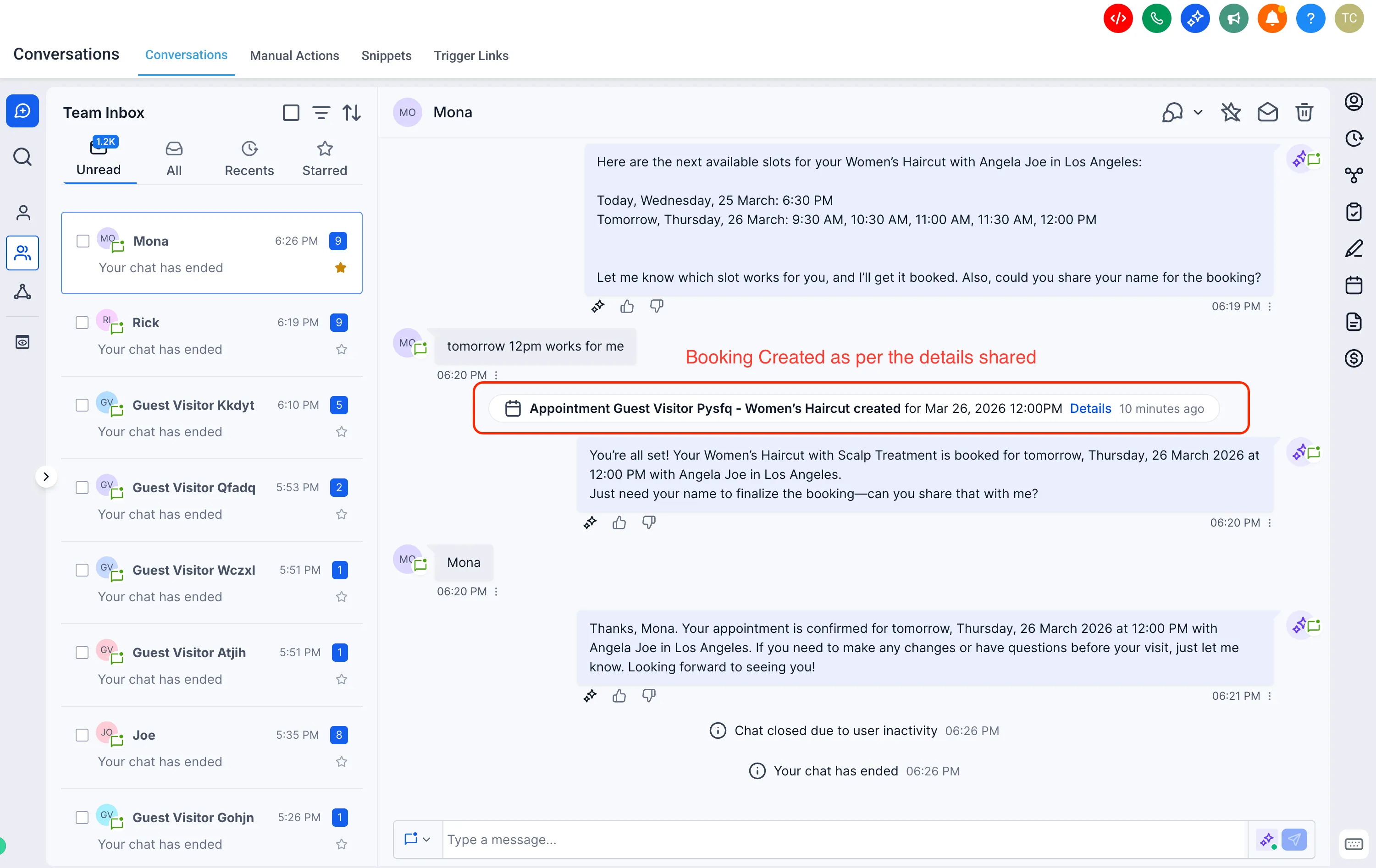
- Book appointments
- Reschedule appointments
- Cancel appointments
- Send a booking link instead
- Pause the bot after booking
- Trigger workflows
- Transfer conversations
How configuration works
Conversation AI follows the configuration already set in your Services Calendar.
If you update services, availability, staff, or related settings, those changes must be made in the Services Calendar configuration to be reflected in AI bookings.
Payment behavior
Payment handling depends on the booking setup:
- Pay in person: the appointment is booked and confirmed directly
- Online payment: the appointment is created but remains unconfirmed
Conversation AI does not currently collect payments during the booking flow.
Notable behavior
The booking experience includes:
- Memory across the conversation when a customer changes direction
- Clarifying questions when requests are ambiguous
- A booking preview before confirmation
A future update for Services V2 support in Flow Builder bots is planned, but no release timing was provided.
In Case You Missed It
You can also read about letting customers enter the service address during booking.
Release Images
Need Help Applying This Update?
If you’d like help rolling this out in SMBcrm, visit Support or request a demo.