Gift Cards Are Now Available in SMBcrm
Businesses can now run gift cards inside SMBcrm from creation through redemption. This update adds gift card products, direct selling and sending options, order tracking, and redemption across supported checkout experiences.
Gift cards work as a prepaid balance that customers can buy for themselves or others, or that businesses can issue directly for refunds, promotions, loyalty, or customer recovery.
For businesses using Payments & Commerce, this brings gift card management into the same platform where payments and checkout activity already happen.
What You Can Do
Create gift card products
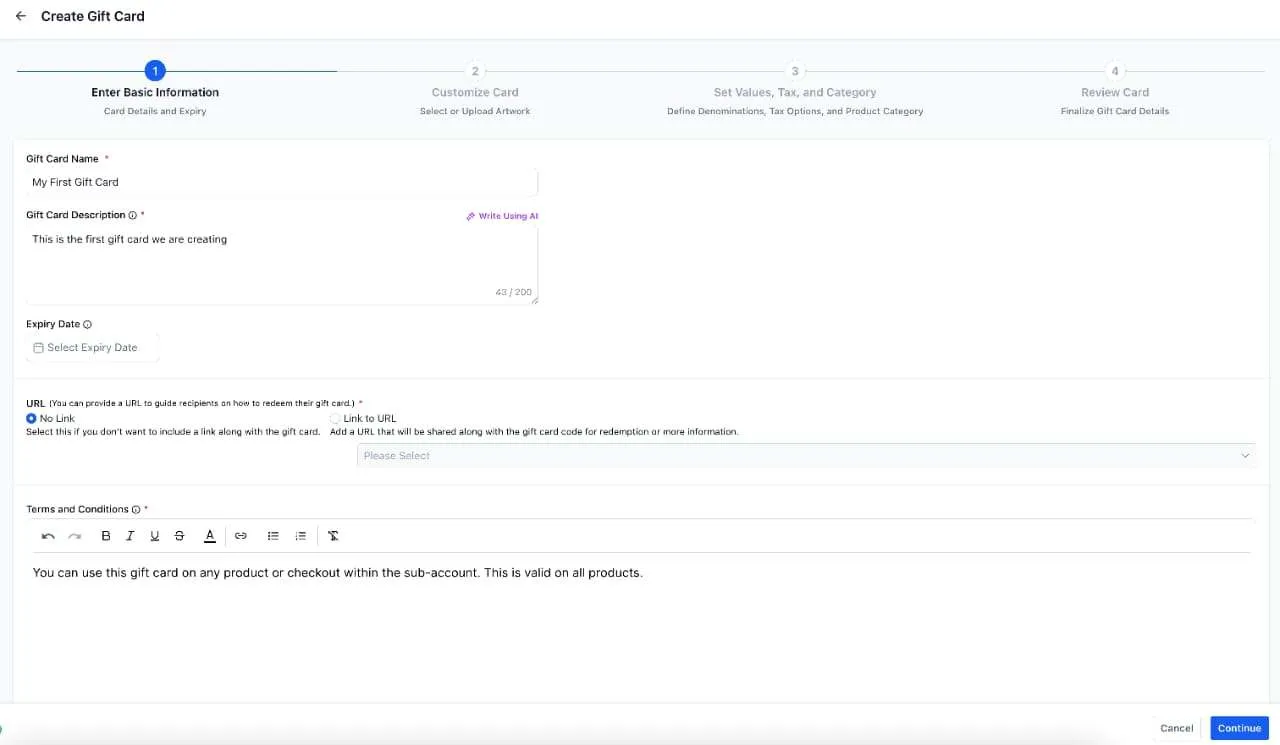
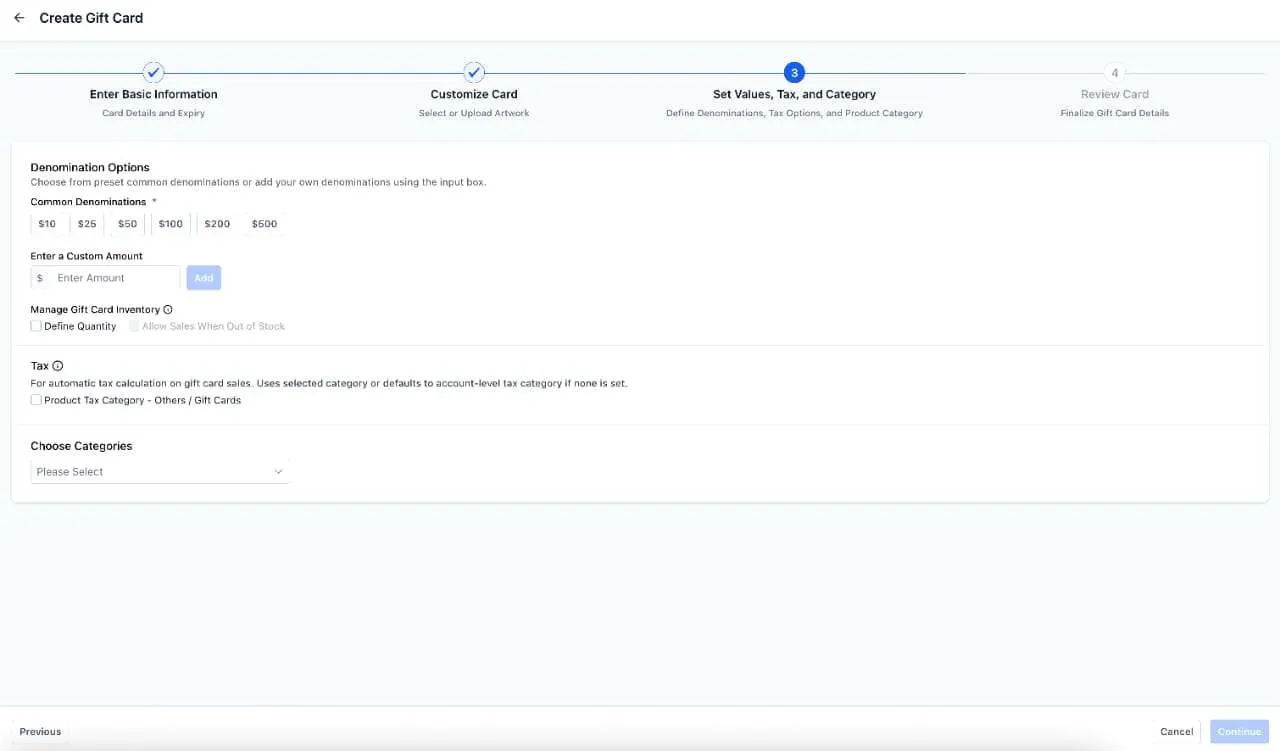
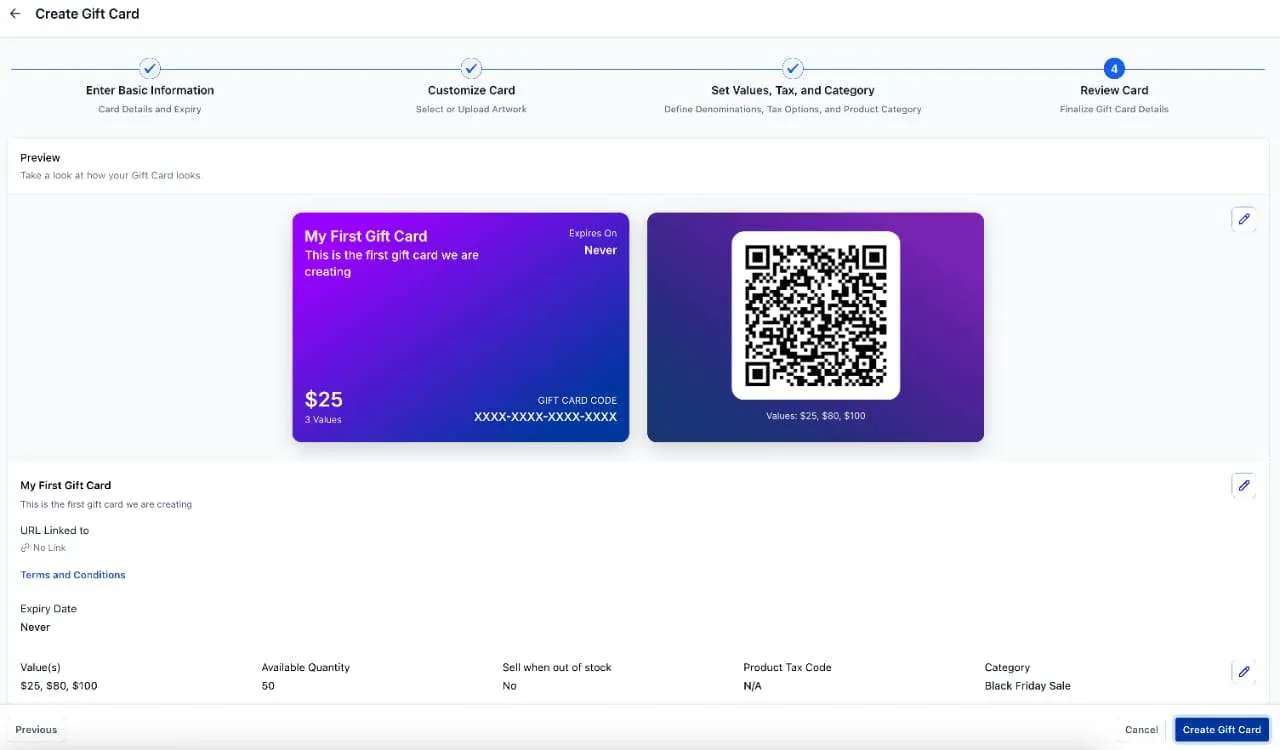
You can now create gift card products under Payments. Gift card products support:
- Name, description, and terms
- An optional redemption link in gift card emails
- Optional expiration dates
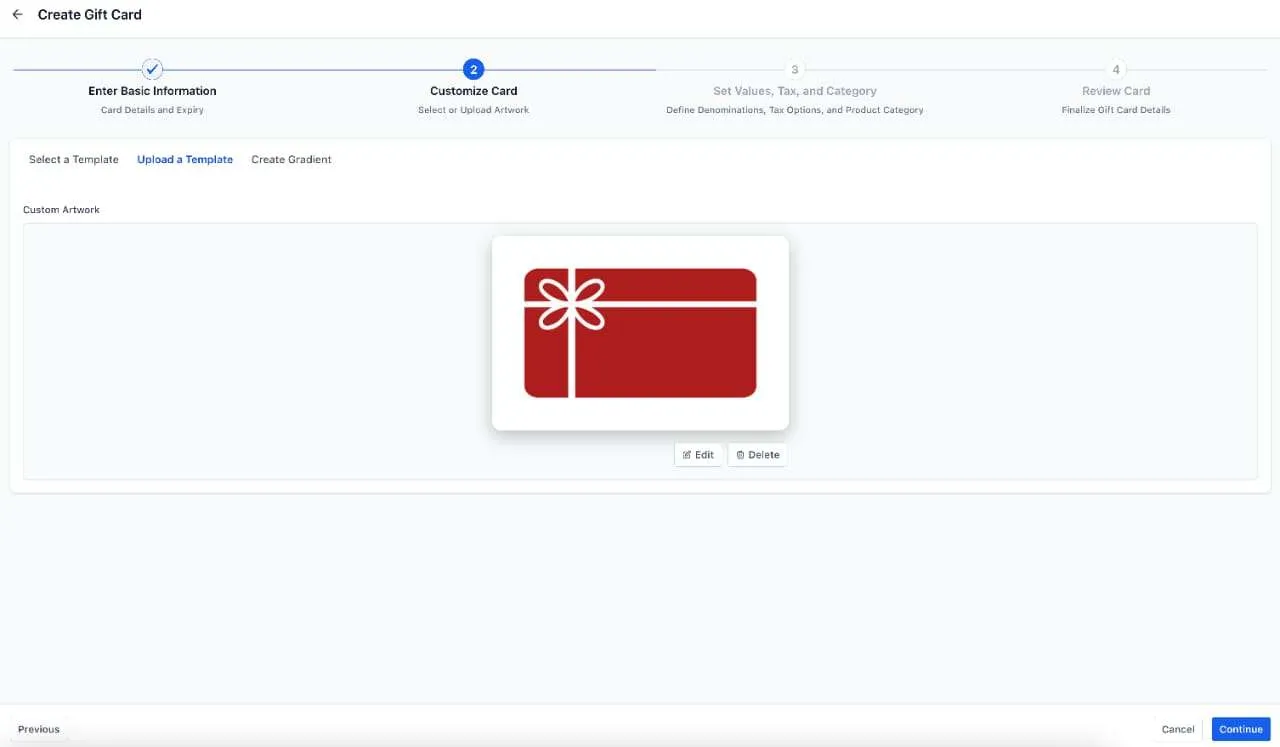
- Artwork and branding
- Custom uploads and gradient creation
- Multiple denominations
- Optional automatic taxes using the gift card tax category
- Optional categories
- A preview before publishing
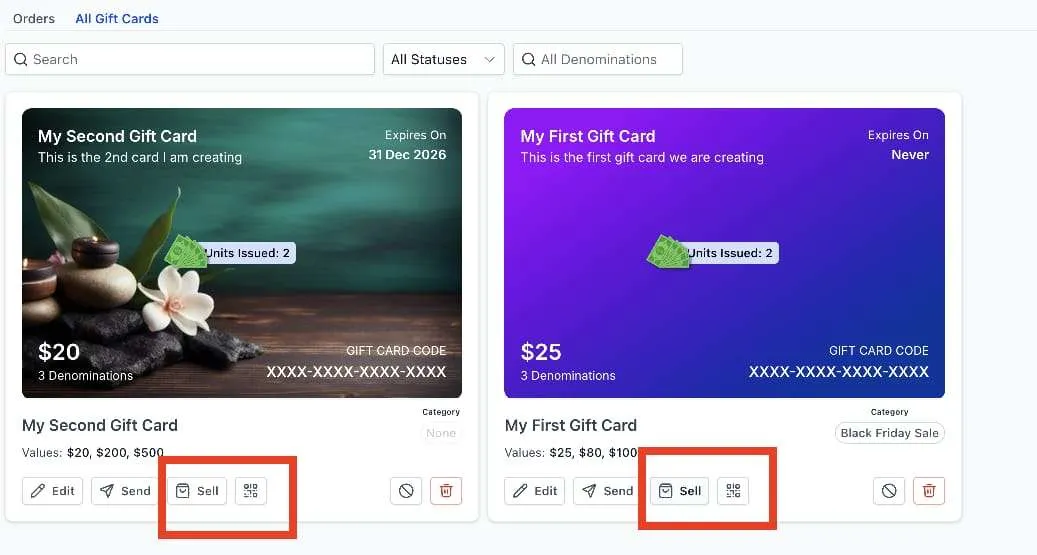
Gift card products can also be edited, archived, or deactivated.
A few important details from this release:
- Deactivating a gift card product disables its dedicated sell and send actions immediately
- If a deactivated gift card is still attached to another checkout, it can continue to be sold there until it is manually removed
- Inventory is not set separately by denomination. If quantity is set to 100 and the product has two denominations, each denomination gets 100
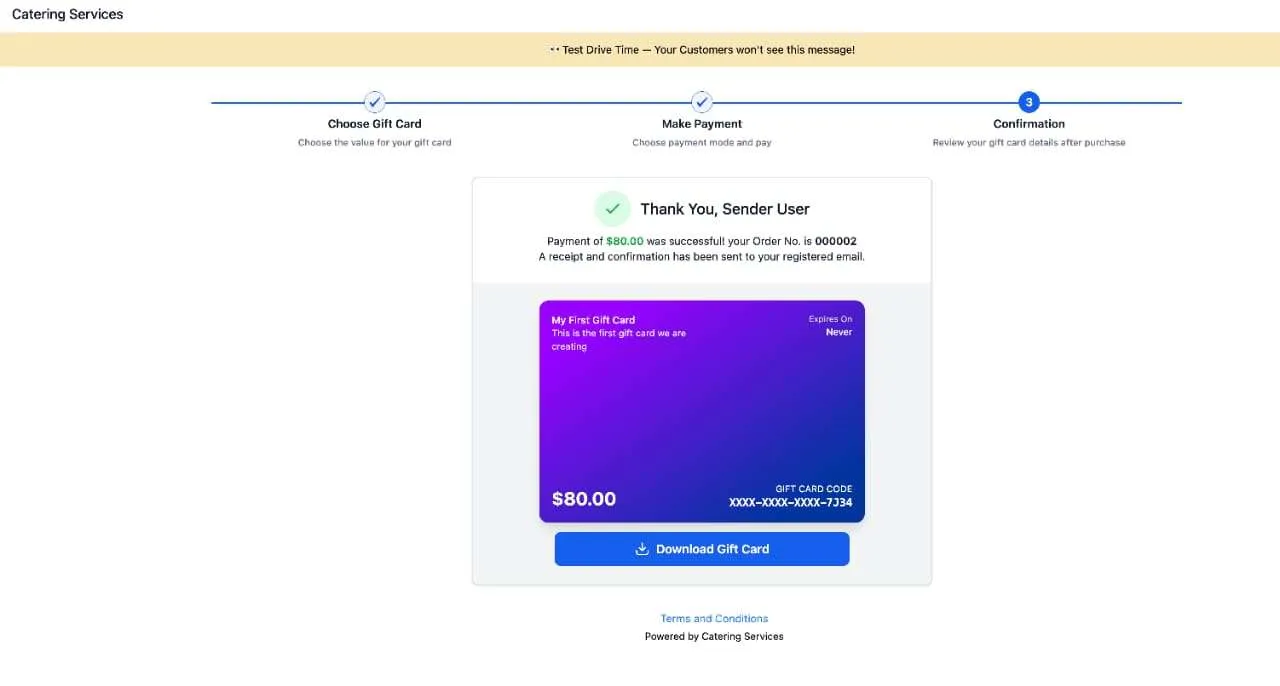
- The gift card is created at the last step of the purchase or send process
Sell gift cards through checkout
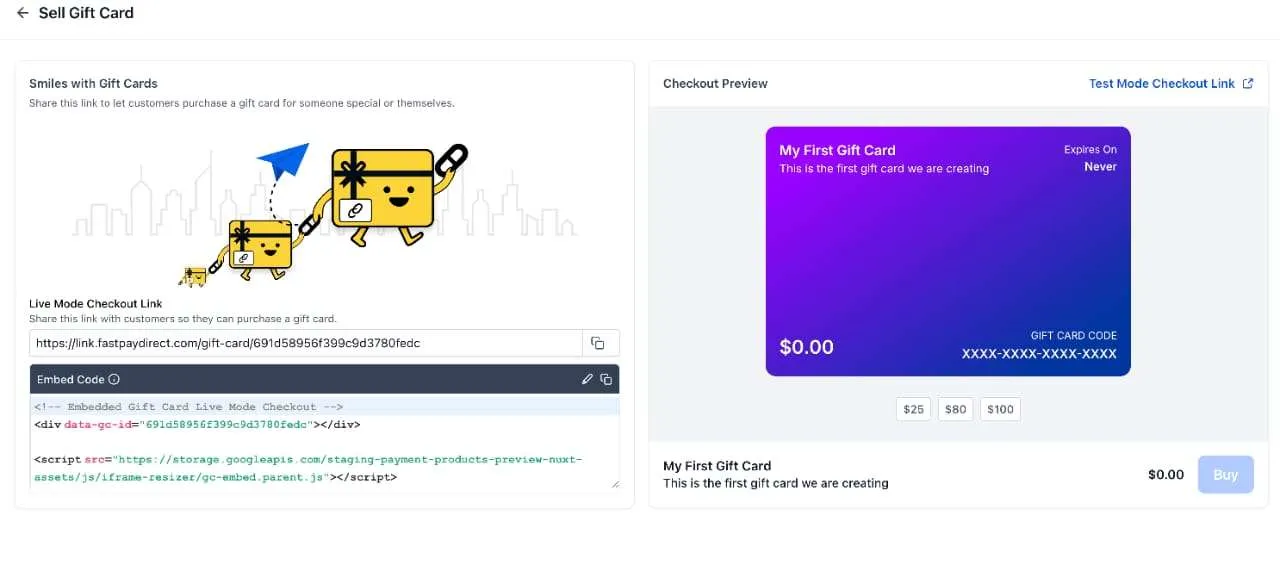
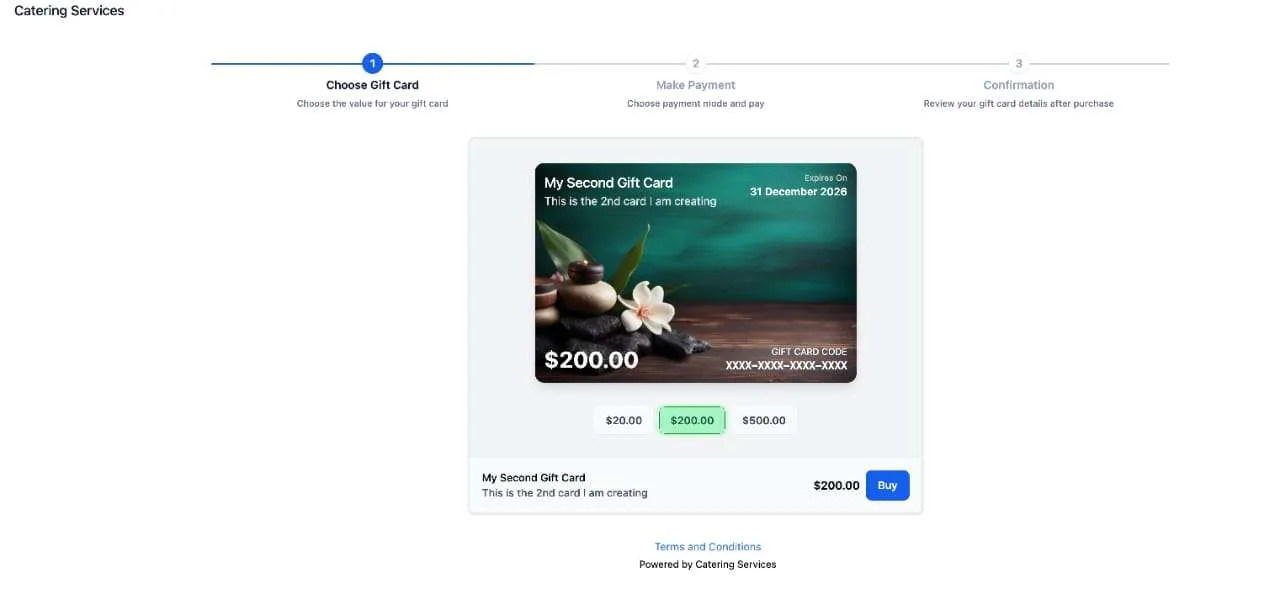
Each gift card product gets its own dedicated checkout in both test mode and live mode. Businesses can sell gift cards through:
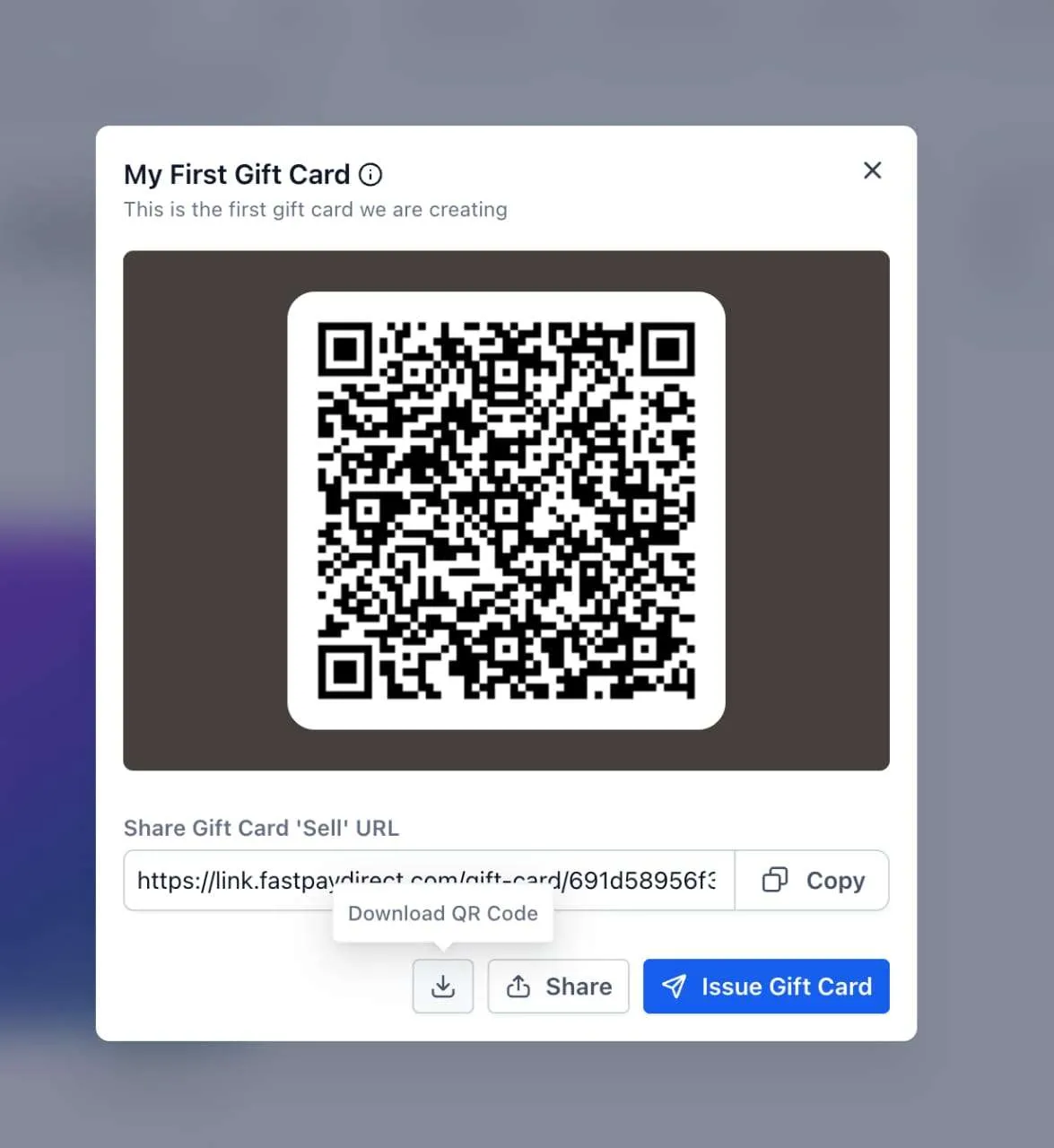
- A dedicated checkout link
- Embed code for a website page
- A QR code that sends customers to the dedicated checkout
- Existing checkouts where the gift card is added as a product, including funnels, forms, payment links, invoices, store checkout, calendar payments where supported, and websites
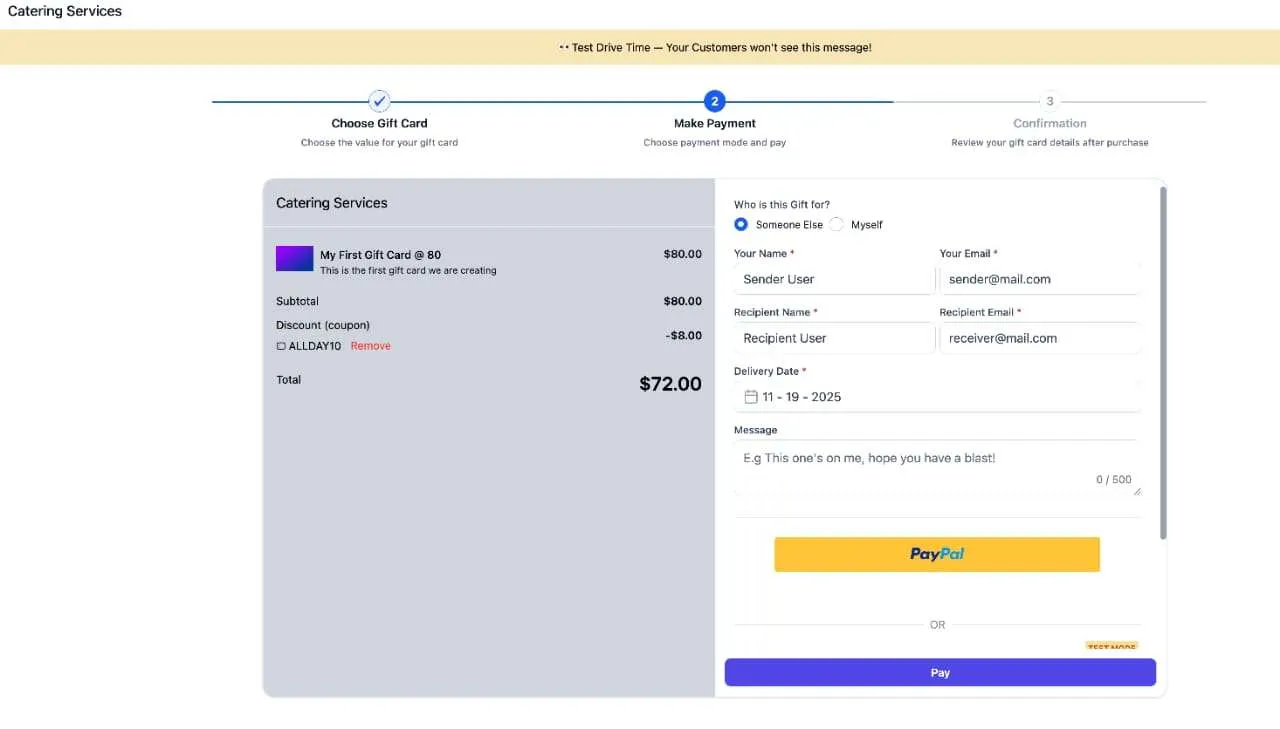
At the dedicated checkout, customers can:
- Choose a denomination
- Buy for themselves or someone else
- Schedule delivery or send it right away
- Complete payment in test mode or live mode, based on the checkout used
If a gift card is purchased in test mode, it can only be redeemed on test mode checkouts. If it is purchased in live mode, it can only be redeemed on live mode checkouts.
When a gift card is sold through an existing checkout, it is delivered to the email address of the customer who buys it.
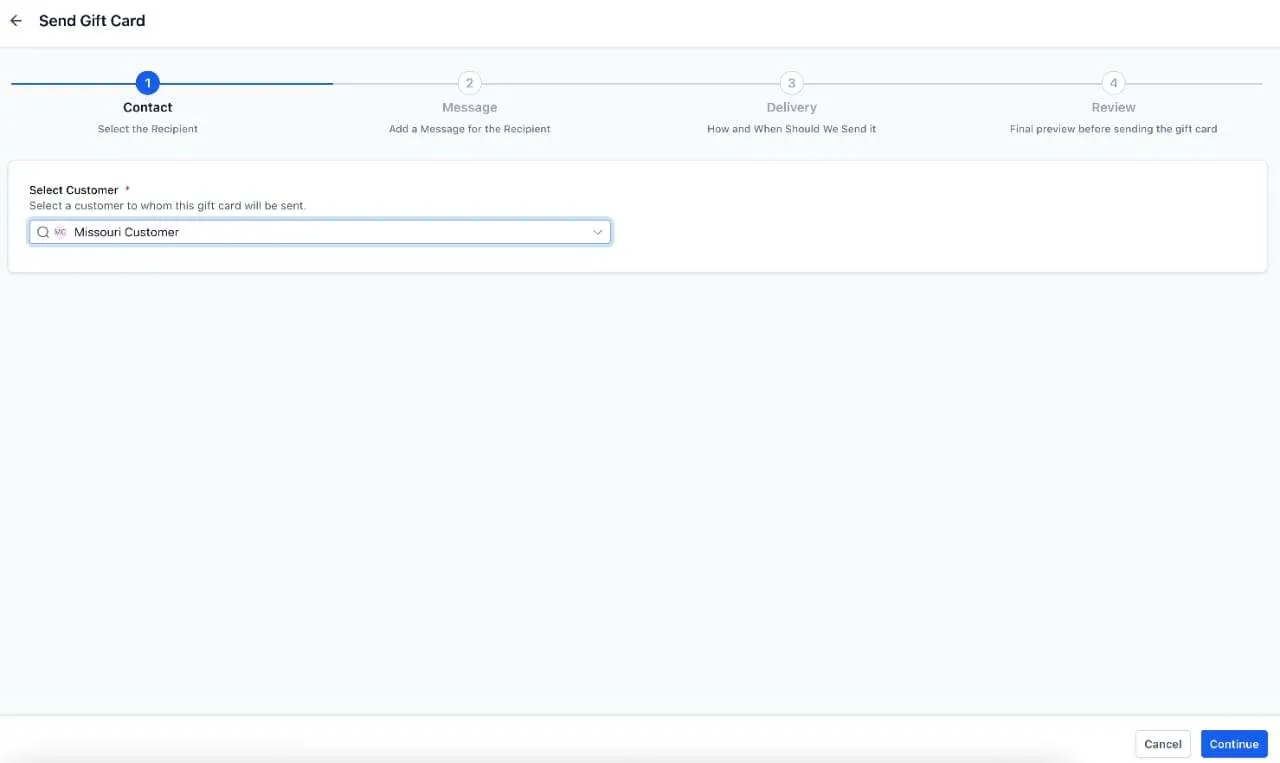
Send gift cards directly
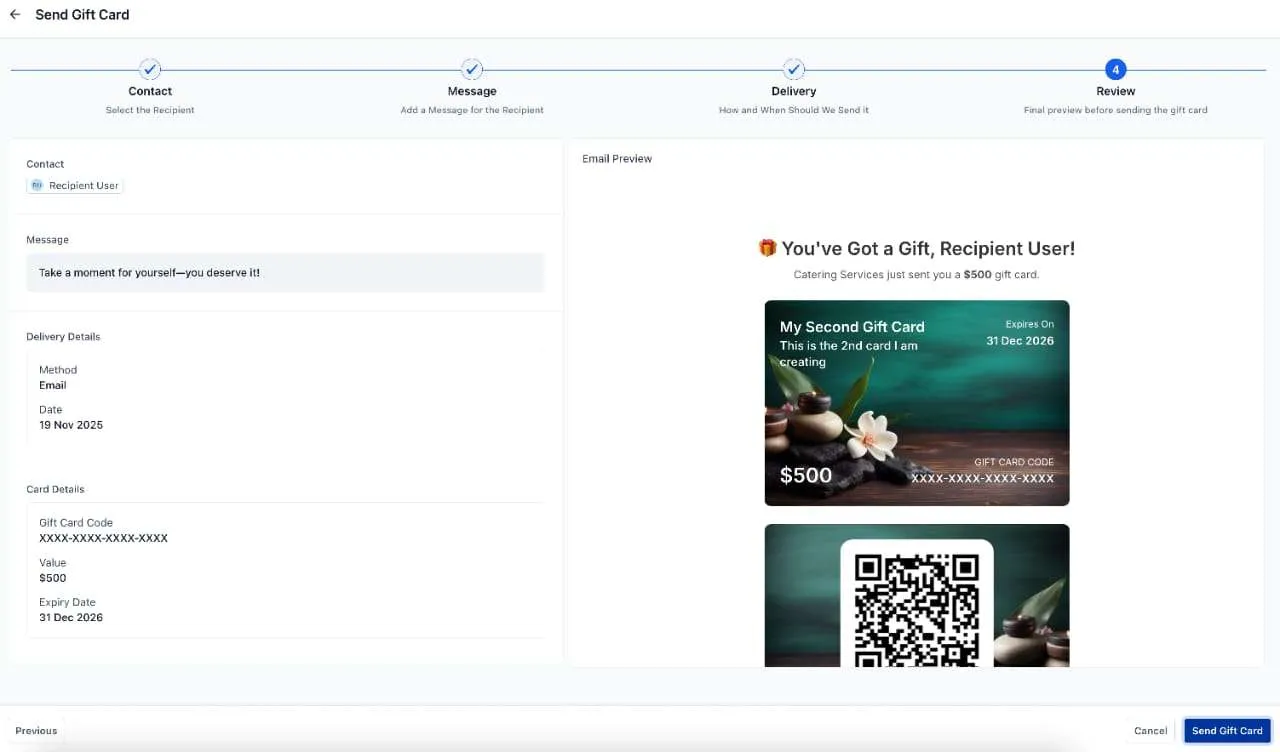
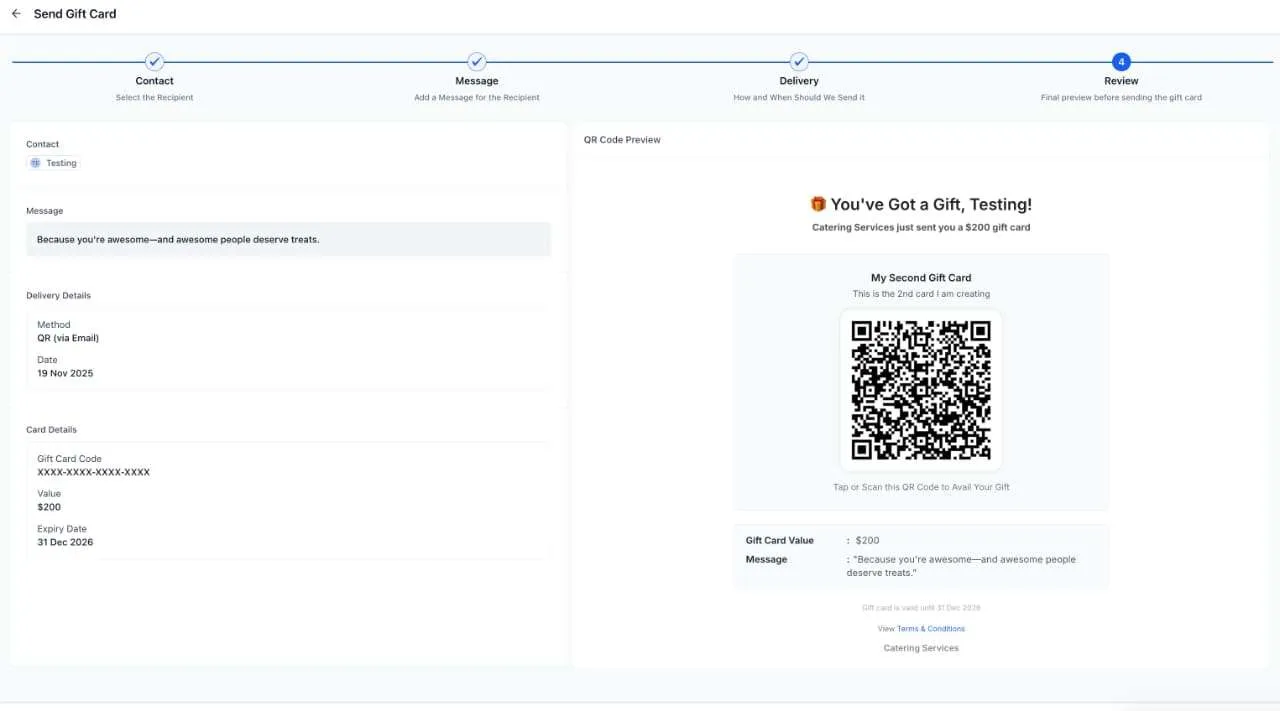
Businesses can also issue gift cards directly to customers without taking payment. This send flow is available in live mode only.
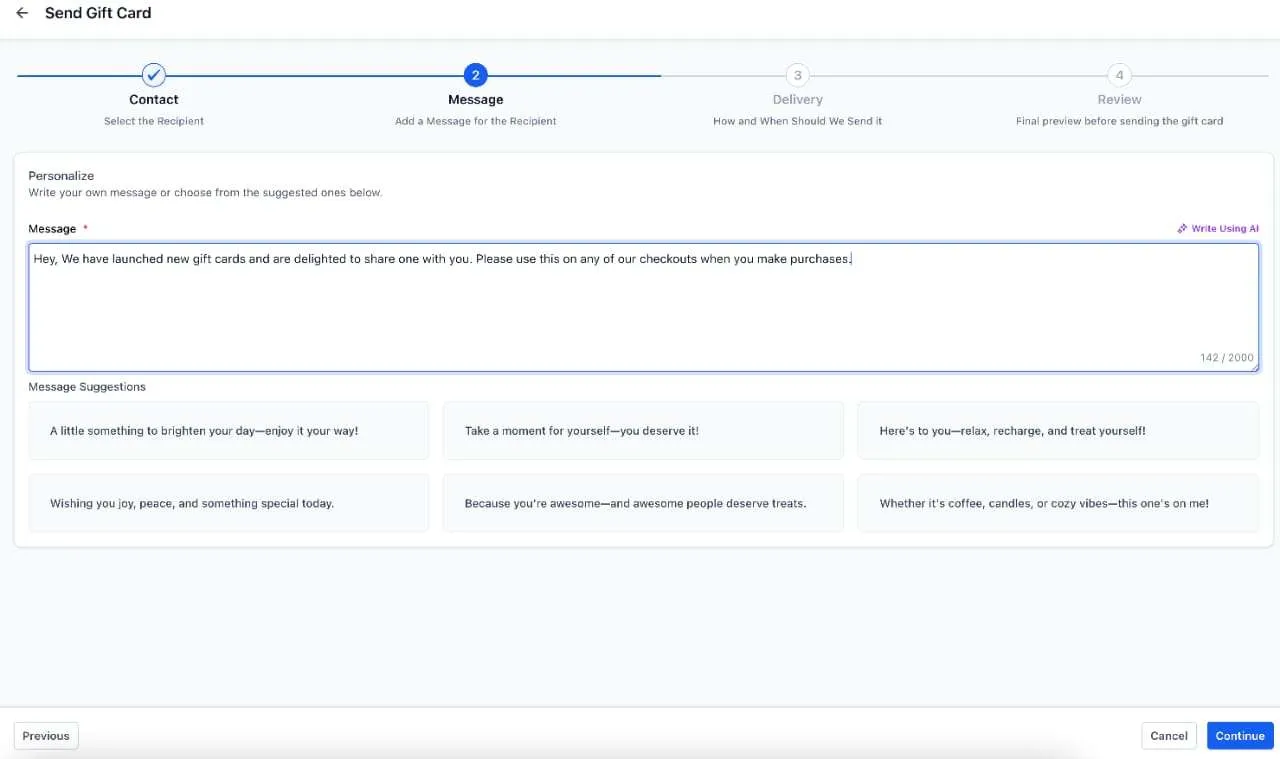
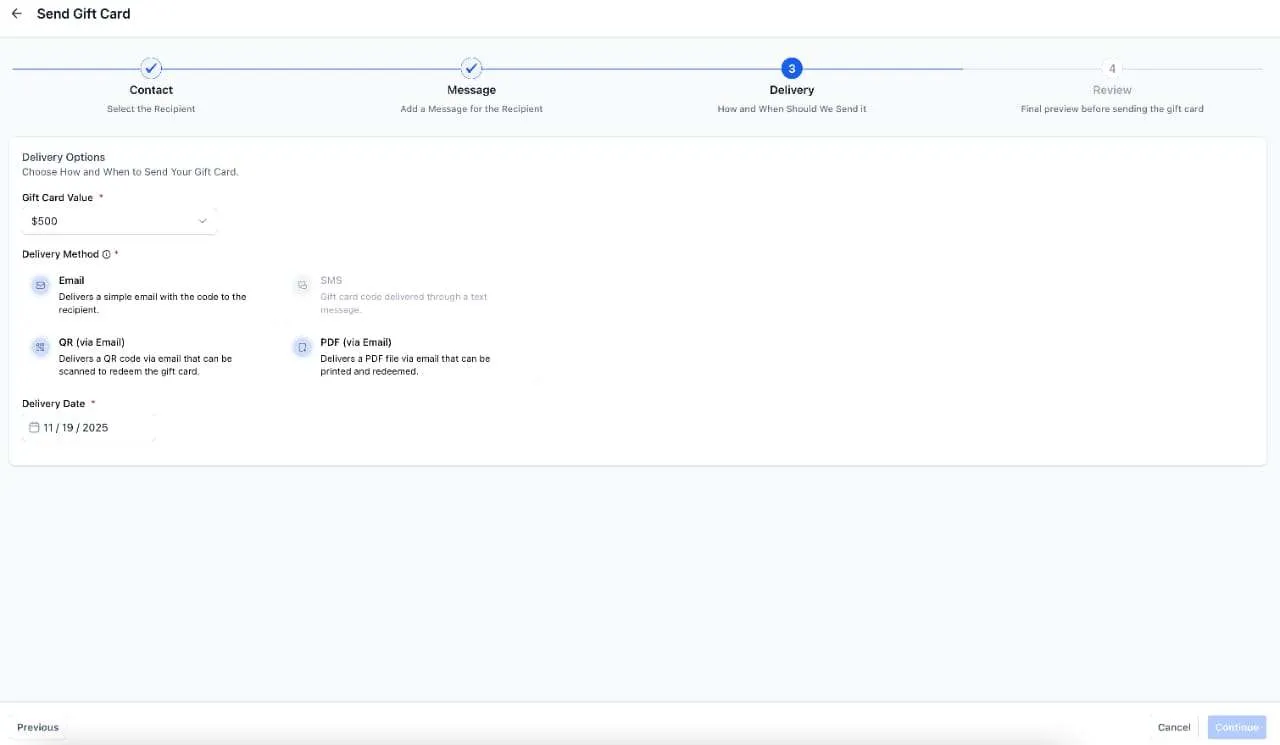
You can:
- Select an existing customer
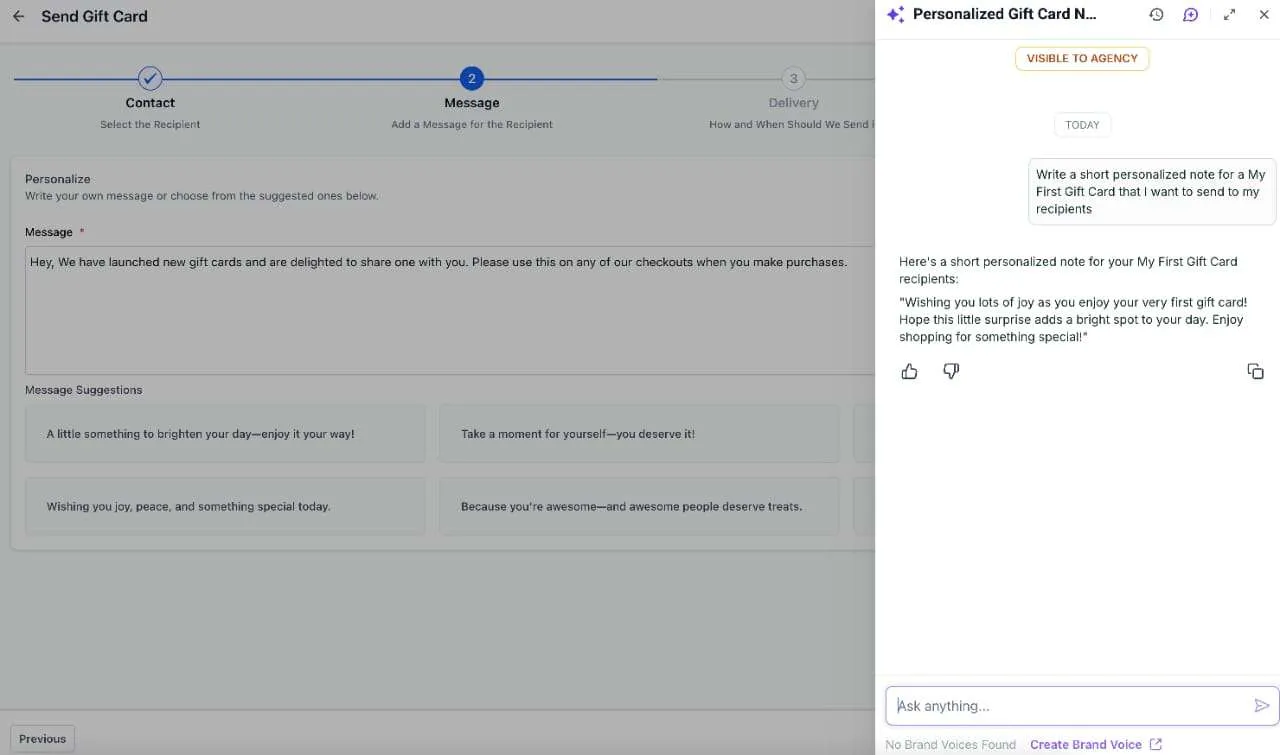
- Add a personal message
- Use Write with AI to draft the message
- Deliver by email, SMS, QR link by email, or PDF by email
- Schedule delivery for a future date
- Preview the communication before sending
Additional details:
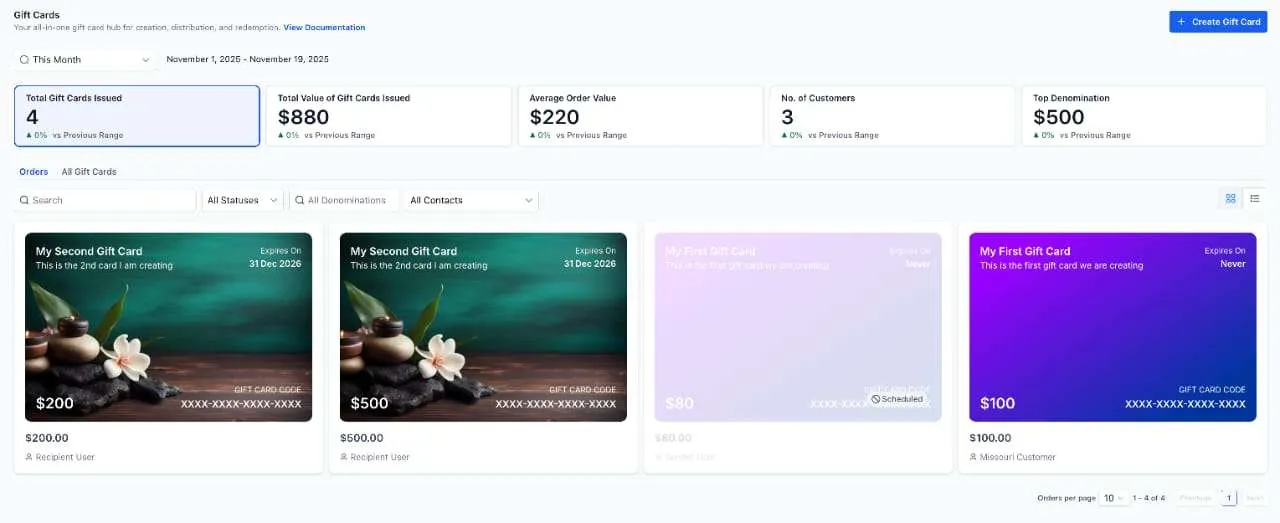
- Directly sent gift cards appear in Gift Card Orders, but not in the general Payments orders list
- You can currently send one gift card to one customer per flow
- Sending a gift card reduces inventory
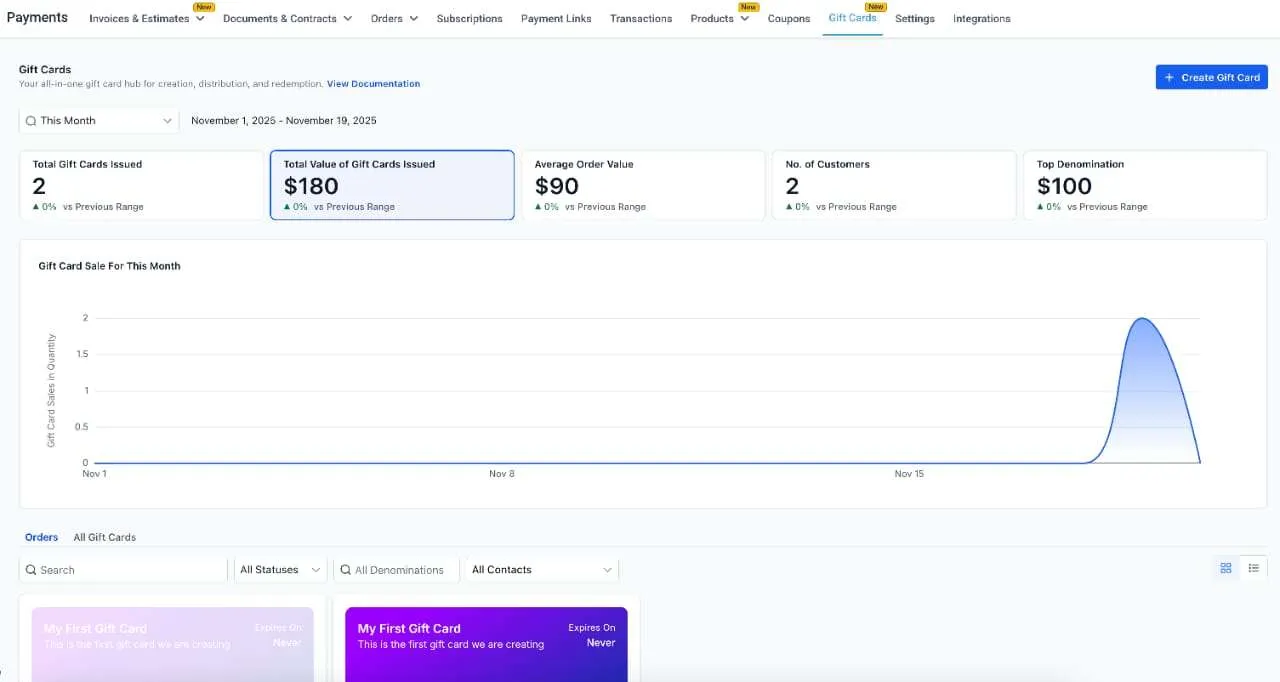
Track gift cards in Gift Card Orders
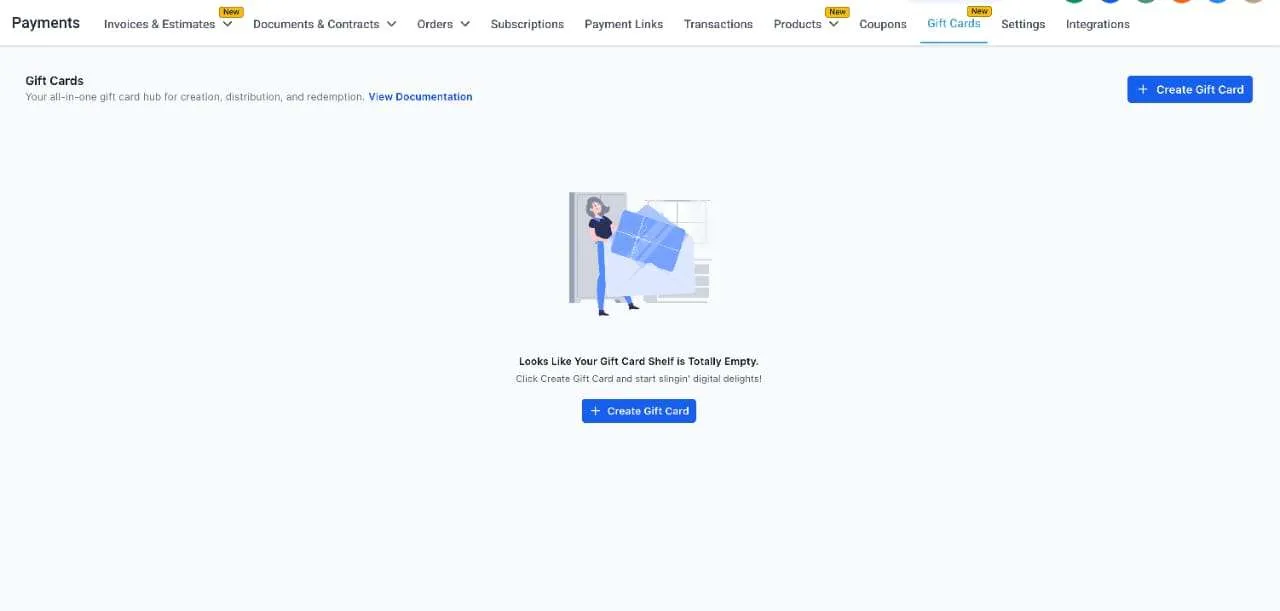
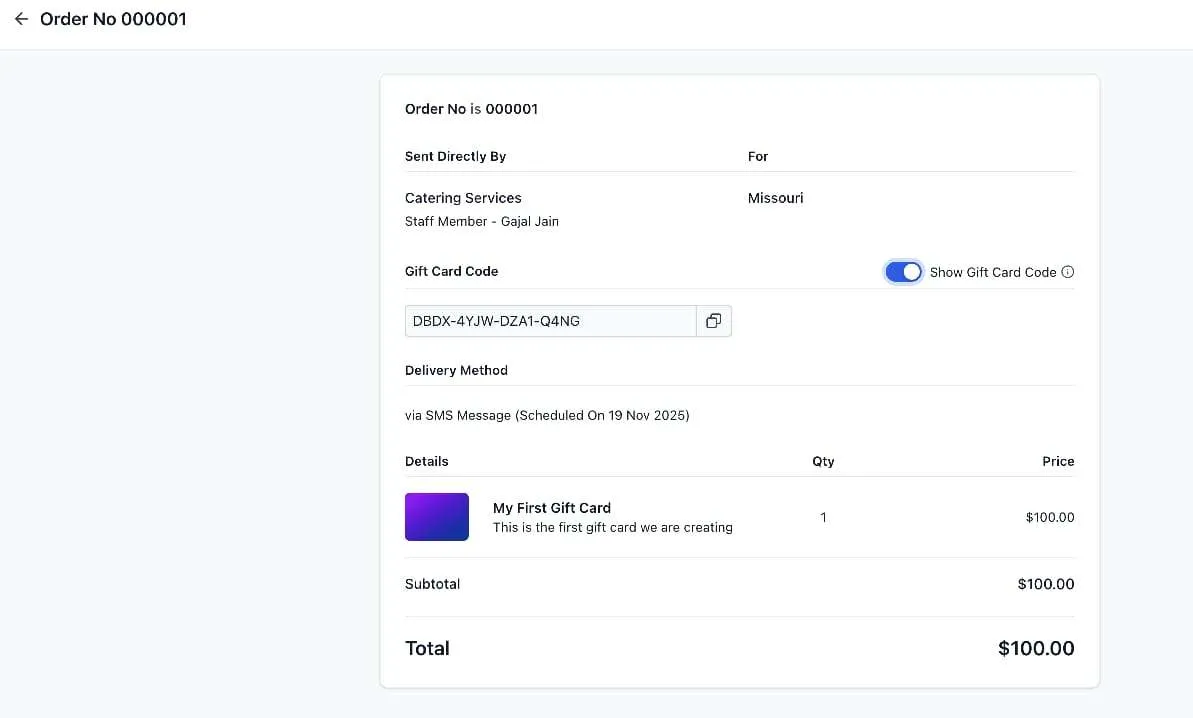
A new Gift Card Orders tab under Payments shows all sold and sent gift cards after the first one is issued.
From Gift Card Orders, businesses can view:
- Purchaser details
- Recipient details
- Denomination
- Expiration date
- Remaining balance
- Status such as Scheduled, Active, or Inactive
- Gift card number inside the order details view
- Delivery method and schedule
This gives teams a single place to review gift card activity and balances.
Redeem gift cards across supported checkouts
Customers can redeem gift cards anywhere the gift card redemption experience is supported, including:
- Funnels
- Forms
- Payment links
- Invoices
- Store checkout
- Calendar payments where applicable
This also works with supported payment providers including Stripe, NMI, Authorize.net, and Square in scenarios described in the release, including partial payments and subscription purchases. For one-time products that are fully paid by gift card, redemption can be available regardless of payment provider.
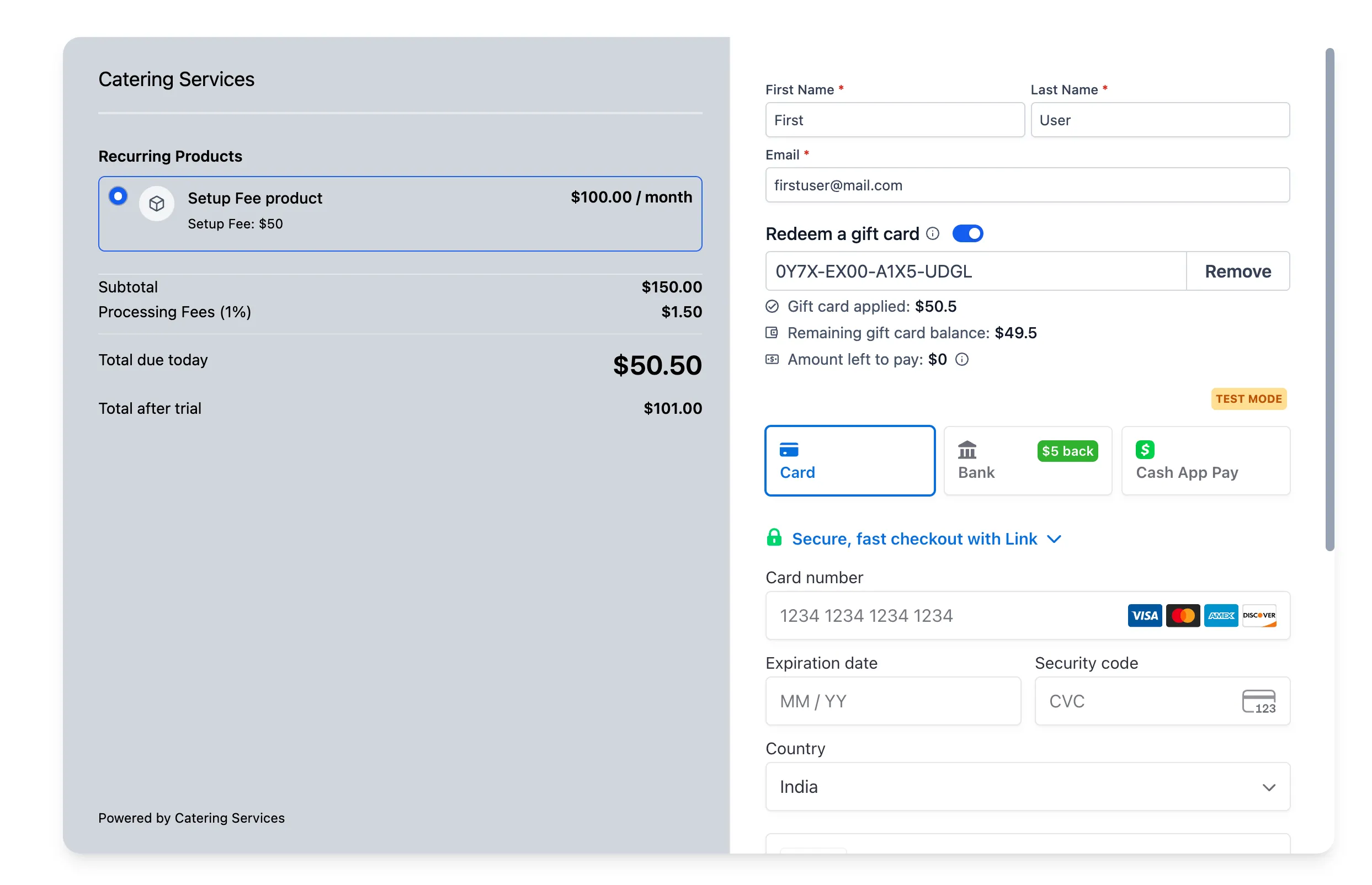
At checkout, customers can enter their gift card number and immediately see the remaining balance.
Gift cards can be used for:
- Full payment when the balance covers the order total for one-time products
- Partial payment, with the remaining amount charged to another payment method
For subscription purchases, the system still collects another payment method even if the gift card covers the initial charge, because future billing may be required.
Gift cards cannot be used in upsell purchases.
What Changed After Early Testing
Based on customer feedback, the redemption experience now makes these values clearer during checkout:
- Gift card applied
- Remaining gift card balance
- Amount left to pay, when additional payment is needed
Where to Find It
You can find gift card tools in these areas:
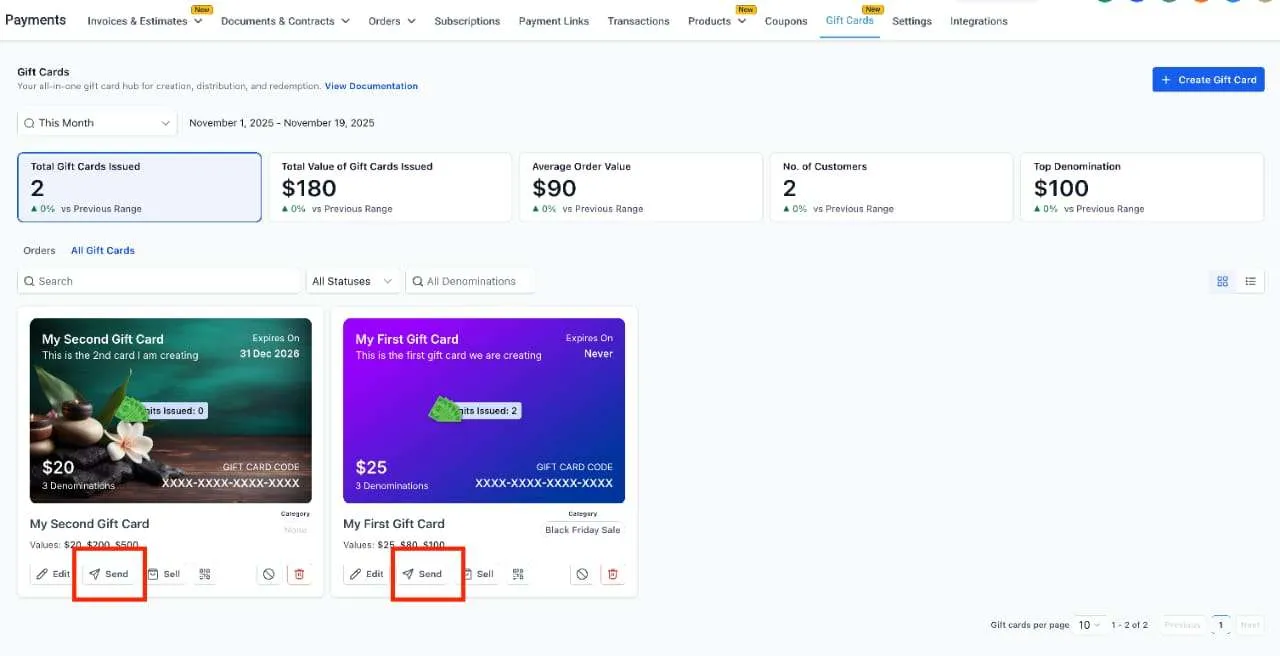
- Payments → Gift Cards → Gift Card Products
- Payments → Gift Cards → Gift Card Orders
- The Sell section within each gift card product for checkout links, embeds, and QR codes
- The Send section within each gift card product for direct issue workflows
- Supported existing checkout experiences where gift cards can be added as products
Current Limitations Noted in the Release
The release also notes a few current limitations:
- Direct sending is live mode only
- Test mode and live mode gift cards cannot be redeemed across modes
- Separate inventory by denomination is not available
- Gift cards must exist and have been sent or purchased before redemption appears at checkout
- Gift cards cannot be redeemed in upsell flows
In Case You Missed It
You can also read Appointment Triggers Now Support Appointment Guests.
Release Images
Need Help Applying This Update?
If you’d like help rolling this out in SMBcrm, visit Support or request a demo.