Global Booking Settings for Pricing and Coupons
SMBcrm now gives you more control over how pricing and coupons appear on your booking pages.
You can hide the coupon code field and choose how service pricing is displayed across your booking widgets. This helps create a cleaner booking flow and makes pricing clearer for customers before they book.
What Changed
- Hide the coupon code field on the booking page
- Choose a pricing display format for services
- Apply these settings across all booking widgets
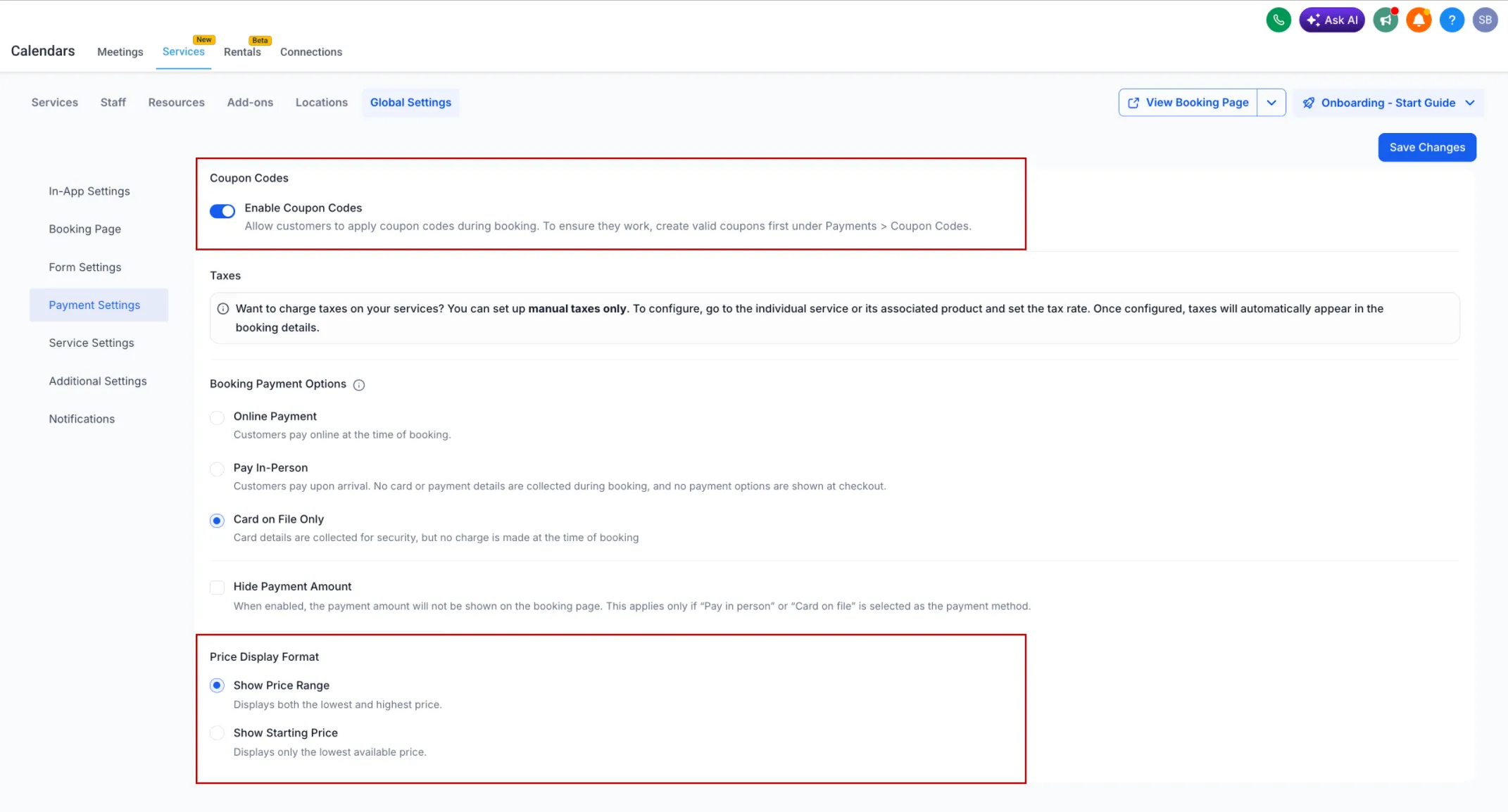
Pricing and Coupon Options
Coupon Visibility
- You can enable or disable coupon codes on the booking page
- When disabled, the coupon field is completely hidden
Price Display Format
You can choose between two pricing display styles:
- Fixed range: shows the full price range
- From $X: shows the lowest starting price
The final price is calculated after the customer selects any variations or add-ons.
How to Use It
- Go to Calendars
- Click Services
- Open Global Settings
- Go to Payment Settings
- Configure Enable Coupon Codes and Price Display Format
- Click Save Changes
Why It Matters
- Gives you more control over the booking page experience
- Makes pricing easier for customers to understand
- Supports different pricing strategies for your services
- Reduces distractions during booking
In Case You Missed It
You can also read about letting customers enter the service address during booking.
Need Help Applying This Update?
If you’d like help rolling this out in SMBcrm, visit Support or request a demo.