Improved A2P Campaign Rejection Feedback
A2P campaign rejections now provide clearer feedback so users can understand what failed and what needs to be corrected before resubmitting.
What changed
When a campaign submission is rejected, users now see a View required fixes link next to each rejection reason.
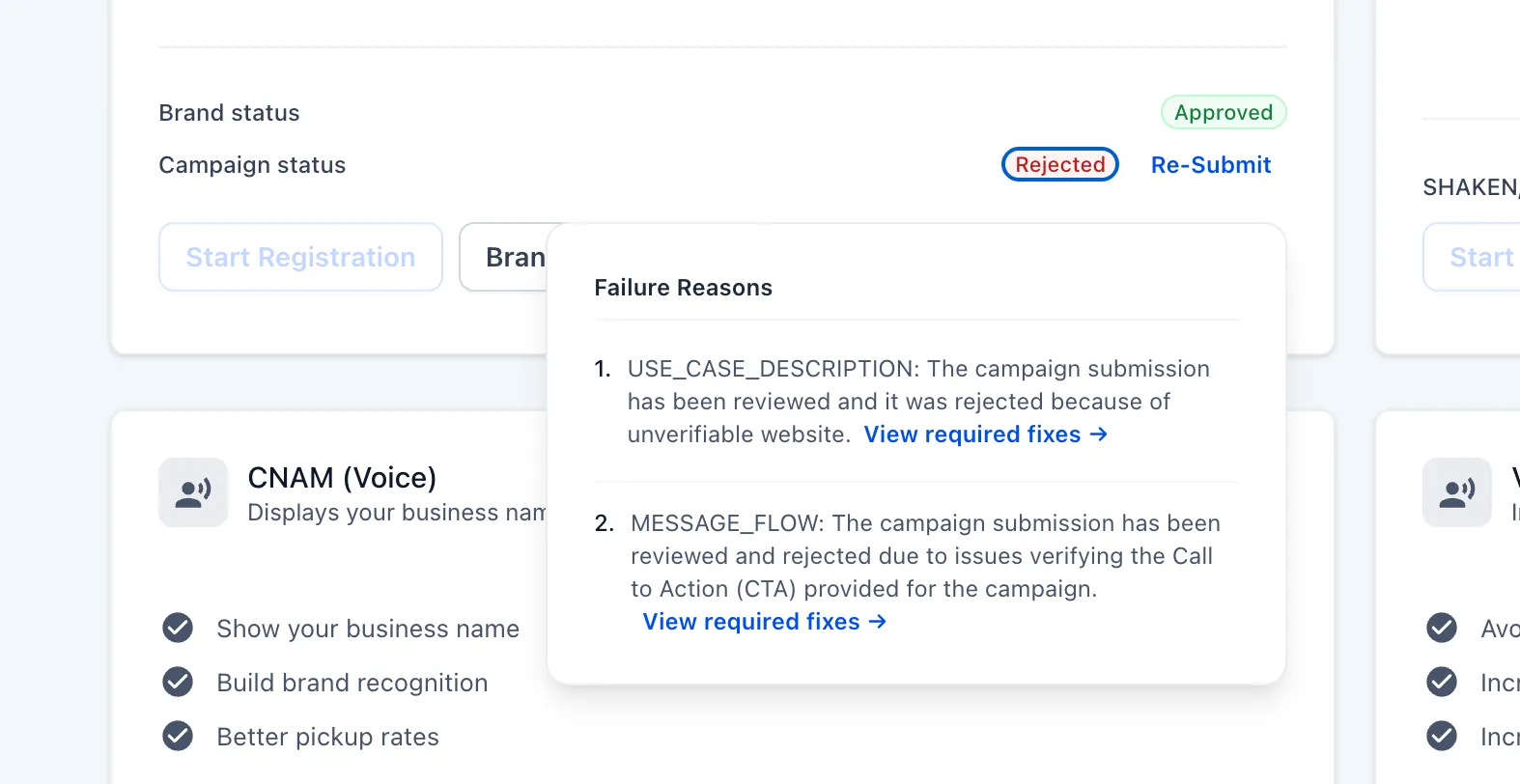
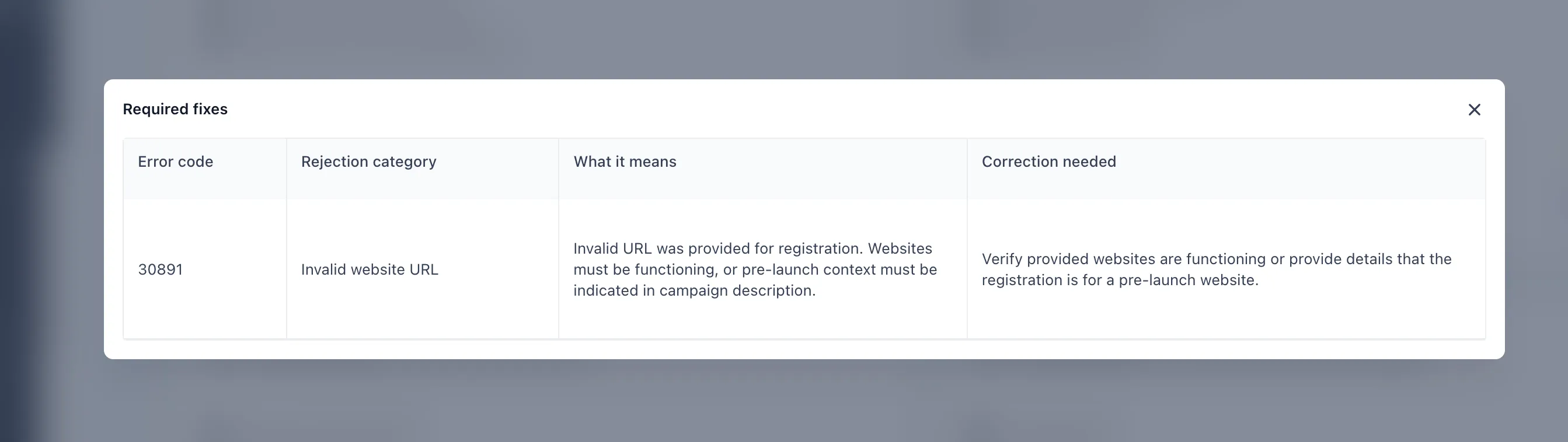
Selecting that link opens a detailed modal with four fields:
- Error code: the specific code returned by the carriers
- Rejection category: a plain-language label for the issue, such as an invalid website URL
- What it means: a short explanation of why the submission failed
- Correction needed: the exact action required before resubmitting
Why it matters
Previously, rejection messages showed only short descriptions with limited context. This update gives users more precise feedback so they can resolve issues faster, reduce back-and-forth with support, and resubmit with more confidence.
In Case You Missed It
You can also read about Blog Domain Management and Sitemap Improvements.
Need Help Applying This Update?
If you’d like help rolling this out in SMBcrm, visit Support or request a demo.