More QR Code Styling Options in SMBcrm
SMBcrm now includes more ways to customize the look of your QR codes. You can choose different shapes, add borders or frames, and include text around the code to make the destination or call to action clearer.
What Changed
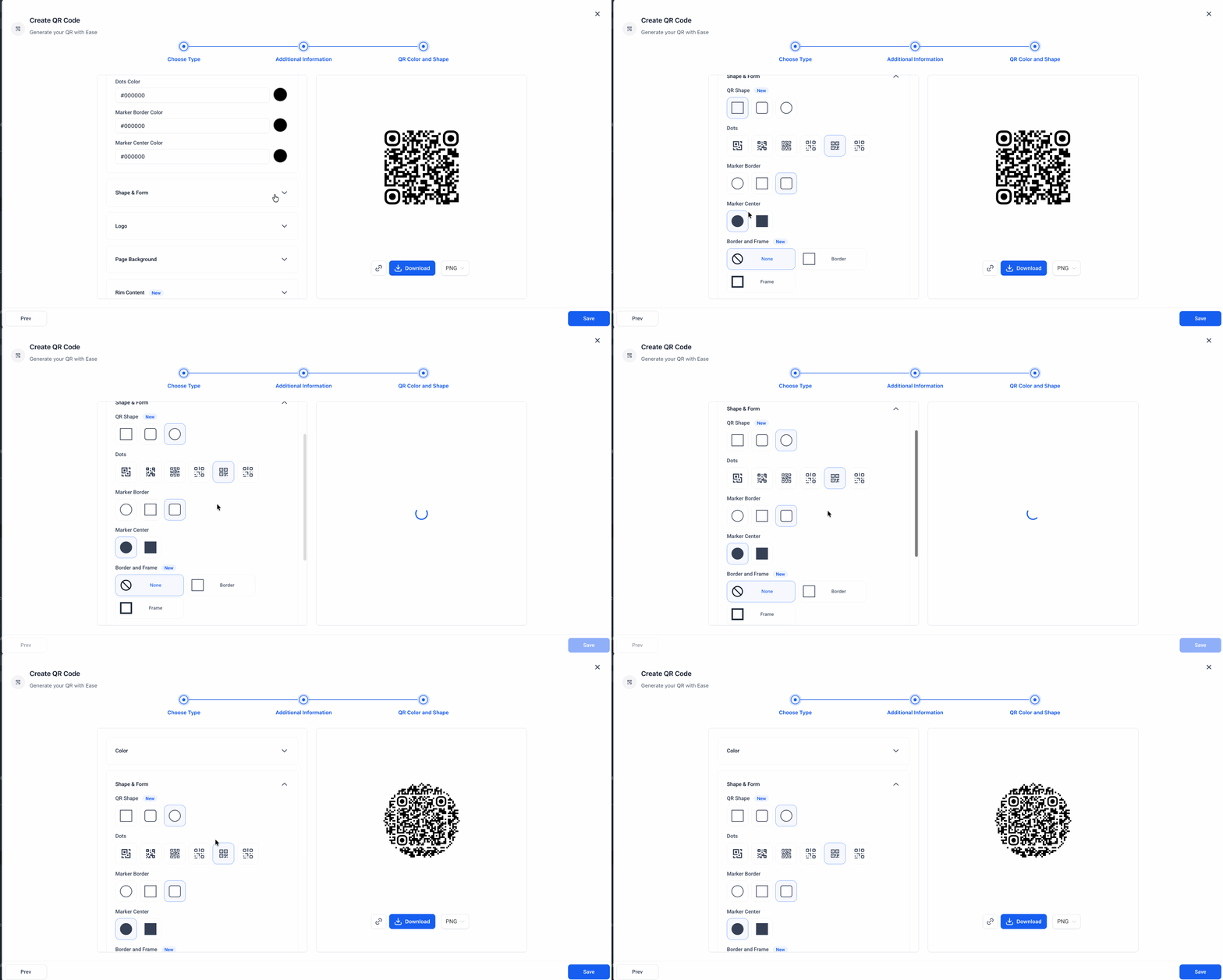
More shape options
You can now choose Rounded or Circular QR code shapes for a different visual style.
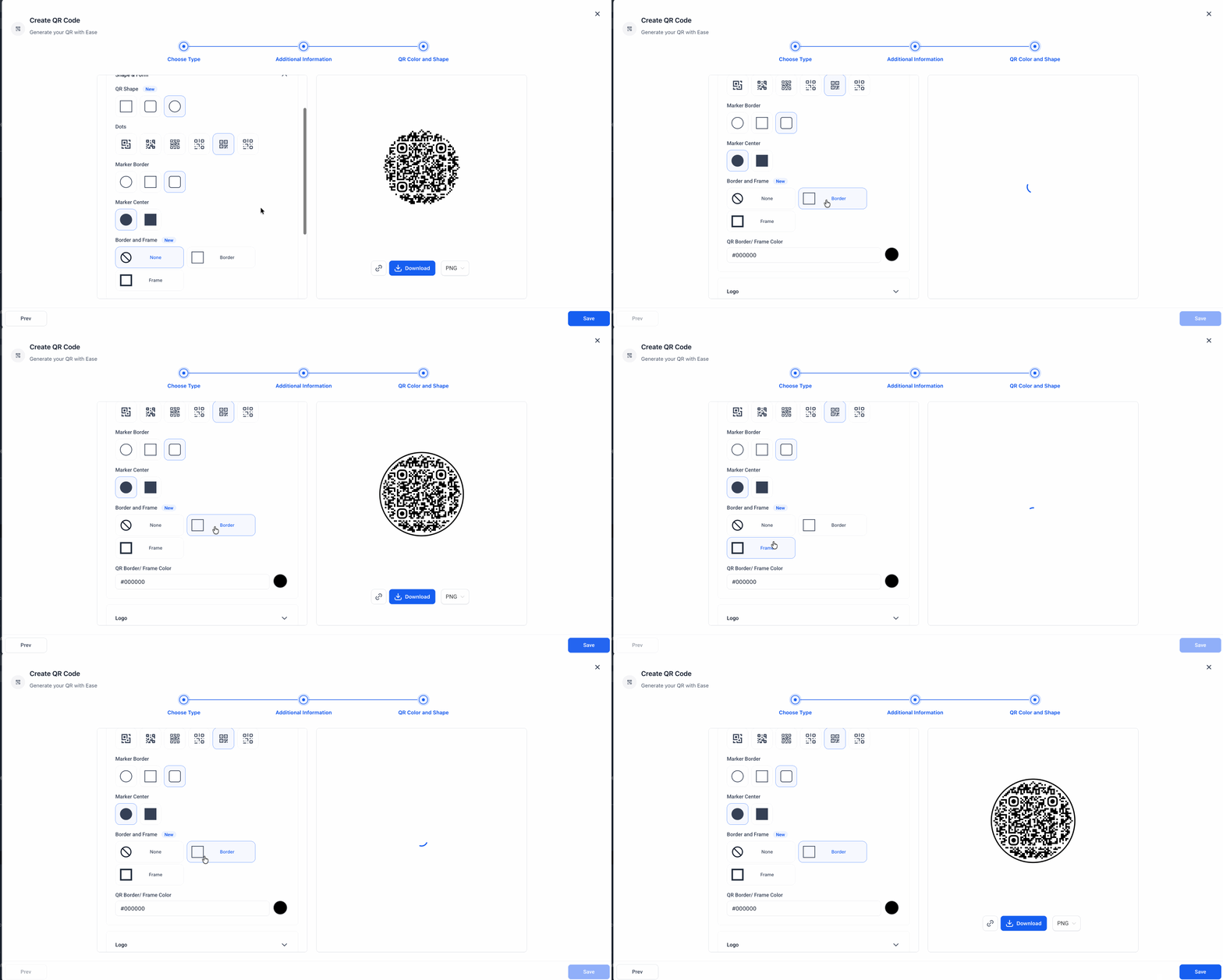
Border and frame customization
You can now add a border or frame to a QR code and customize its color to better match your branding.
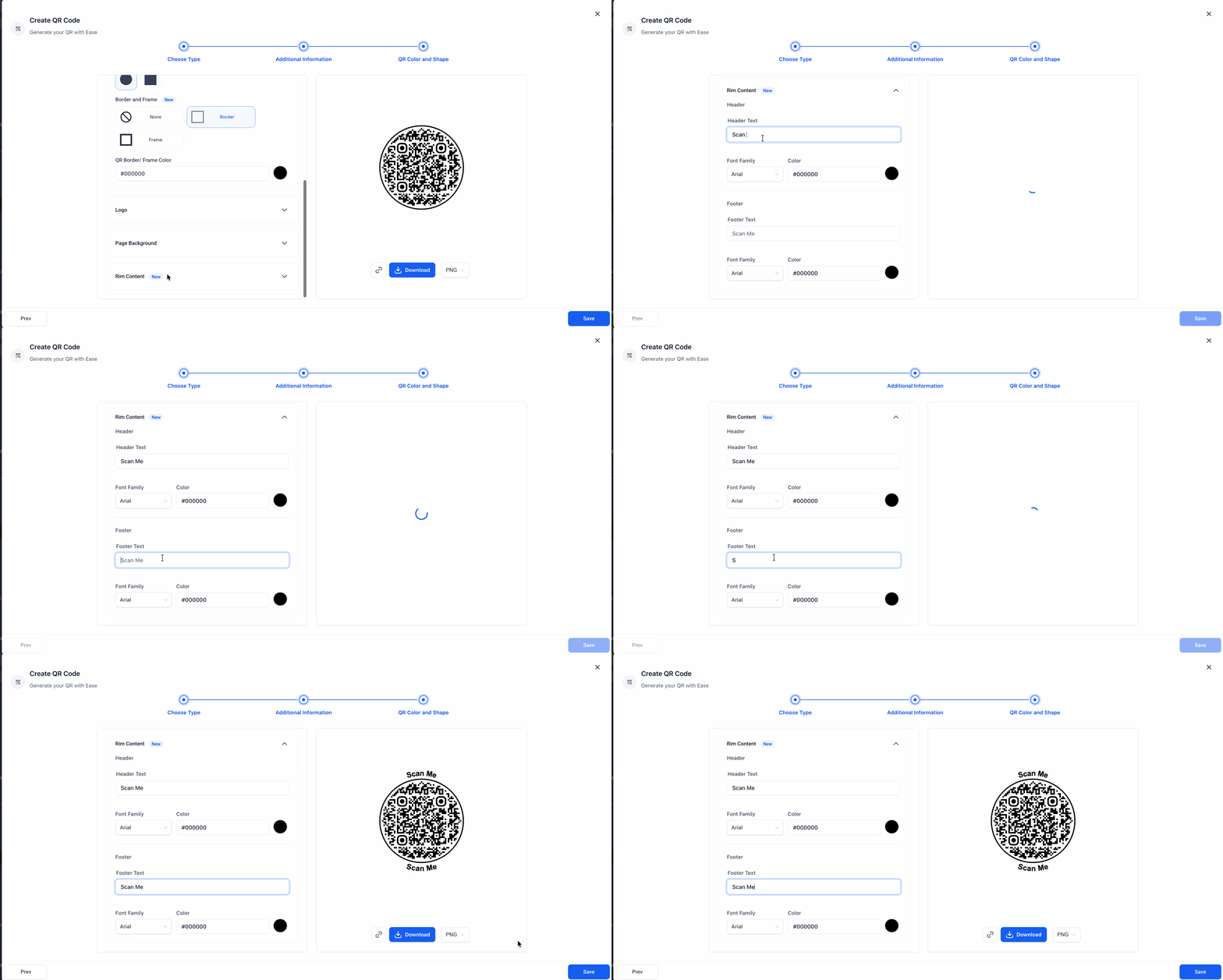
Rim text for clearer calls to action
You can now add text to the top and bottom of a QR code to make it more descriptive and action-oriented.
Where to Find It
Go to Sites > QR Codes, choose your QR type, and then open the QR Color and Shape step.
From there, you can adjust:
- Shape & Form for Rounded or Circular styles
- Border and Frame for border and frame color settings
- Rim Content for text at the top and bottom of the QR code
Why It Matters
These updates give you more control over how QR codes look and how clearly they communicate the next step. They can help you:
- create more polished QR codes
- better match your brand style
- make calls to action easier to understand
These options are available across all QR code types.
In Case You Missed It
You can also read about another recent update: AI Builder Can Now Configure and Rename Workflows.
Need Help Applying This Update?
If you’d like help rolling this out in SMBcrm, visit Support or request a demo.