Packing Slip Updates: Order Notes and SKU Support
Packing slips now include customer order notes and product SKUs to make order fulfillment clearer and easier to manage.
What Changed
Order notes on packing slips
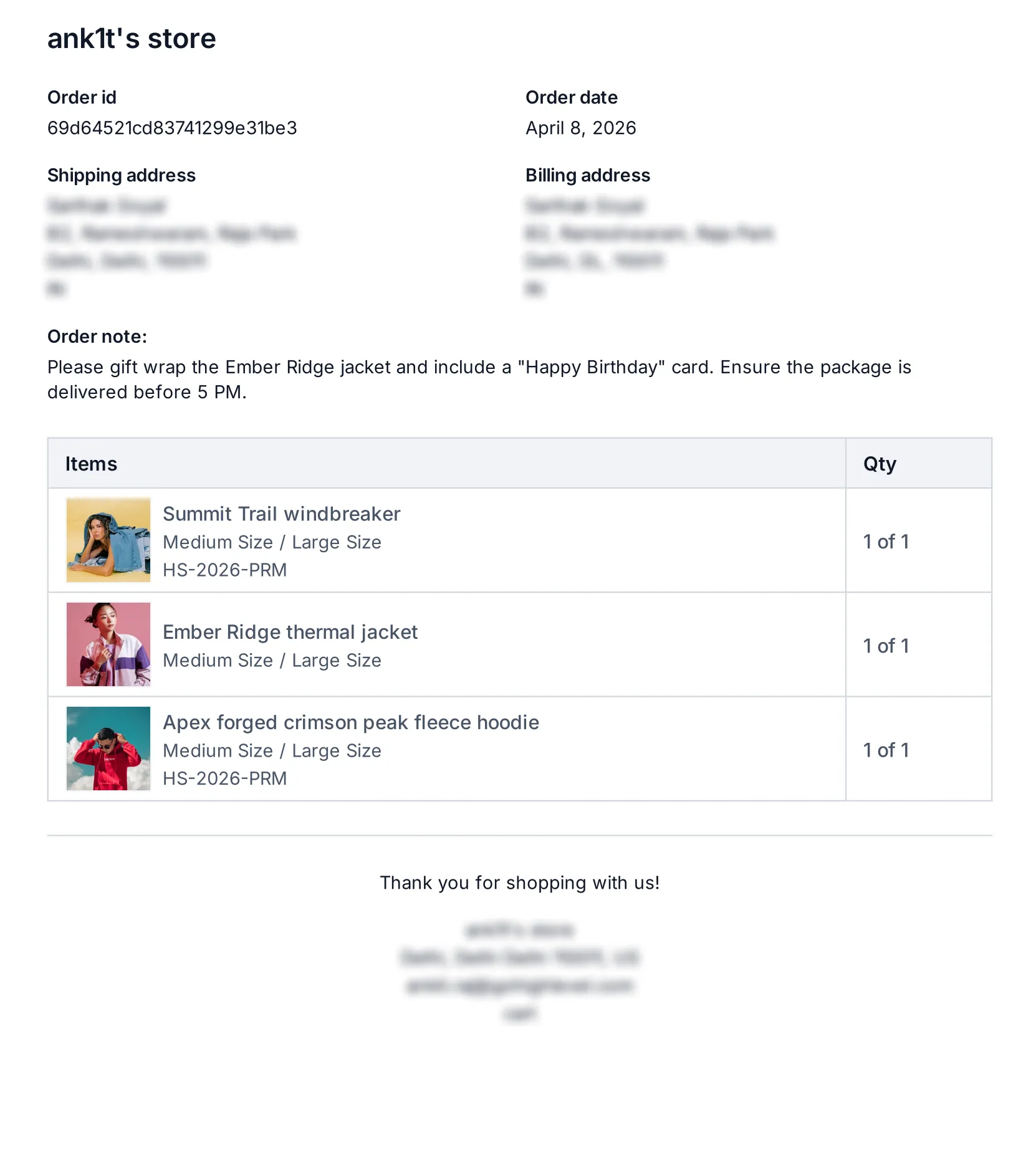
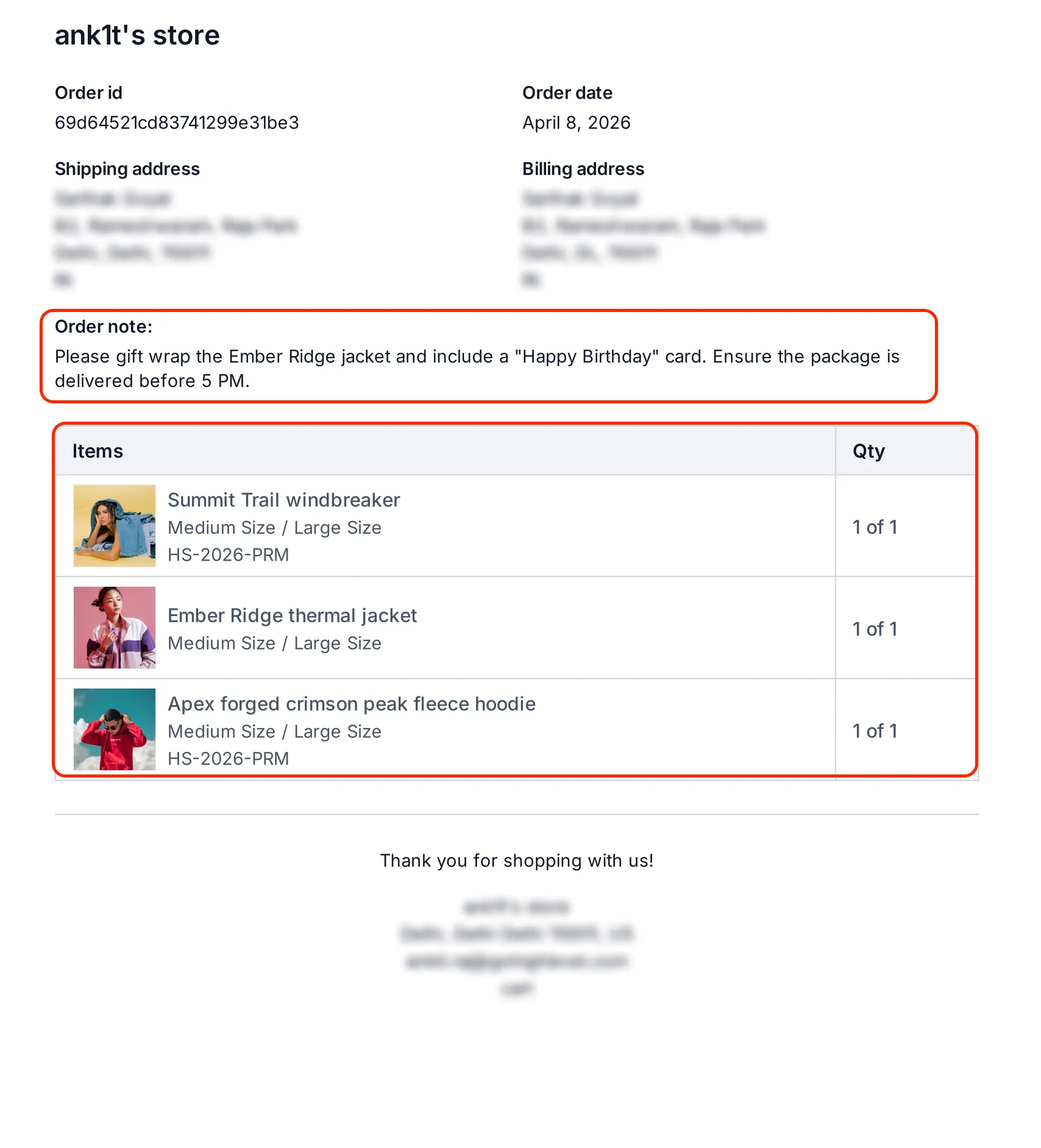
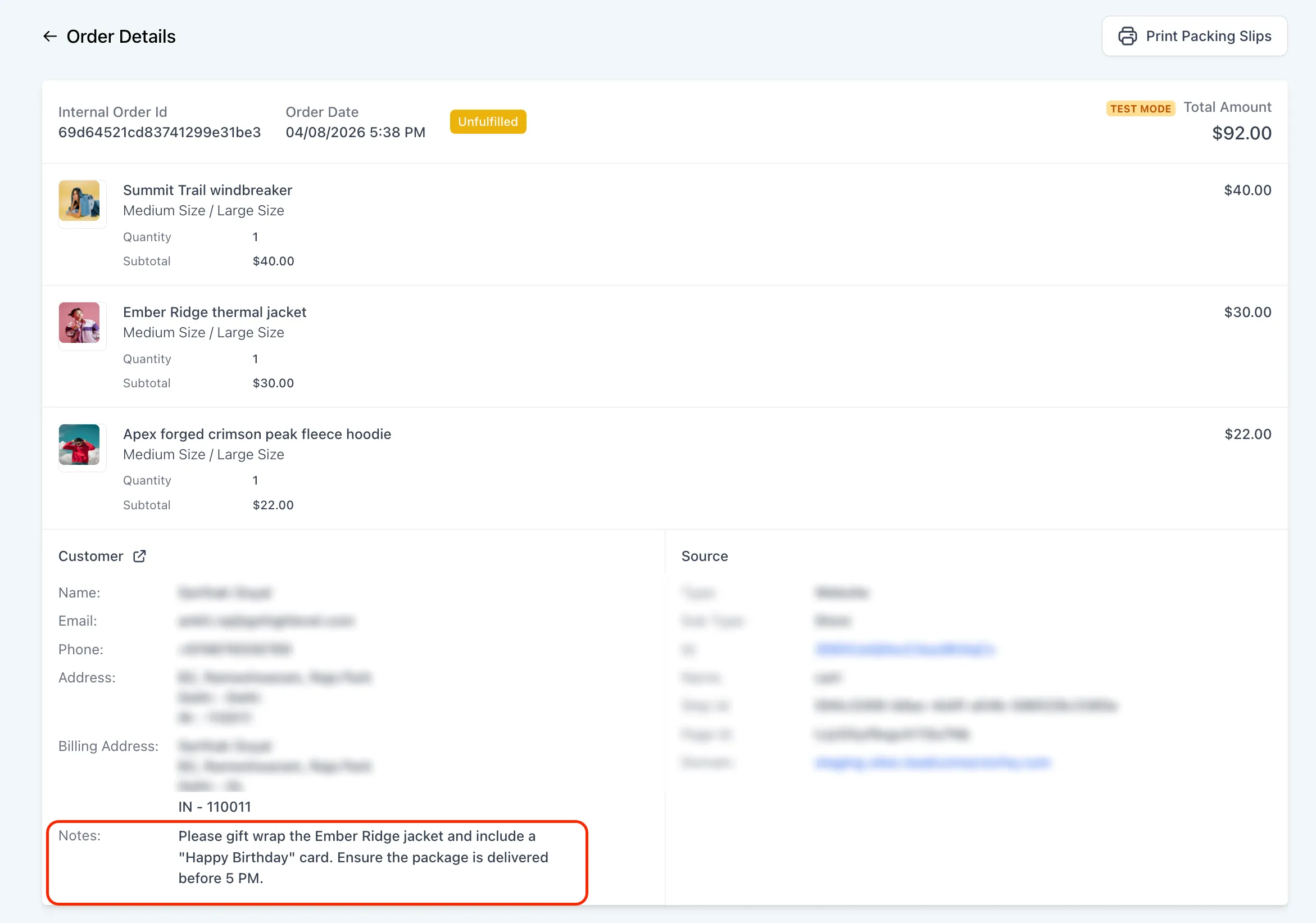
Customer notes entered during checkout now appear in a dedicated Order Notes section at the top of the packing slip, above the item list.
If an order does not include notes, that section stays hidden.
SKU added to line items
Each product on the packing slip now shows its SKU in the line items table alongside the product name and quantity.
SKU values are pulled from the product configuration.
How It Works
- Customer notes entered during checkout appear automatically on the packing slip
- Product SKUs are displayed for each line item
- The packing slip layout adjusts for both single-item and multi-item orders
- Existing packing slips remain compatible
Why It Matters
These updates help fulfillment teams see customer instructions more easily and identify products faster during packing.
In Case You Missed It
You can also read about Digital Product Delivery by Email and Instant Access.
Need Help Applying This Update?
If you’d like help rolling this out in SMBcrm, visit Support or request a demo.