Shipping Rates Now Sort by Lowest Price at Checkout
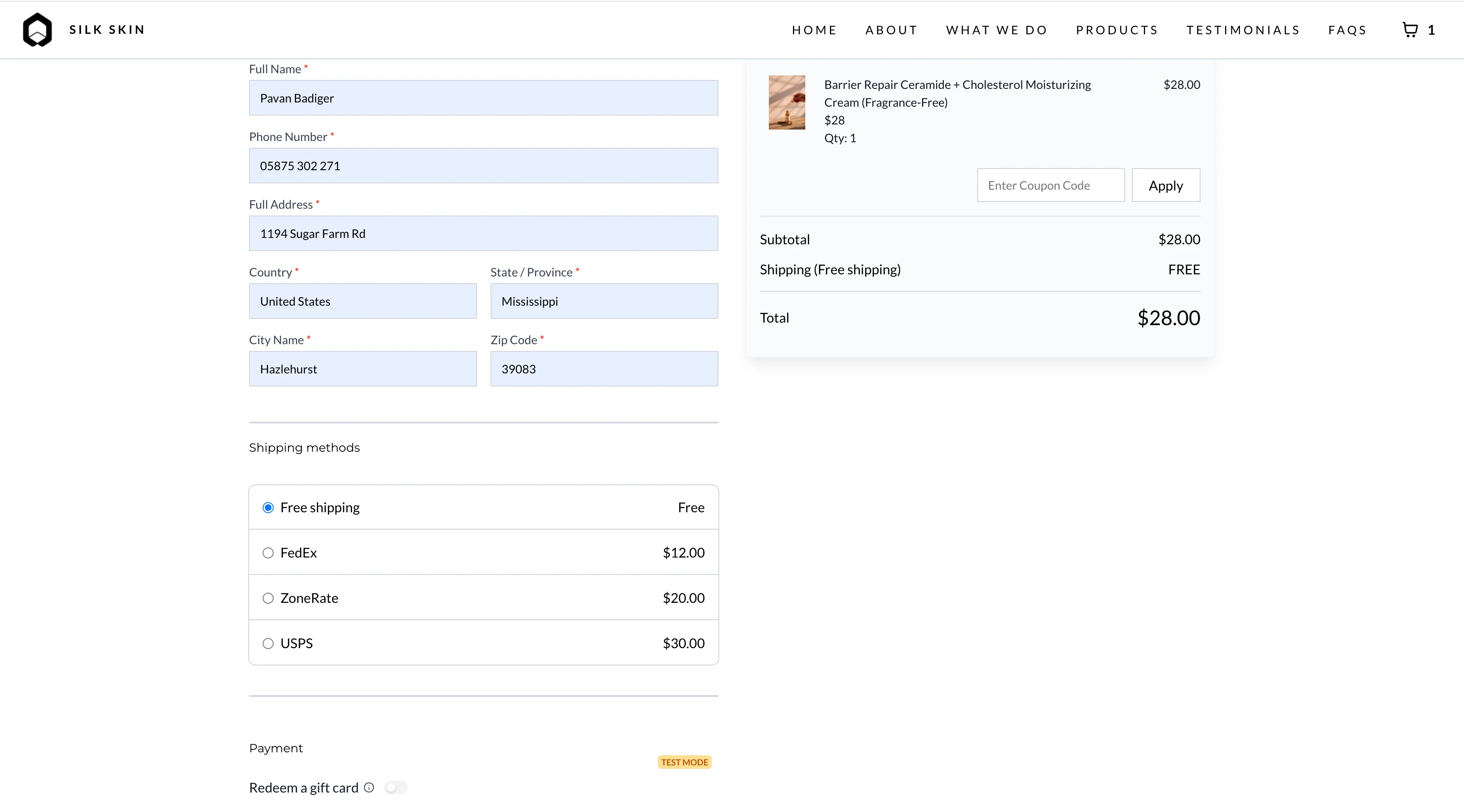
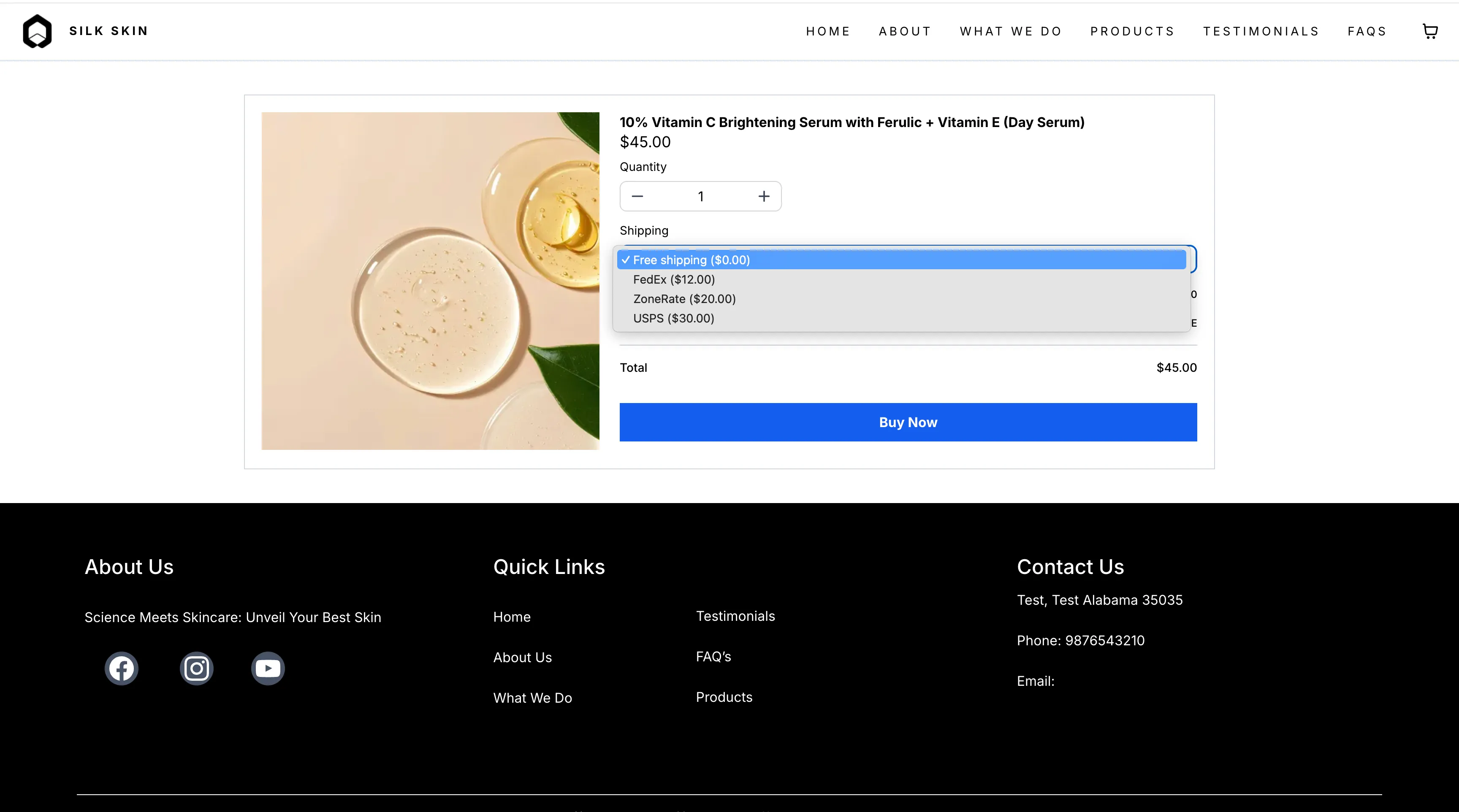
SMBcrm checkout now sorts shipping options by price so customers see the lowest-cost rate first. When free shipping is available, it appears at the top and is selected automatically.
For businesses using Payments & Commerce, this helps reduce friction at checkout by making the most affordable shipping option easier to find.
What Changed
- Shipping rates are displayed in ascending order by price
- The cheapest available shipping option is selected by default
- Free shipping appears first and is selected automatically when available
- If rates change because of an address update or cart change, sorting and selection are applied again automatically
What to Expect
- This applies anywhere shipping rates are shown in checkout
- If only one shipping rate is available, it is selected automatically
- If multiple shipping options have the same price, the existing provider order is preserved and the first lowest-cost option is selected
- No setup is required
In Case You Missed It
You can also read about ACH Bank Transfers for US and Canada Accounts Using NMI.
Need Help Applying This Update?
If you’d like help rolling this out in SMBcrm, visit Support or request a demo.