Coupons Now Support Product Price and Variant Targeting
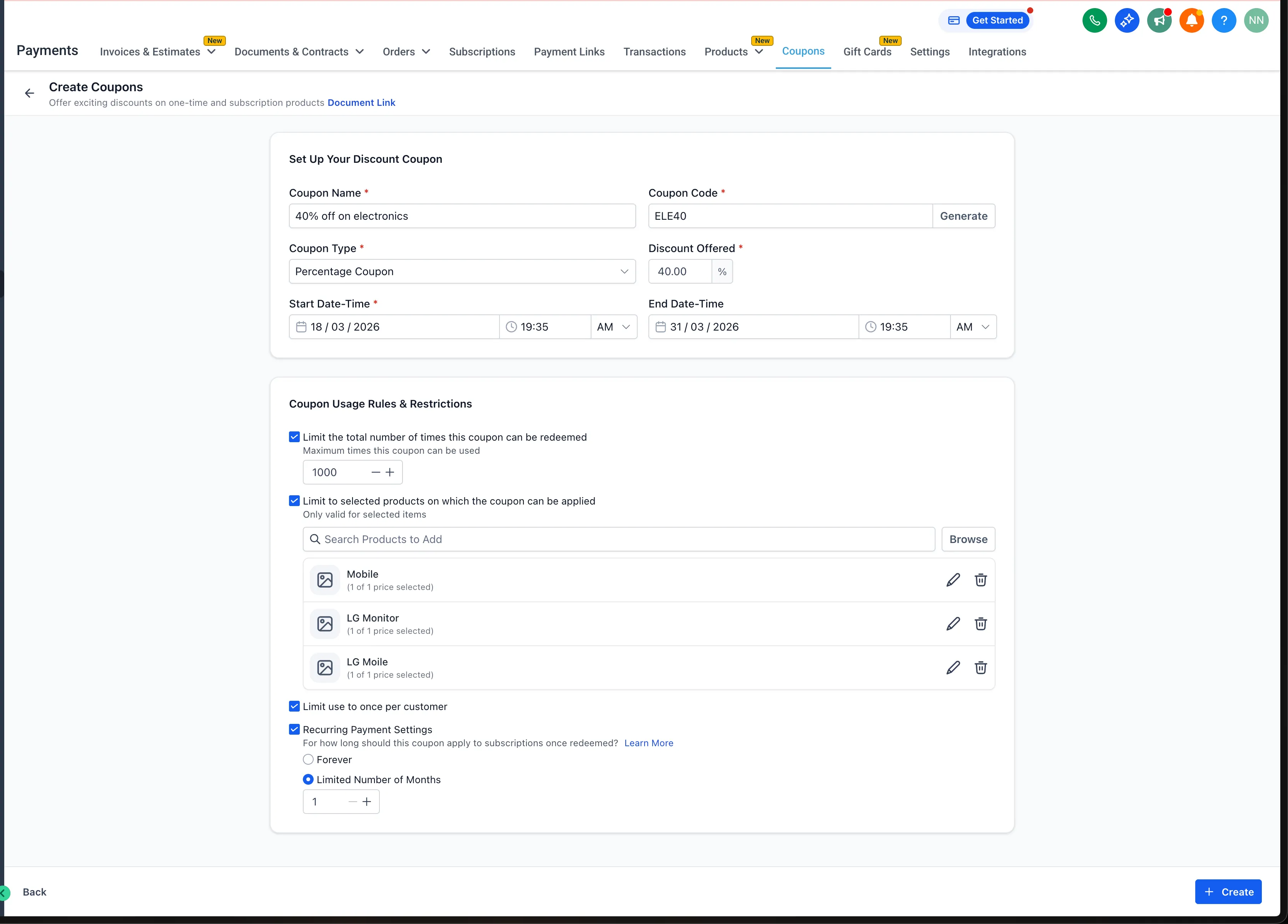
Coupons can now be configured with more precision inside Payments & Commerce. Instead of applying a coupon only at the full product level, you can now target specific prices or variants within a product.
This makes it easier to run targeted promotions without duplicating products or removing variants just to control which discount applies.
What changed
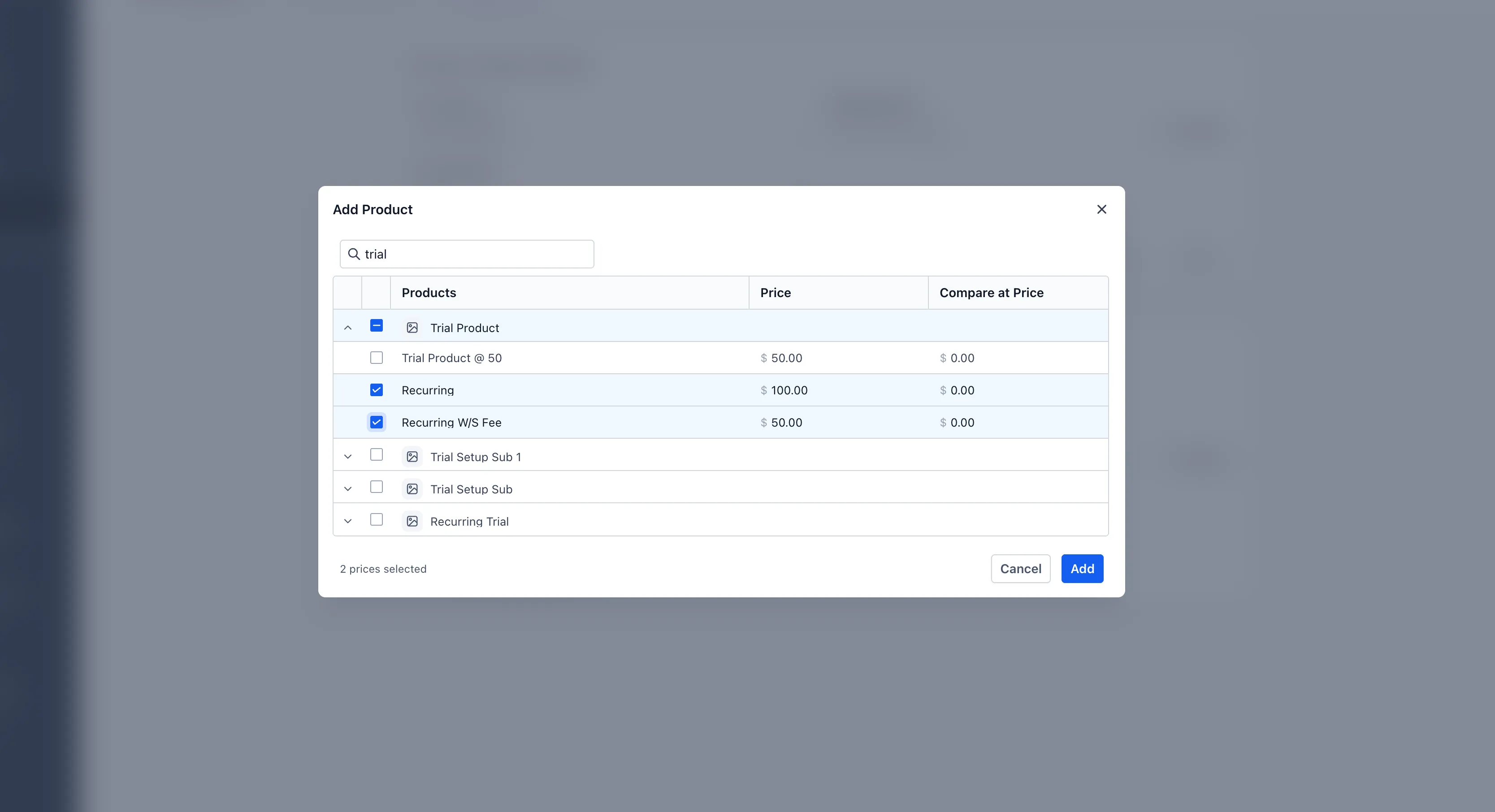
When creating or editing a coupon, you can now choose whether the coupon applies to:
- An entire product
- Specific prices within a product
- Specific variants within a product
When you select a full product, all current and future prices or variants under that product are included automatically.
This updated logic applies to:
- Newly created coupons
- Existing coupons that are edited
- Future orders using the updated configuration
Checkout behavior
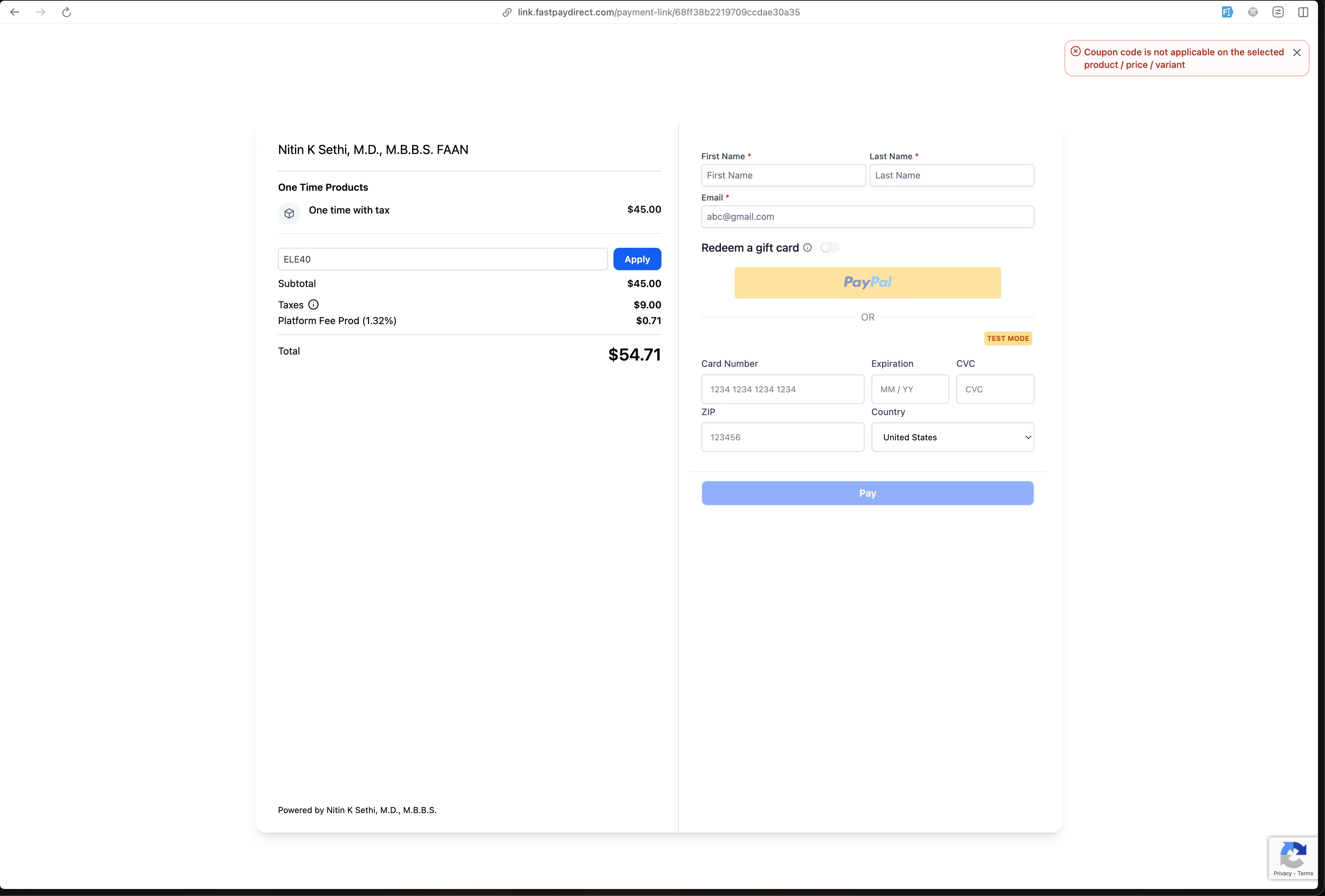
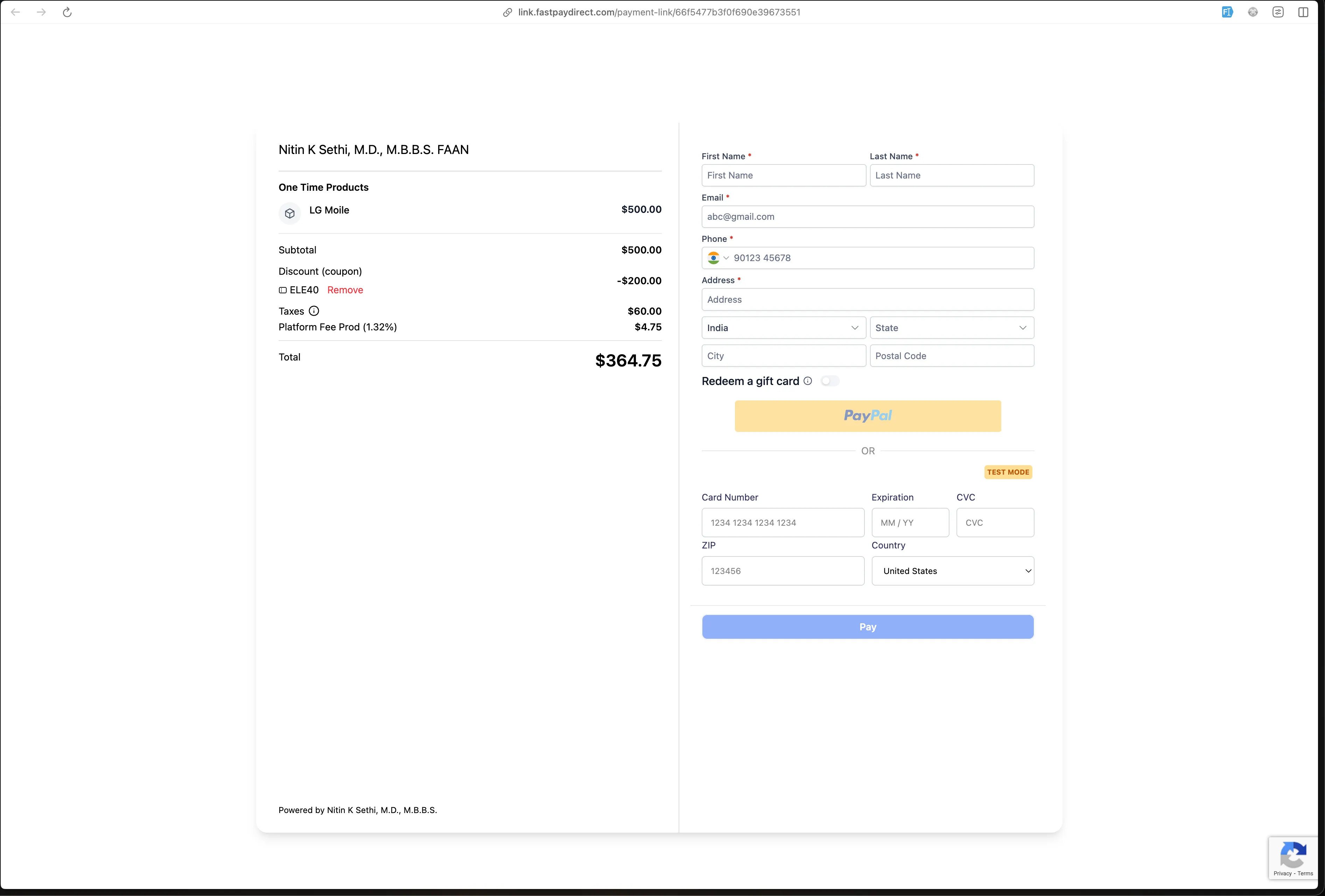
Supported checkout experiences now follow the updated coupon rules, including:
- Funnels
- Forms
- Ecommerce stores
- Payment links
- Calendars
A coupon will only apply when the selected price or variant matches the coupon configuration.
Existing subscriptions, recurring payments, and past transactions continue using the previous coupon logic for backward compatibility.
Workflow trigger updates
Coupon-based workflow triggers now support the same level of targeting.
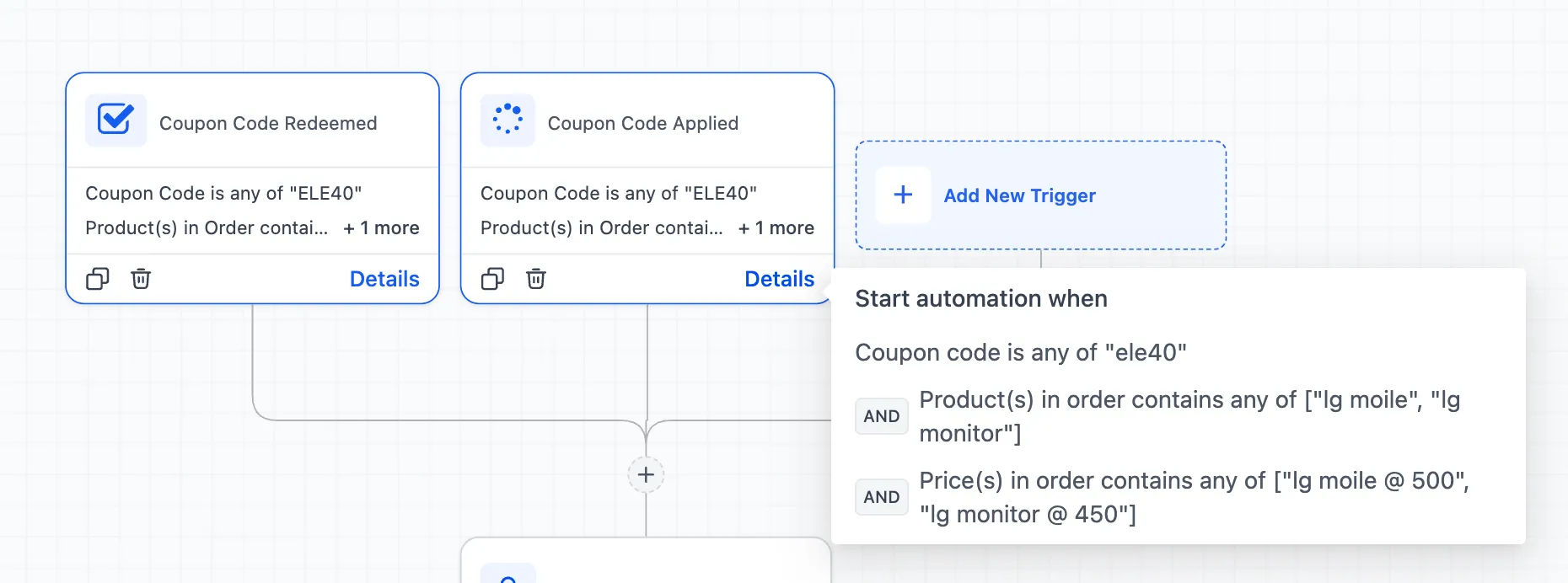
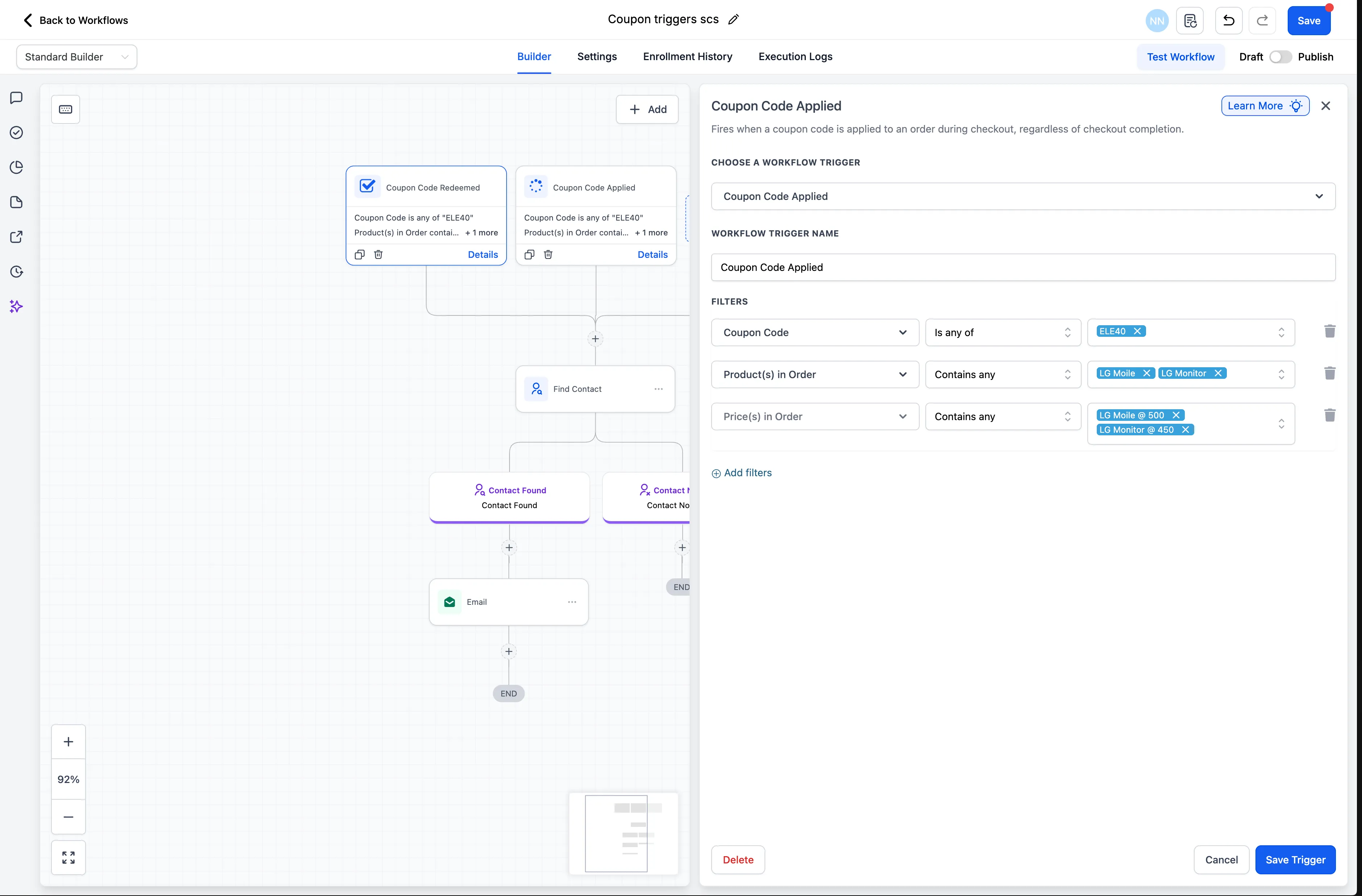
For triggers such as Coupon Code Applied and Coupon Code Redeemed, you can now filter by product and then narrow the trigger to a specific price or variant under that product.
This supports more specific automation, such as:
- Triggering actions only when a coupon is used with a certain variant
- Targeting automation based on a pricing tier discount
Where to find it
You can access these settings in:
- Payments → Coupons → Create or Edit Coupon
- Automation → Workflows → Coupon triggers
In workflows, the price or variant filters appear only after a product is selected.
What to expect
Existing coupons continue to work as they do today unless they are updated. The new targeting logic applies to new coupon setups, edited coupons, and future orders.
In Case You Missed It
You can also read about ACH Bank Transfers for US and Canada Accounts Using NMI.
Release Images
Need Help Applying This Update?
If you’d like help rolling this out in SMBcrm, visit Support or request a demo.