Meetings Now Support Reusable Personal Links
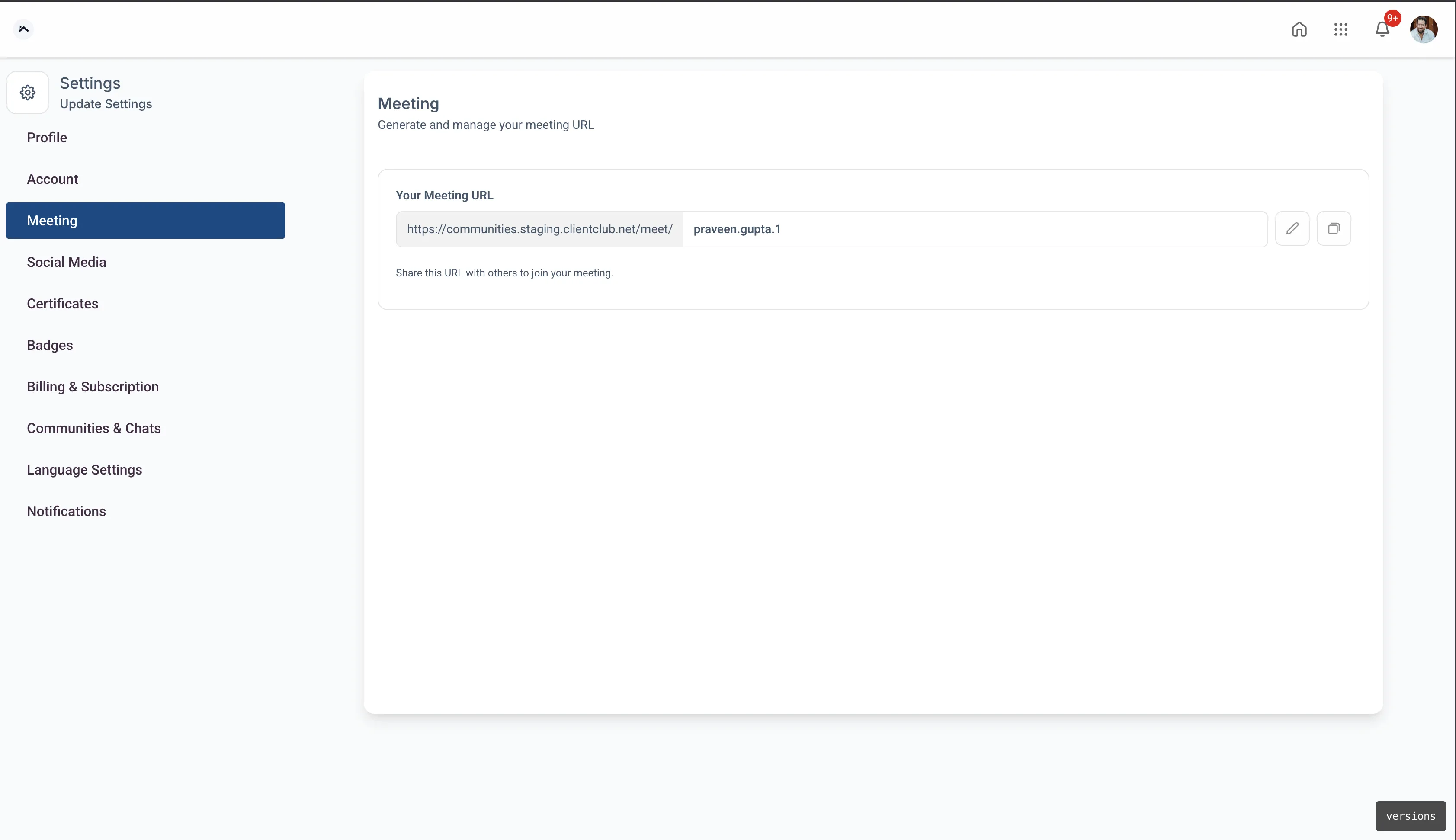
Meetings in the client portal now support reusable personal links for one-time and recurring sessions. This makes it easier to share one link and use it again without recreating meetings.
What Changed
You can now use the same personal meeting link across multiple sessions instead of creating a new link each time.
This update supports:
- One-time meetings for single sessions or events
- Recurring meetings that keep the same link every time
- Simpler sharing with clients or team members
- Fewer last-minute issues caused by expired or replaced links
Why It Matters
Reusable meeting links reduce setup work and make scheduling more consistent.
With the same link available each time:
- You only need to share it once
- Participants can join using the same link for future sessions
- Hosts can start a session whenever needed
- Recurring meetings stay available instead of needing to be recreated
Where to Find It
In the client portal, go to Account Settings > Meeting to get your personal meeting link.
This update is especially useful for ongoing sessions inside your Memberships & Education tools, such as coaching calls, weekly syncs, or repeat client meetings.
In Case You Missed It
You can also read about Digital Product Delivery by Email and Instant Access.
Need Help Applying This Update?
If you’d like help rolling this out in SMBcrm, visit Support or request a demo.