Preference Management Refinements
SMBcrm updated Preference Management to make setup and editing clearer and safer. These changes help users configure categories with less guesswork and fewer accidental updates.
Users managing email preferences in Communication will notice several usability improvements.
What changed
Cleaner default setup
New configurations no longer include a pre-set “One-on-One” subscription type. You now start with a blank setup so you can define categories that fit your business.
Clearer scope guidance
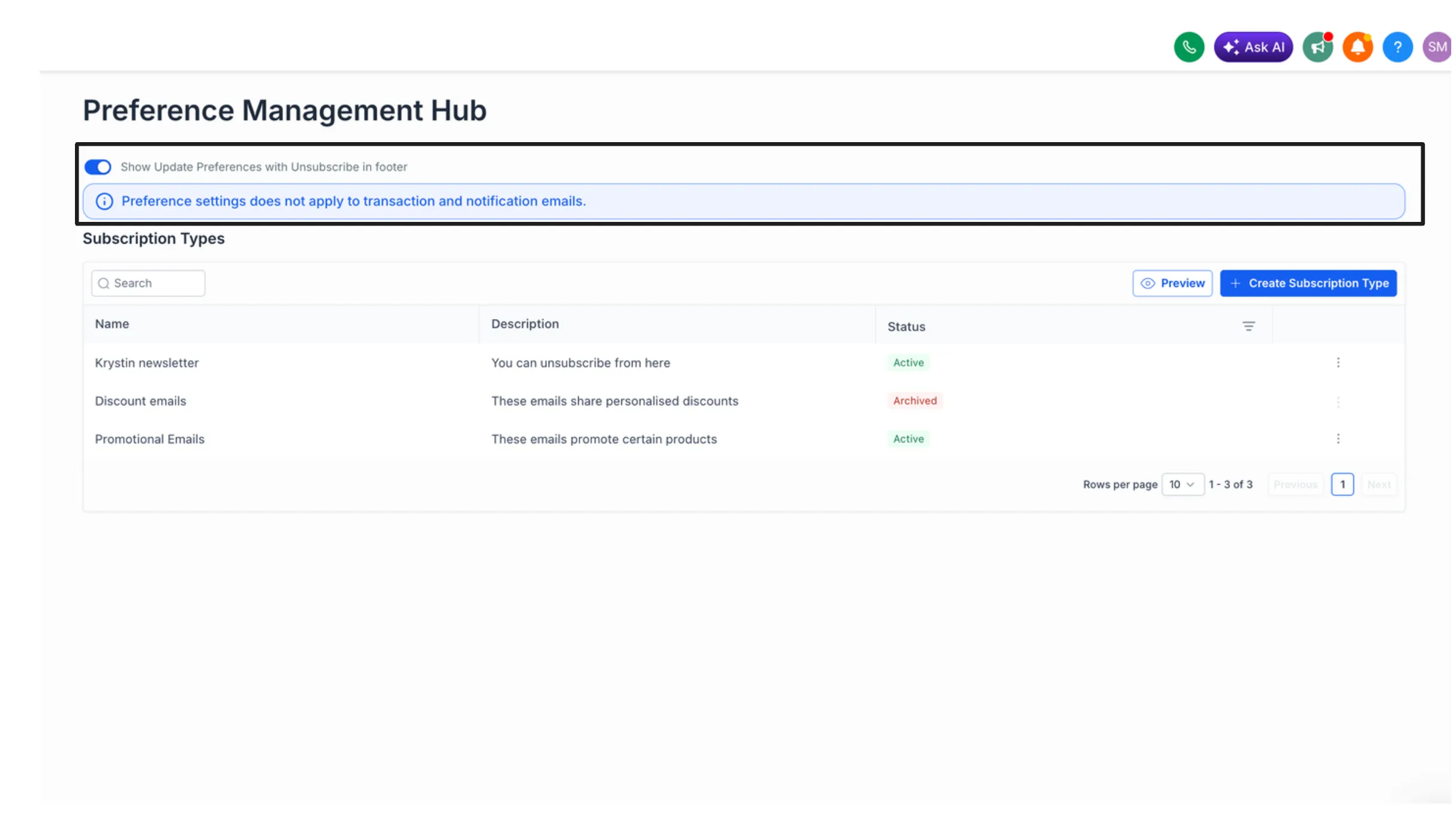
The settings screen now includes an inline note explaining that preference settings apply only to transactional and notification emails.
Editable category names
Subscription category names can now be edited after creation. This makes it easier to fix naming mistakes or adjust categories later without deleting and recreating them.
Longer category names
The character limit for subscription category names has increased to 100 characters, giving you more room to use descriptive labels.
Safer save actions
Preference settings now require explicit confirmation before saving changes, which helps prevent accidental updates.
Better empty states
If all preference categories are archived, the screen now shows a clearer zero-state with guidance on what to do next instead of appearing blank or unclear.
Why it matters
These refinements make Preference Management easier to set up, easier to maintain, and clearer to understand, especially when updating categories or reviewing how email preferences apply.
In Case You Missed It
You can also read about TikTok Comments Are Now Supported in Social Planner.
Need Help Applying This Update?
If you’d like help rolling this out in SMBcrm, visit Support or request a demo.