Variant Selector Display Options on Product Pages
SMBcrm now supports more flexible display options for product selectors on product pages. You can choose between dropdown and pill-style selectors for variants, with a more consistent experience across pricing options, quantity pickers, and upsells.
What Changed
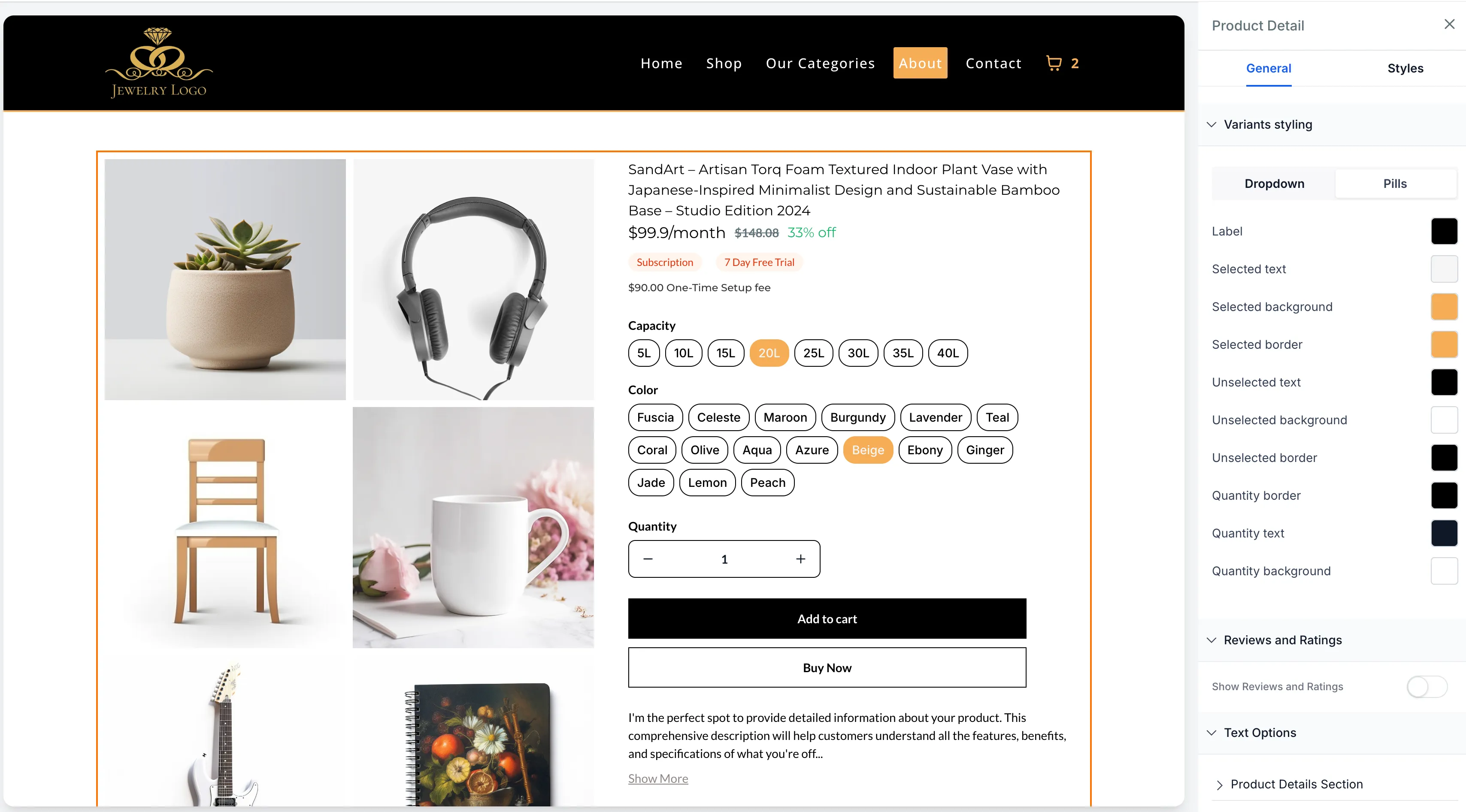
Variant display options
You can now control how product variants appear on the product details page:
- Dropdown
- Pills
The pills layout makes all options visible at once, which can help customers compare and select variants more easily.
Consistent selector behavior
Selector patterns are now aligned across:
- variant selectors
- quantity pickers
- upsell options
- multi-price selectors
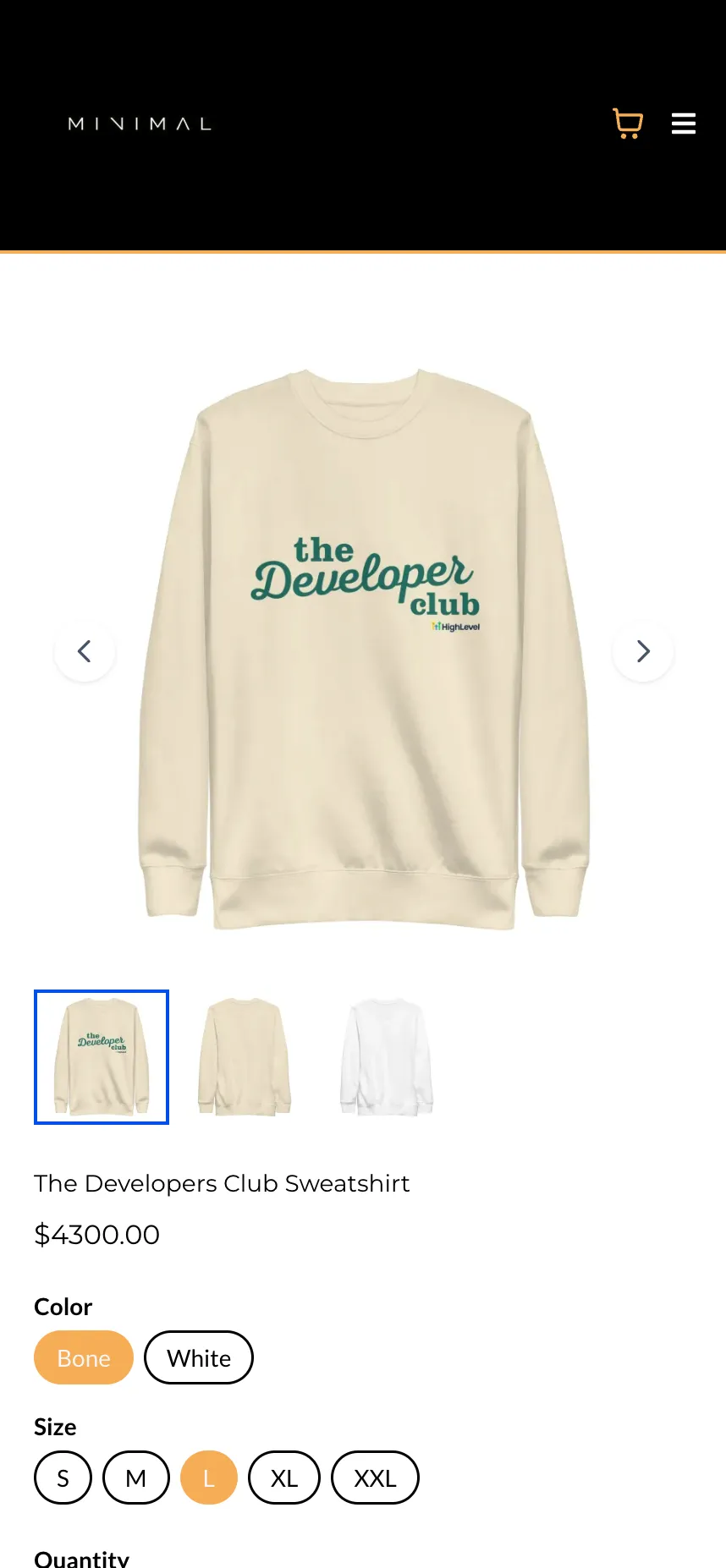
This behavior is reflected across desktop and mobile, including builder preview.
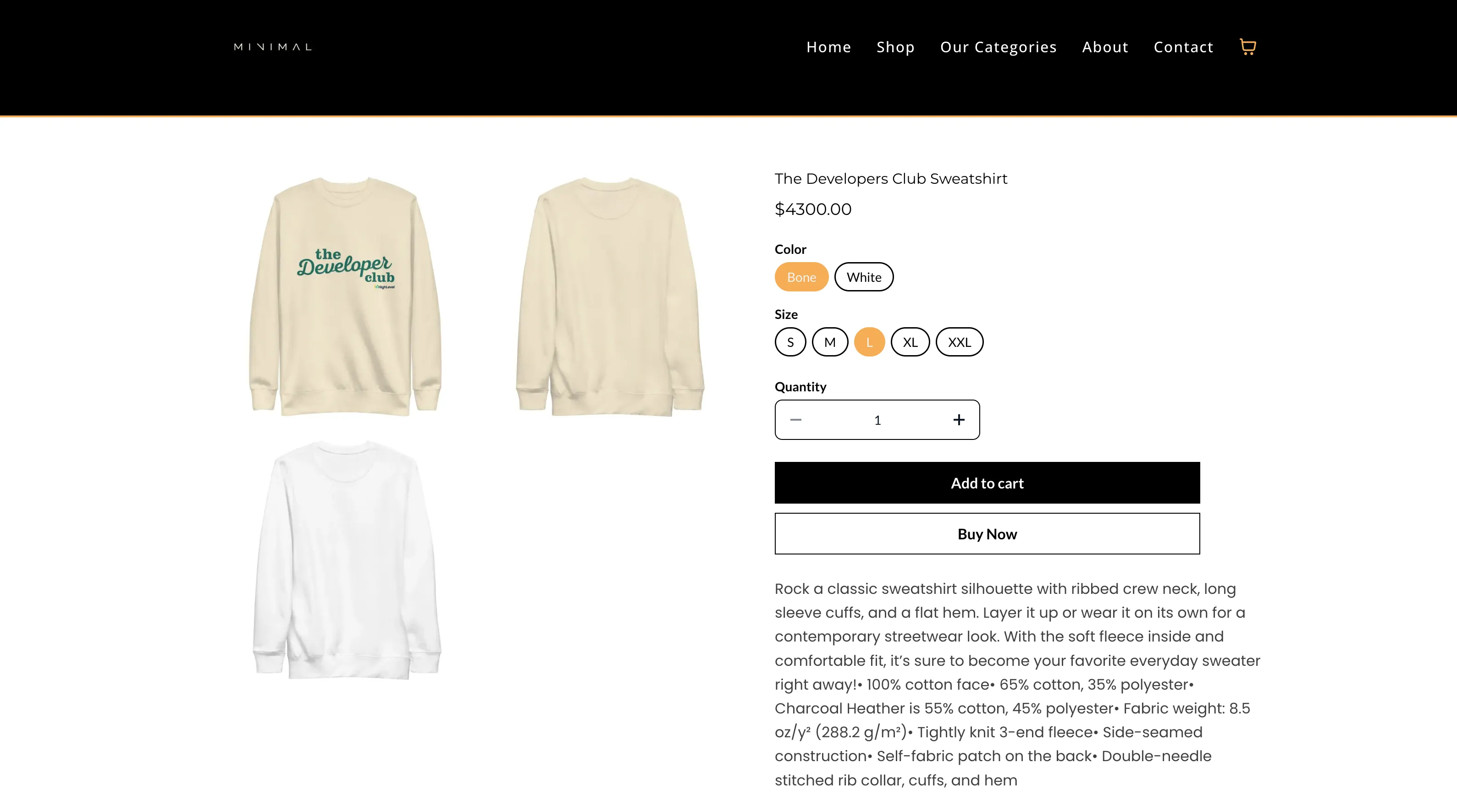
Pricing selector styling alignment
Multi-price selectors now follow the same dropdown or pills styling used for variant selectors. This creates a more consistent look and interaction pattern across product selection components.
Rendering and mobile fixes
This update also includes fixes for:
- multi-price selectors not rendering correctly in some cases
- mobile dropdown popup positioning issues
Quantity selector update
Quantity color customization is available only when using the Pills style.
How to Use It
- Open Store Builder and edit the product details page.
- Select the Product element.
- In the settings panel, find Variants styling.
- Choose Dropdown or Pills.
- If you choose Pills, customize the selected and unselected color styles.
- Save and publish your changes.
Things to Know
- Dropdown remains the default display format for existing stores.
- Pills supports one selection per variant group.
- The updated selector experience applies across desktop and mobile storefronts.
In Case You Missed It
You can also read about ACH Bank Transfers for US and Canada Accounts Using NMI.
Need Help Applying This Update?
If you’d like help rolling this out in SMBcrm, visit Support or request a demo.